What's New in ServiceDeskPlus 8.1
New Features |  |
IT made easy with ServiceDesk Plus 8.1
Interweaved with a host of new features
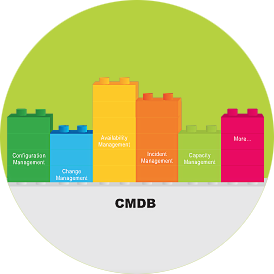
CMDB
Get more visibility into your IT closet
The CMDB provides a complete view of the business critical CIs, their relationships with other CIs and the business impact caused due to malfunction of a CI.
- Visualization map provides a detailed view of the CI relationships which will help in identifying the dependencies and impact of CIs before performing any changes or in case of any problems.
- View pending Requests, Problems and Changes raised for Assets, Business Services or IT Services from the relationship map. Reduce your manual process by tracking your IT Assets automatically.


Service Catalog Enhancements
One view to see all offered services
- The newly enhanced multi-level approval stages help in configuring the Service Request for multiple approvers. Display Approvals tab in the ‘Requests module’ for Requesters which helps in notifying the status of the service request..
- The ‘Agreed upon time’ (SLA) for a Service Request is displayed to the requesters before creating the Service Request.

Self-Service Portal Enhancements
Reduces your technician work-load
- Combine and display the Incident Templates and Service Request Templates under Request Catalog in Self-Service Portal. Option to disable the default request template (‘New Request’ link) for requesters.
- End users can create and track the ticket without help desk staff. Users can review the history of requests.
- End-users can approve waiting requests through the Self-Service Portal.
Other Enhancements
- Calculate asset depreciation using four methods such as declining balance, double declining balance, straight line, and Sum of the Years digits.
- Option to change Technicians as Requesters.
- Access Self-Service Portal via Mobile Client.
- Now, Access ServiceDesk Plus on your iPad and iPhone.