How to get Device instance path for removable devices?
Every USB device has a unique ID. This ID is assigned to devices by the system to identify them easily. You can identify the Device Instance ID of a Device by following the steps mentioned below:
- Search for Device Manager in control panel.
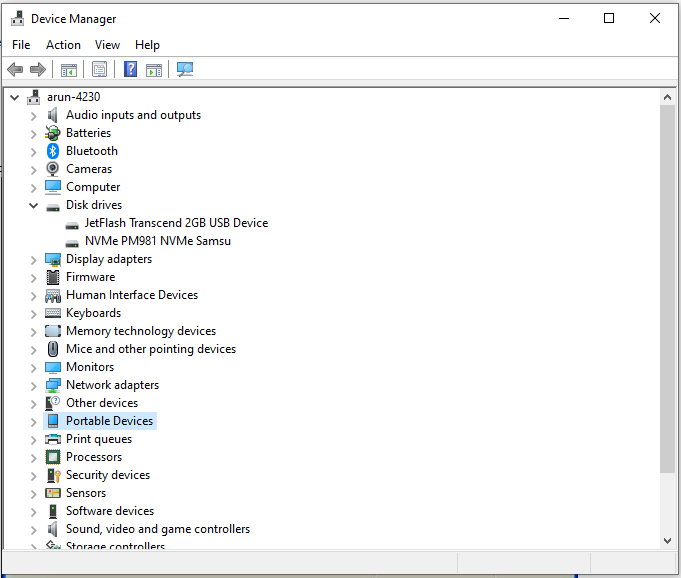
- From the list of devices, expand the list of devices for which you want to obtain the device instance path.
(For example : if you want to identify the Device Instance ID of a mobile phone that you have connected to the computer, expand portable devices and follow the next step.)
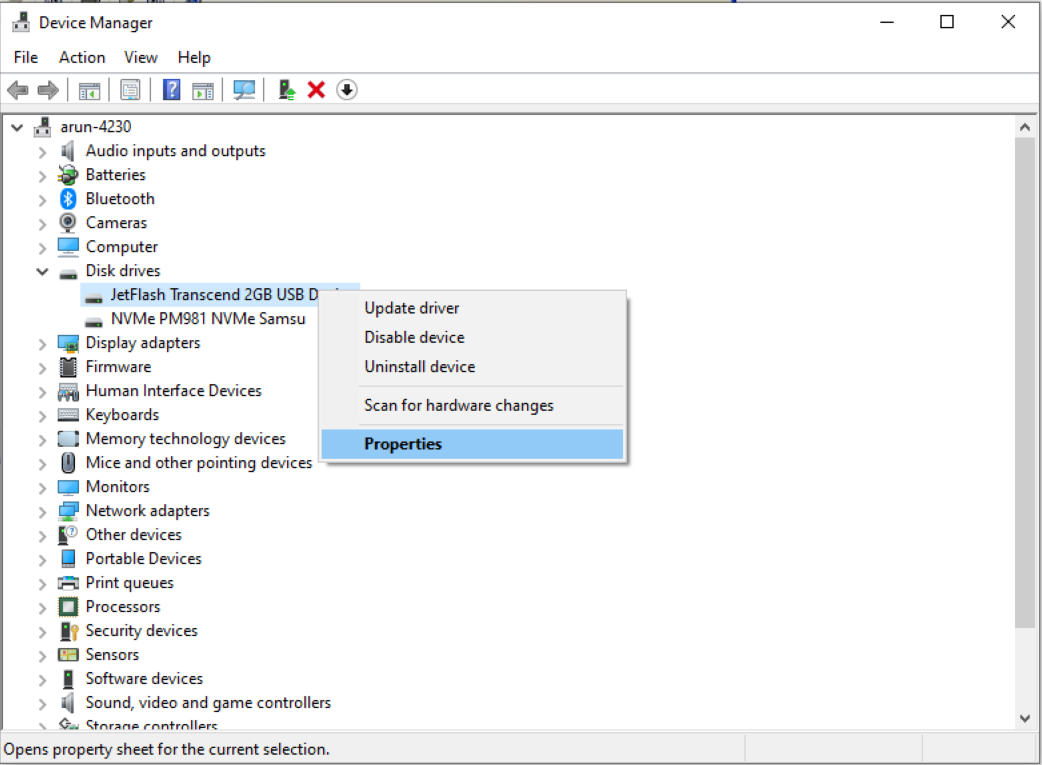
- Right click on the device type and click properties.

- Click on the Details tab.
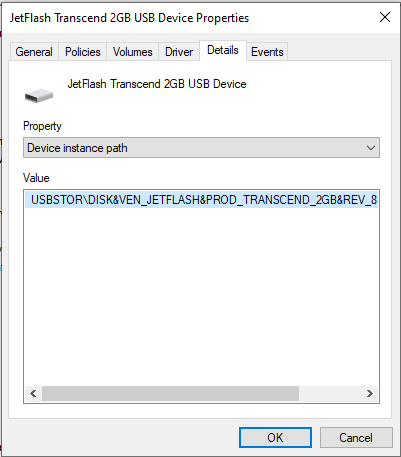
- In the drop-down box, select Device Instance ID or Device Instance Path (Refer to the figure below)
- You can now view and copy the Device Instance ID for a specific device.