如何安装和卸载Linux代理
本指南提供了关于安装和卸载Linux代理的详细说明,包括手动和远程安装方法、先决条件、系统要求和代理权限。
先决条件
- Linux代理配置: 确保Linux代理设置已配置 了解更多.
- 权限 代理安装需要sudo/root权限。安装完成后,代理以root权限运行,UI任务除外,UI任务以普通用户身份运行。
- 服务兼容性 Linux机器应运行SystemD或SysVinit服务,因为代理服务仅兼容这些服务。
- 支持的架构 包括x86、x86_64、ARM(32位和64位)。请确保64位机器支持32位二进制执行。
- 所需软件包:
- tar软件包,版本1.29或以上。
- 根据Linux操作系统类型需要xz或xz-utils。
- libgtk-3-0或gtk3.x86_64
- 根据Linux操作系统类型需要libwebkit2gtk-4_0-37、webkitgtk4-plugin-proces-gtk2.x86_64、webkitgtk4、webkit2gtk、webkit2gtk4.1或webkitgtk6.0。
手动安装Linux代理
Linux代理可以手动安装在需要管理的计算机上。安装前应先将代理下载到目标Linux计算机。
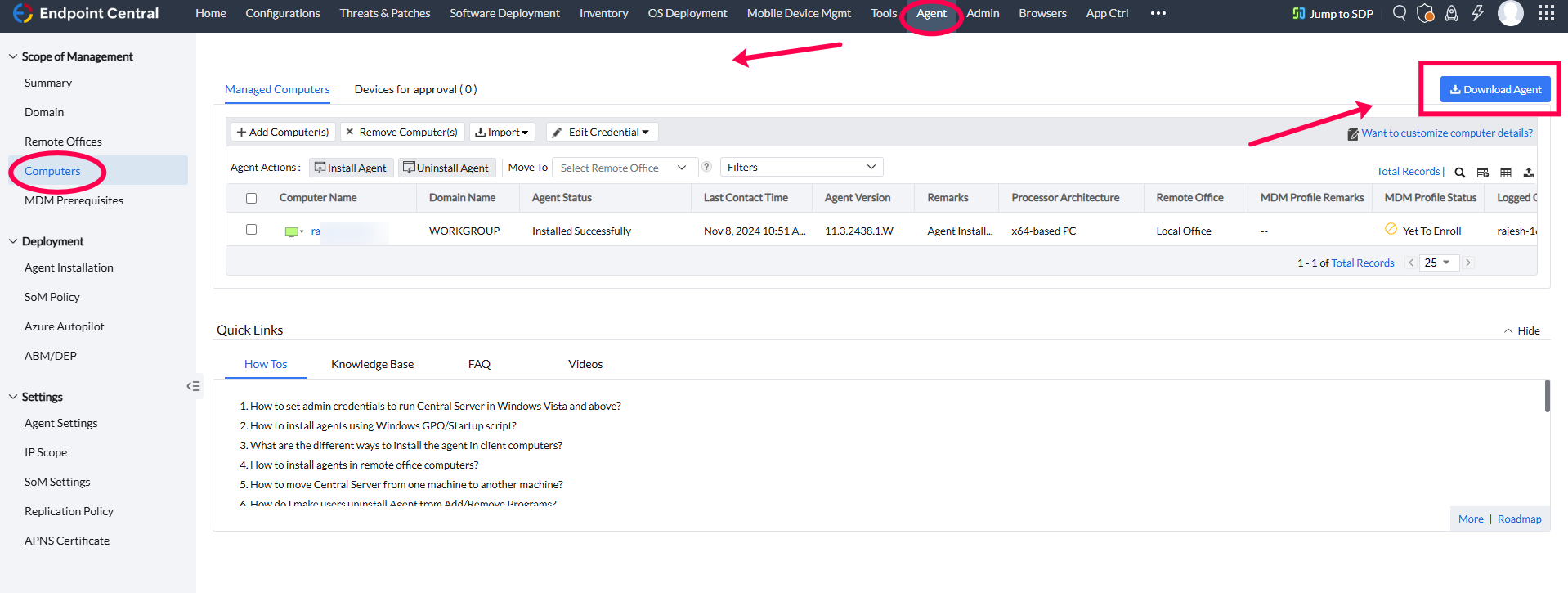
- 导航至 Agent-->Computers 点击 Download Agent.
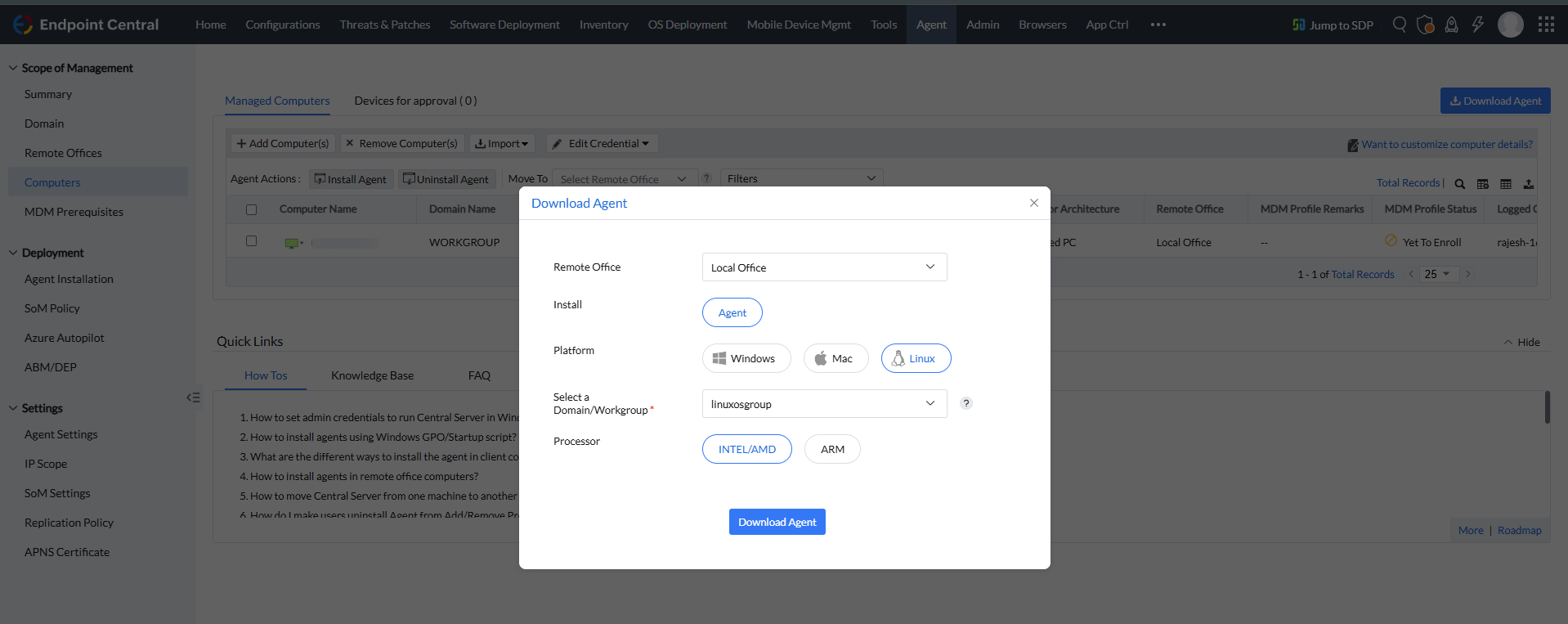
- 选择平台为 linux,选择 domain/workgroup 下拉菜单中的选项。
选择处理器: x86、x64、ARM32 或 ARM64。
注意下载的代理安装程序名称取决于所选处理器。以下是各处理器类型对应的安装程序名称:
- UEMS_LinuxAgent.bin — x86 (32位 Intel/AMD)
- UEMS_LinuxAgent_x64.bin — x64 (64位 Intel/AMD)
- UEMS_LinuxAgent_ARM.bin — ARM (32位)
- UEMS_LinuxAgent_ARM64.bin — ARM64 (64位)
对应的ZIP文件名为 (remoteoffice_name)_<Agent_Installer_Name>.zip (例如, (remoteoffice_name)_UEMS_LinuxAgent_x64.zip)
- 将代理复制到目标计算机:
- Use
scpto copy the downloaded agent to the remote computer where the agent needs to be installed. - scp (remoteoffice_name)_<Agent_Installer_Name> username@hostname: Path_To_Storage_Directory_If_Needed
- username: 目标计算机的Root用户名。
- hostname: 目标计算机的本地主机名。
- If no path is specified, the agent will be copied to
/home/usernameon the target computer.
- Use
- 在目标计算机上安装代理:
- 打开终端并登录目标计算机: ssh username@hostname
- Log in as the root user. If not logged in as root, use the
sudocommand and enter the password when prompted to perform each operation.
- 进入下载的代理所在目录:
- 转到代理已下载的目录。
解压UEMS代理:
- Unzip the
(remoteoffice_name)_<Agent_Installer_Name>file using the command:
解压UEMS代理的命令
- unzip -e (remoteoffice_name)_UEMSLinuxAgent.zip
- Unzip the
- 验证文件:
- Confirm that both
UEMS_LinuxAgent.bin(or the appropriate installer for your architecture) andserverinfo.jsonare in the same directory.
- Confirm that both
设置可执行权限:
- As a root user, make the installer executable with the following command (replace
<Agent_Installer_Name>with the applicable file name):
设置可执行权限的命令
- chmod +x <Agent_Installer_Name>
- As a root user, make the installer executable with the following command (replace
运行安装程序:
- Execute the installation command as follows (replace
<Agent_Installer_Name>with the applicable file name):
运行安装程序的命令
- ./<Agent_Installer_Name>
- By default, the agent will be installed in the
/usr/local/manageengine/uems_agent/directory. 若要将代理安装到不同的文件夹,请使用 -d 参数并输入您偏好的路径:
     eg:  ./UEMS_LinuxAgent_x64.bin -d /opt
 Now agent will install on /opt/manageengine/uems_agent/ path
- Execute the installation command as follows (replace


从Web控制台远程安装Linux代理
局域网内的计算机可以通过Web控制台选择目标计算机并调用代理安装来安装代理:
在Linux代理设置中配置凭据
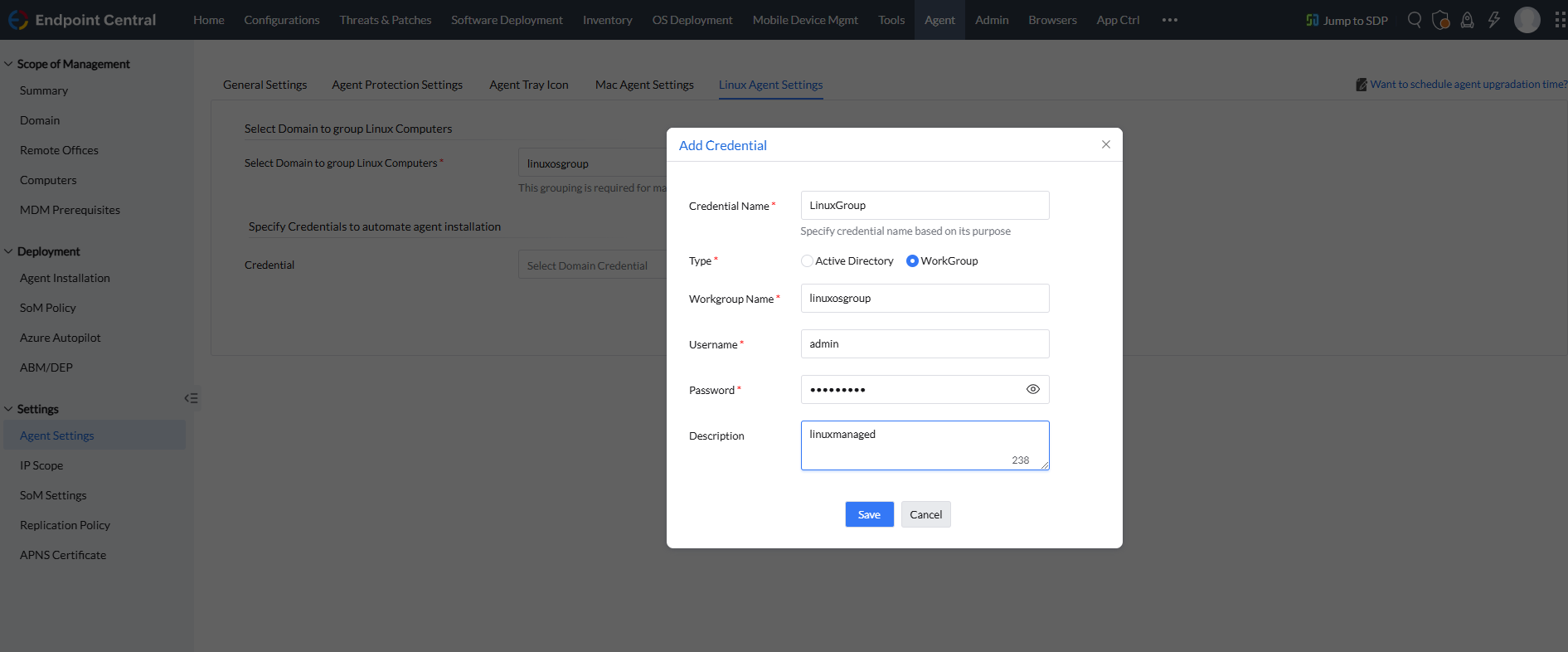
- 进入 Linux Agent Settings 位于 Agent Settings 的 Agent 选项卡下。
- 点击 添加凭据 以添加新的凭据。
- 输入 Credential Name, 类型, 域, 用户名,以及 密码,然后点击 保存.
- 选择凭据并点击 保存更改.
注意- These credentials will be used for SSH access to the Linux machine to perform the agent installation. Ensure that the credentials have SSH access and
sudopermissions for installation. They are not used by the agent for any other purpose. - 如果您在SSH访问方面遇到问题 点击这里.
- 要在客户端计算机上调用安装, SSH端口(默认端口22) 应在需要安装代理的计算机上打开。SSH端口仅用于代理安装,不用于代理与服务器的通信。
- 将计算机添加到管理范围(SoM)
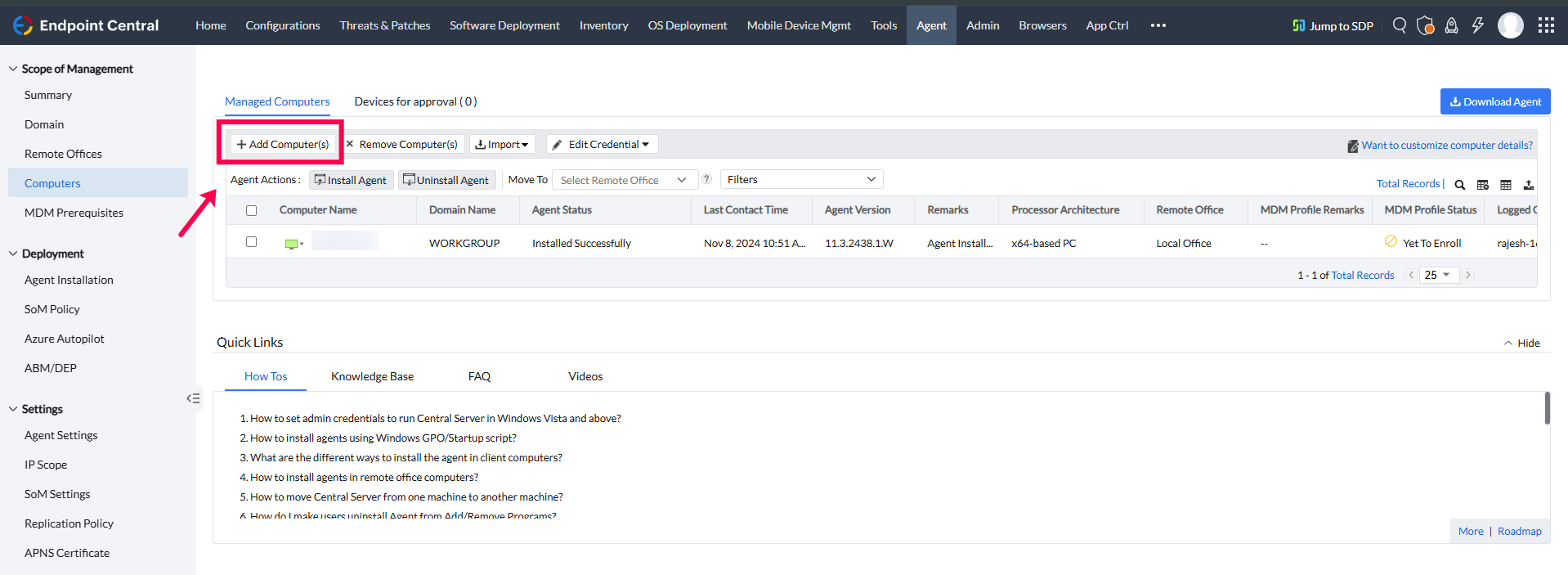
- 导航至 Agent > Computers 并点击 +Add Computer(s) 按钮以打开添加计算机弹窗。
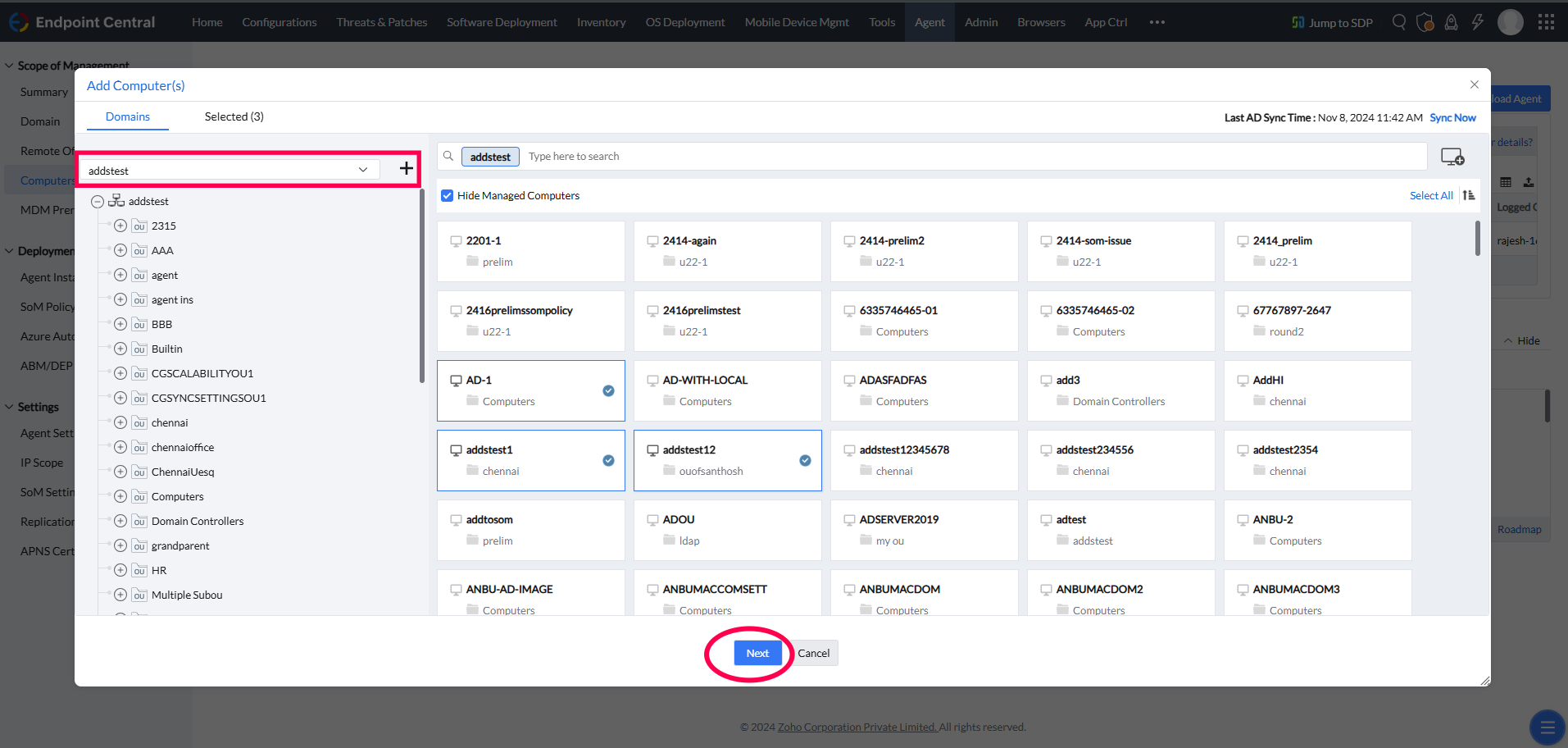
- 如果已添加域:
- 从下拉菜单中选择您的域。
- 选择要添加的计算机并点击 下一步.
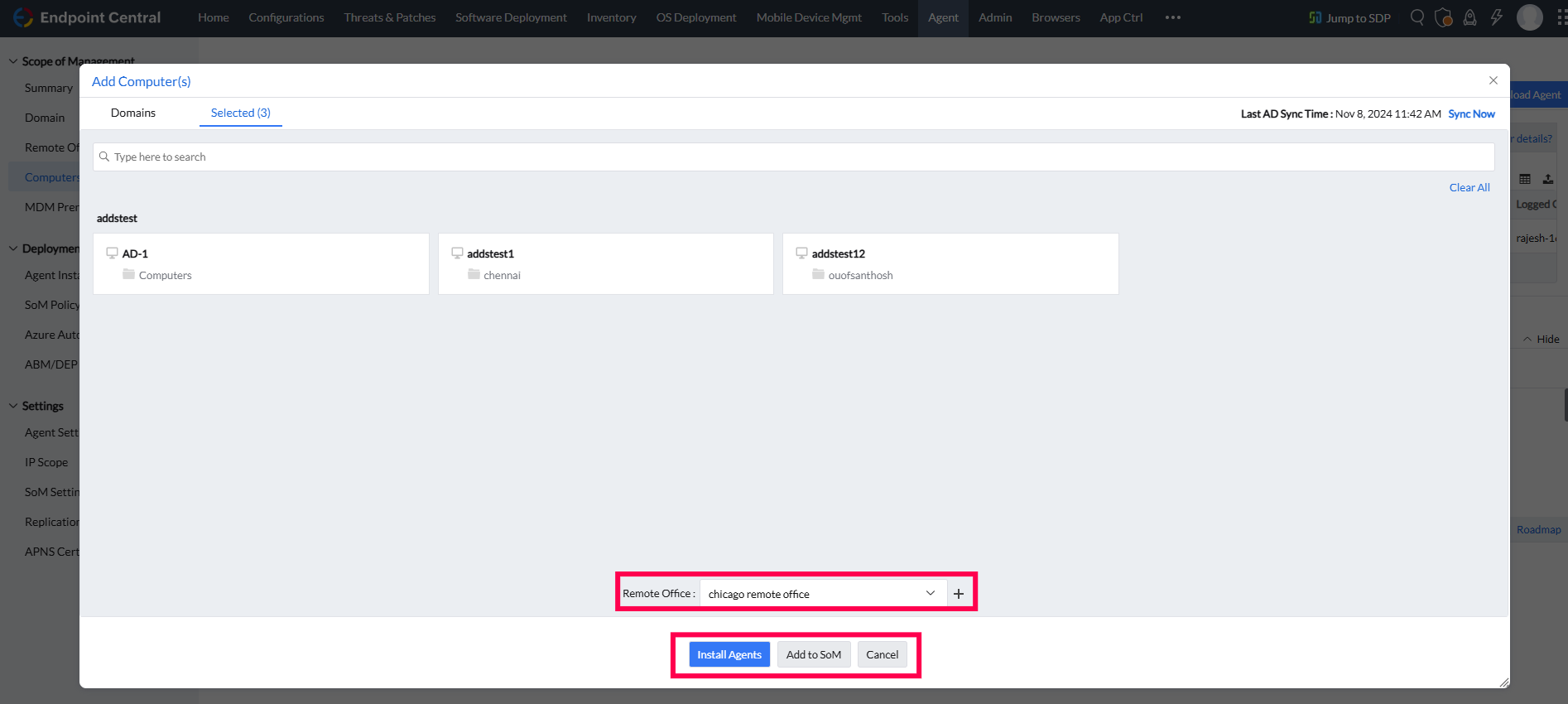
- 选中的计算机将列出在下一屏幕。在此,您可以:
- 选择 Remote Office 下拉菜单中的选项。
- 点击 安装代理 立即开始安装,或点击 添加至SoM 将计算机添加到Computers页面以便后续安装。
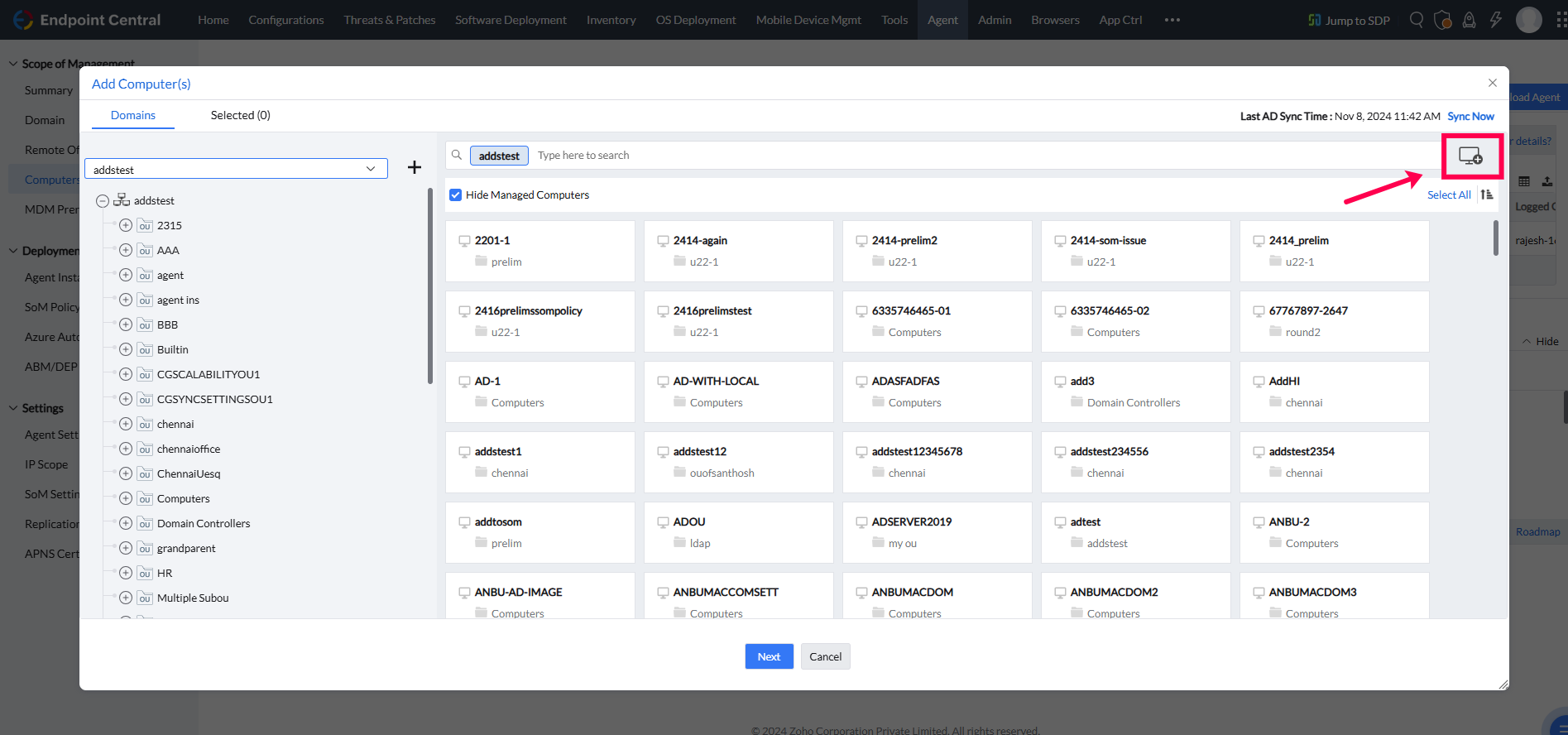
- 或者:
- 点击右上角的计算机图标。
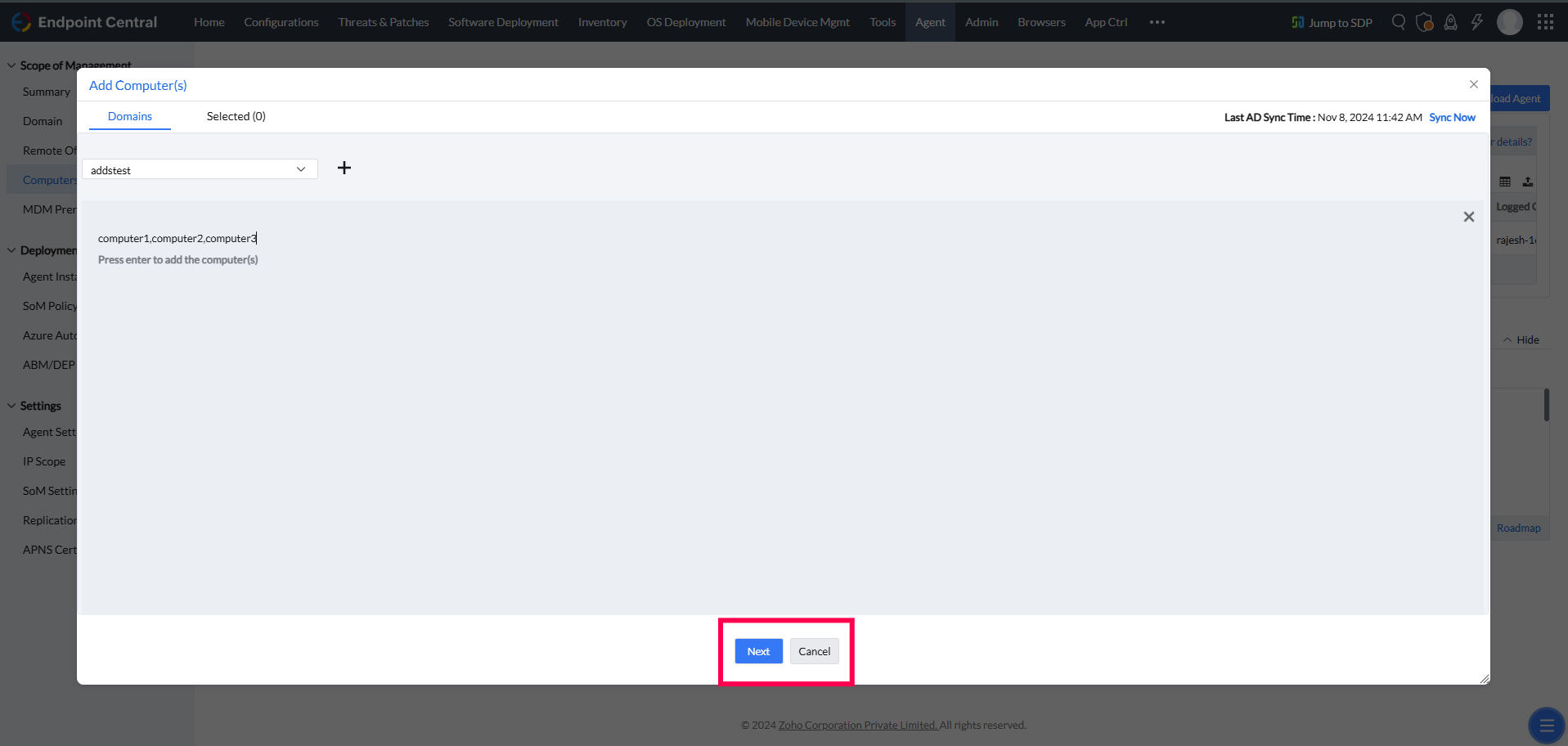
- Enter the name(s) of the computer(s) to add, separated by commas if adding multiple (e.g.,
computer1, computer2). - 点击 输入 以添加计算机。
- 选中的计算机将显示在列表中。选择 Remote Office 并点击 安装代理 立即安装,或 添加至SoM 稍后安装。
- 点击右上角的计算机图标。
- 导航至 Agent > Computers 并点击 +Add Computer(s) 按钮以打开添加计算机弹窗。
- 启动代理安装
- 点击左下角的安装代理图标。
- 代理安装将被启动。


使用IP范围或SSH密钥安装Linux代理
若要使用Distribution Server或AWS安装Linux代理,请按照指定安装 页面.
使用Linux操作系统镜像安装Linux代理
上的步骤操作 页面.
如何卸载Linux代理
若要使用Linux操作系统镜像安装Linux代理,请按照指定安装
- 手动卸载 进入代理安装目录:
- 设置可执行权限: cd /usr/local/manageengine/uems_agent/
- chmod +x RemoveUEMSAgent.sh 运行卸载脚本:
- ./RemoveUEMSAgent.sh OTP提示:(如果启用了代理保护设置) 系统将提示选择GUI或CLI输入方式并提供OTP.
- 了解更多关于代理保护设置
代理将被卸载。
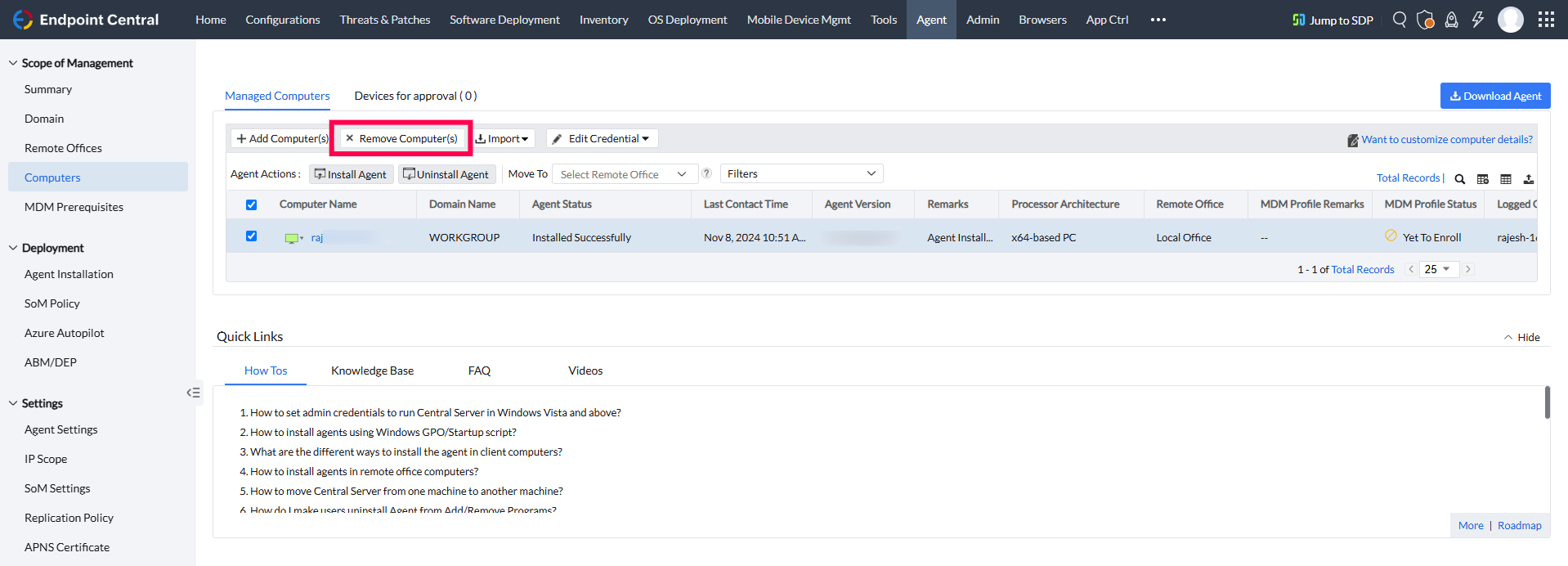
- 从 SOM 中移除: 从 SOM 中移除计算机会在下一次刷新周期中触发代理卸载,或者如果 NS 处于活动状态且标记为“绿色”,则立即触发。
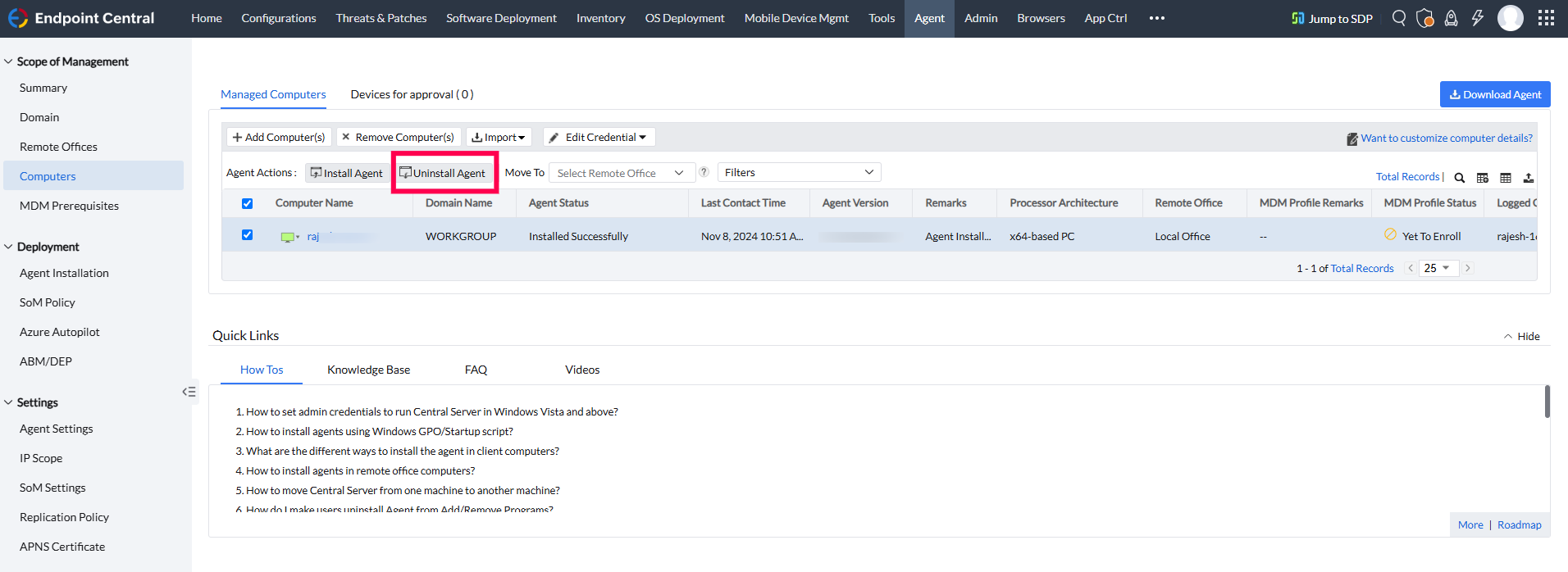
- 通过服务器触发卸载: 从服务器选择“卸载代理”将启动通过 SSH 触发的卸载。此操作适用于本地部署(本地 & DS)以及云 DS 部署。此选项不适用于 MSP。


结论
本指南提供了在受支持系统上使用手动、远程和基于分发的方法安装、配置和卸载 UEMS Linux 代理的必要步骤。请按照所列说明在 Linux 系统上实现无缝的代理管理。