将 Microsoft Azure 配置为授权服务器
要允许 Azure Active Directory(Azure AD)中的用户通过 OAuth 身份验证访问 ServiceDesk Plus,您必须将 ServiceDesk Plus 配置为 Microsoft Azure 中的企业应用程序。
在开始配置之前,请确保 ServiceDesk Plus 运行在 HTTPS 模式下。
登录 Microsoft Azure 门户。有关 Azure AD 门户终结点,请参阅此处。
搜索 App Registrations。
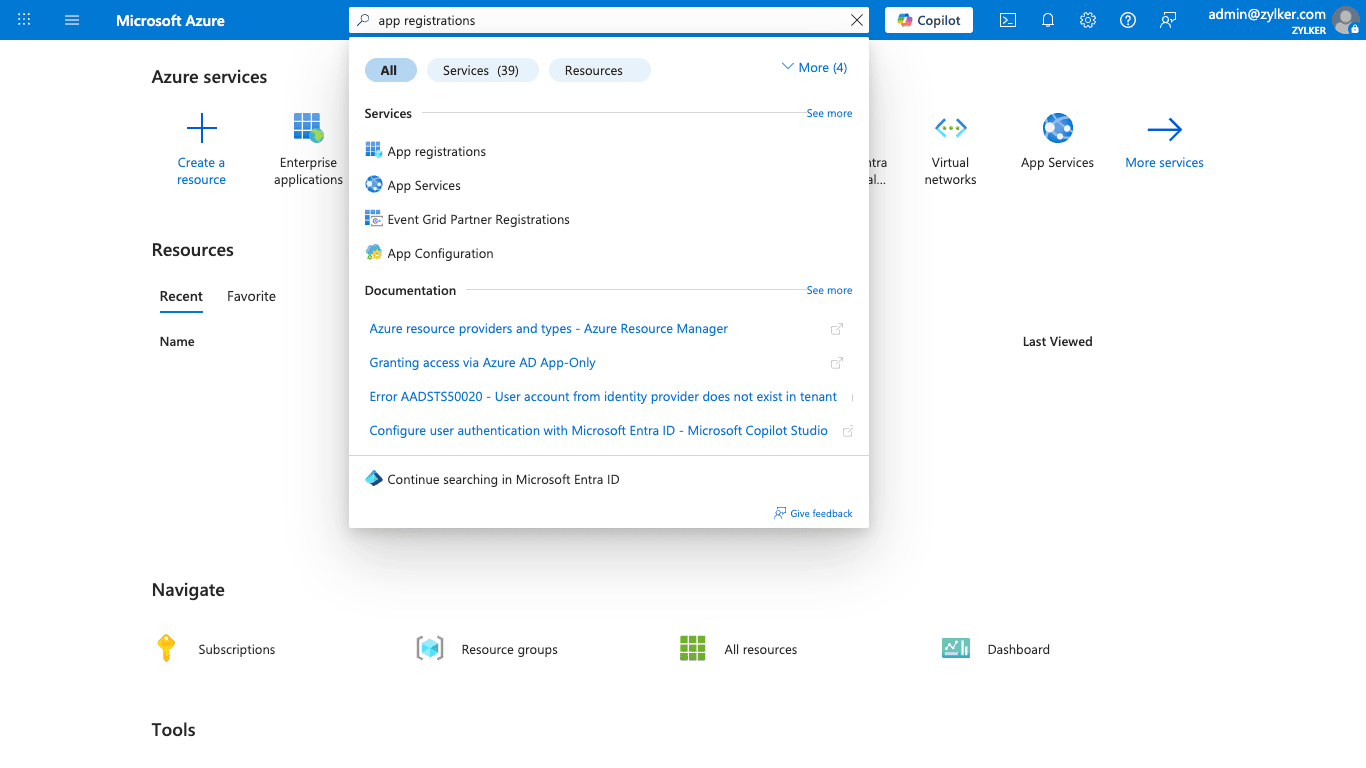
单击 App Registrations > + New Registration。
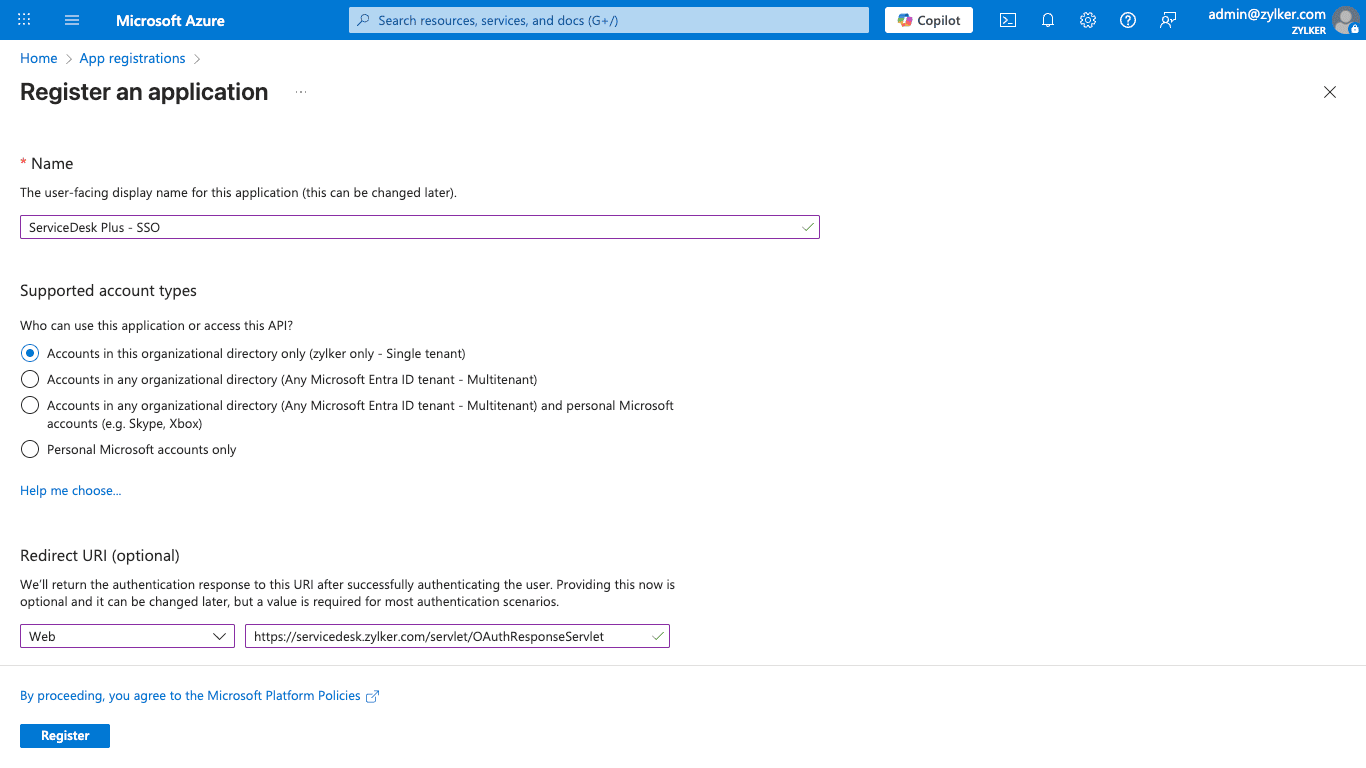
在注册页面中,输入以下内容:
提供一个 Name,并选择 Supported account type。
在 Redirect URI 下,将平台选择为 Web。输入 ServiceDesk Plus 的重定向 URL。您可以在 OAuth 配置表单中的 OAuth Feature Details > Redirect URL 下找到它。
单击 Register。
现在,您应该可以看到如下所示的应用程序详细信息:
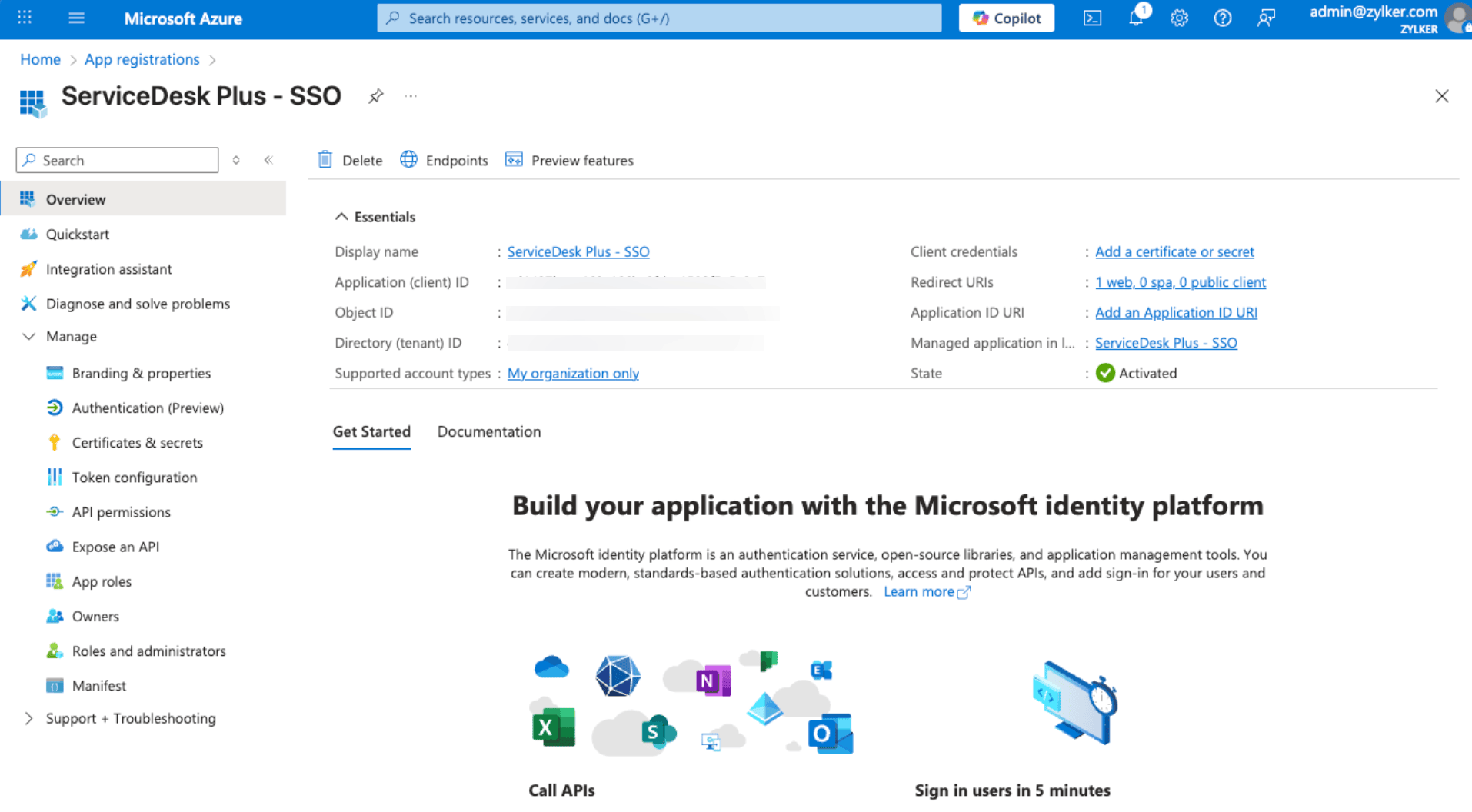
在 ServiceDesk Plus 中注册授权服务器 时,请使用 Microsoft Azure 中的以下值填写表单:
将 Application (client) ID 用作 Client ID。
在 Endpoints 下,分别使用 OAuth 2.0 authorization endpoint (v2) 和 OAuth 2.0 token endpoint (v2) 作为 Authorization URL 和 Token URL。
.png)
在左侧面板中,单击 Certificates & secrets > New client secret。
在滑出面板中,
为客户端密钥提供一个 Description。
在 Expires 中,选择客户端密钥的有效期,然后单击 Add。
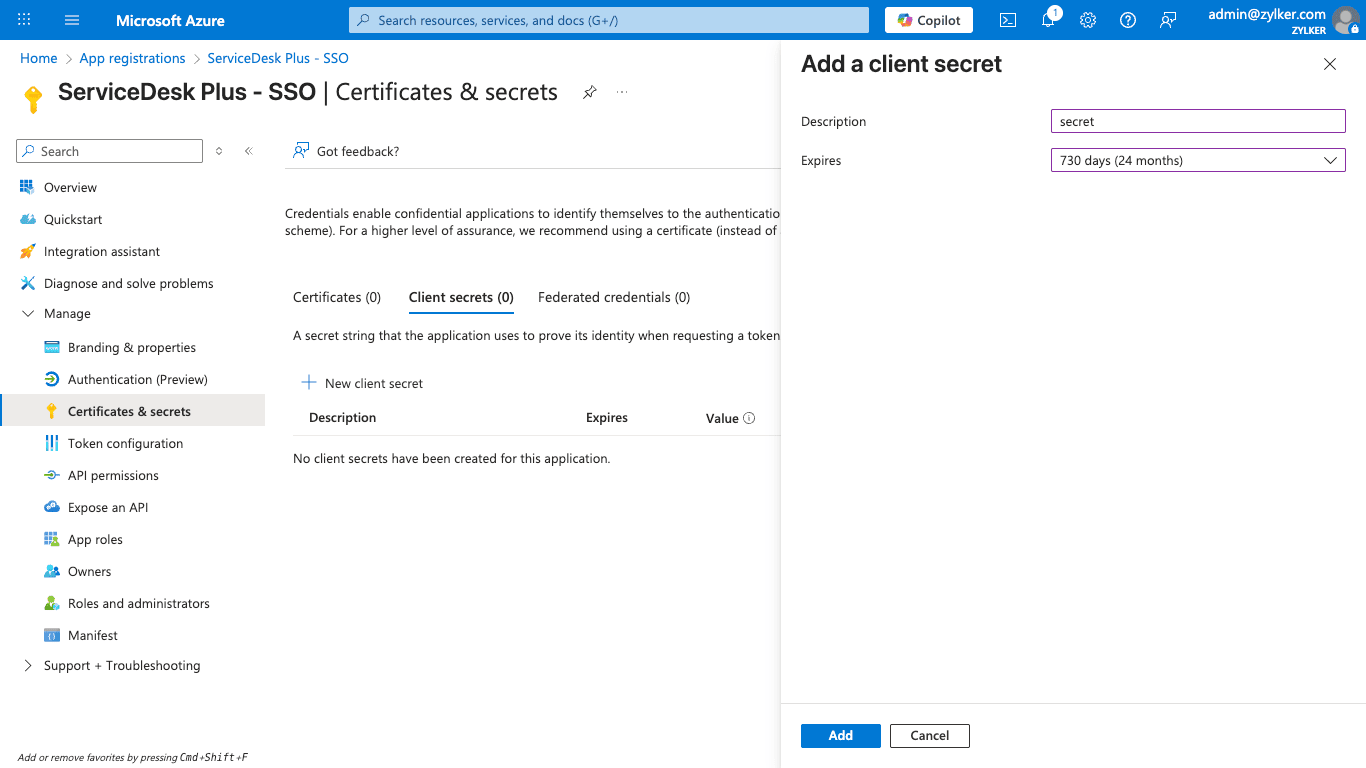
系统将生成客户端密钥值。在 ServiceDesk Plus 中配置 OAuth 时,请使用显示在 Value 下的字符串作为 Client Secret。
.png)
- 在左侧面板中,转到 API permissions > Add a permission > Microsoft API > Delegated Permissions,以查看并添加用户数据的作用域。您将在 ServiceDesk Plus 中配置 OAuth 身份验证时使用这些作用域。
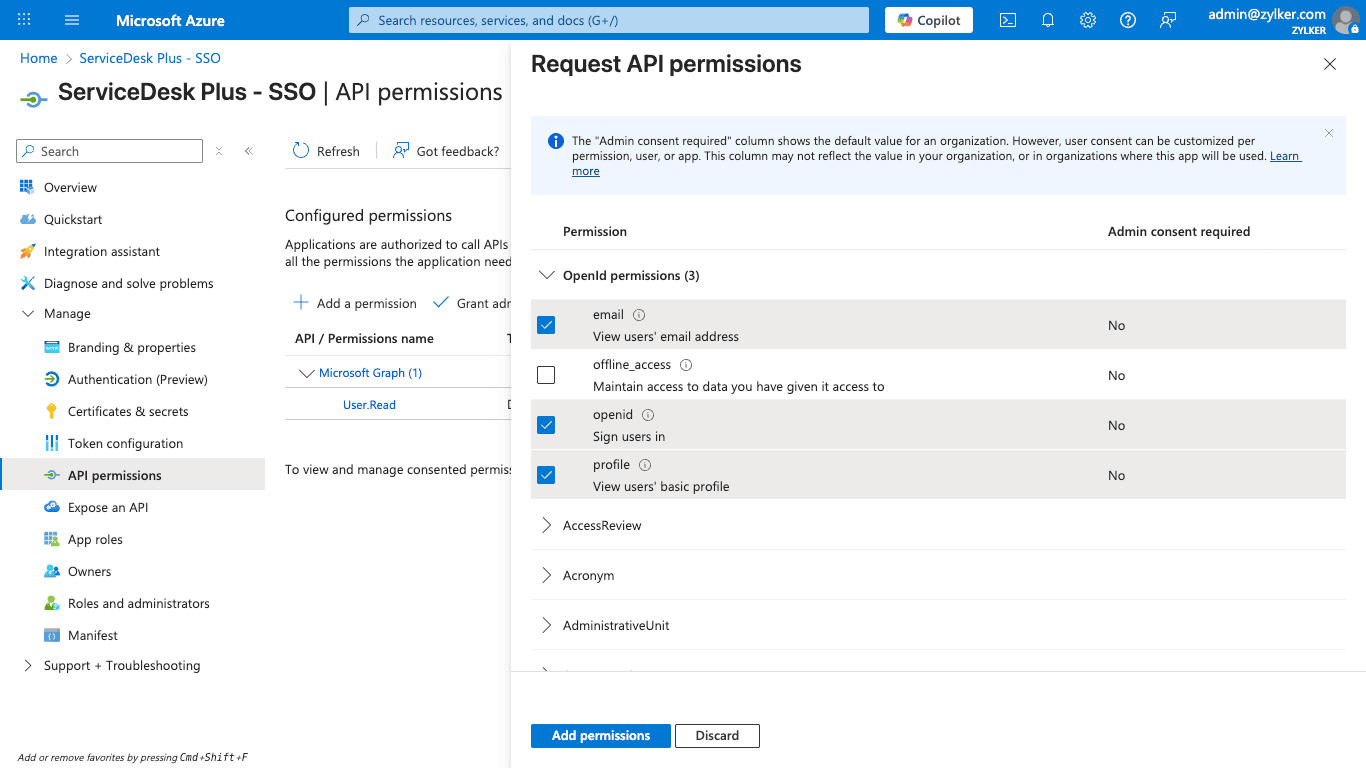
要使用 openid profile email 等作用域从资源服务器检索用户数据,请使用资源 URL:https://graph.microsoft.com/v1.0/me。
下面给出了从资源 URL 接收到的用户数据的示例响应。
资源 URL | 作用域 | 示例响应 |
https://graph.microsoft.com/v1.0/me | openid profile email | { |
您可以通过在资源 URL 中包含相关属性来检索特定的用户数据。
例如,要仅检索当前用户的主体名称、办公位置和电子邮件,您可以在资源 URL 中包含 userPrincipalName、officeLocation 和 mail 等属性,如下所示:https://graph.microsoft.com/v1.0/me?$select=mail,userPrincipalName,officeLocation
您可以将这些属性中的任何一个用作 OAuth 配置中的用户属性(在 ServiceDesk Plus 中)。
下面给出了上述资源 URL 的示例响应:
资源 URL | 作用域 | 示例响应 |
https://graph.microsoft.com/v1.0/me?$select=mail,userPrincipalName,officeLocation | openid profile email | { "@odata.context": "https://graph.microsoft.com/v1.0/$metadata#users(mail,userPrincipalName,officeLocation)/$entity", |
要查看可在资源 URL 中包含的所有可用用户属性,请参阅此处。
您还可以使用 Microsoft Graph Explorer 来尝试不同的资源 URL,并在将其添加到您的设置之前预览响应。
要了解有关通过 Graph API 检索用户数据的更多信息,请单击此处。