如何在Network Configuration Manager中添加新设备?
在NCM中添加设备要完成两个步骤:
- 添加设备
- 应用凭据
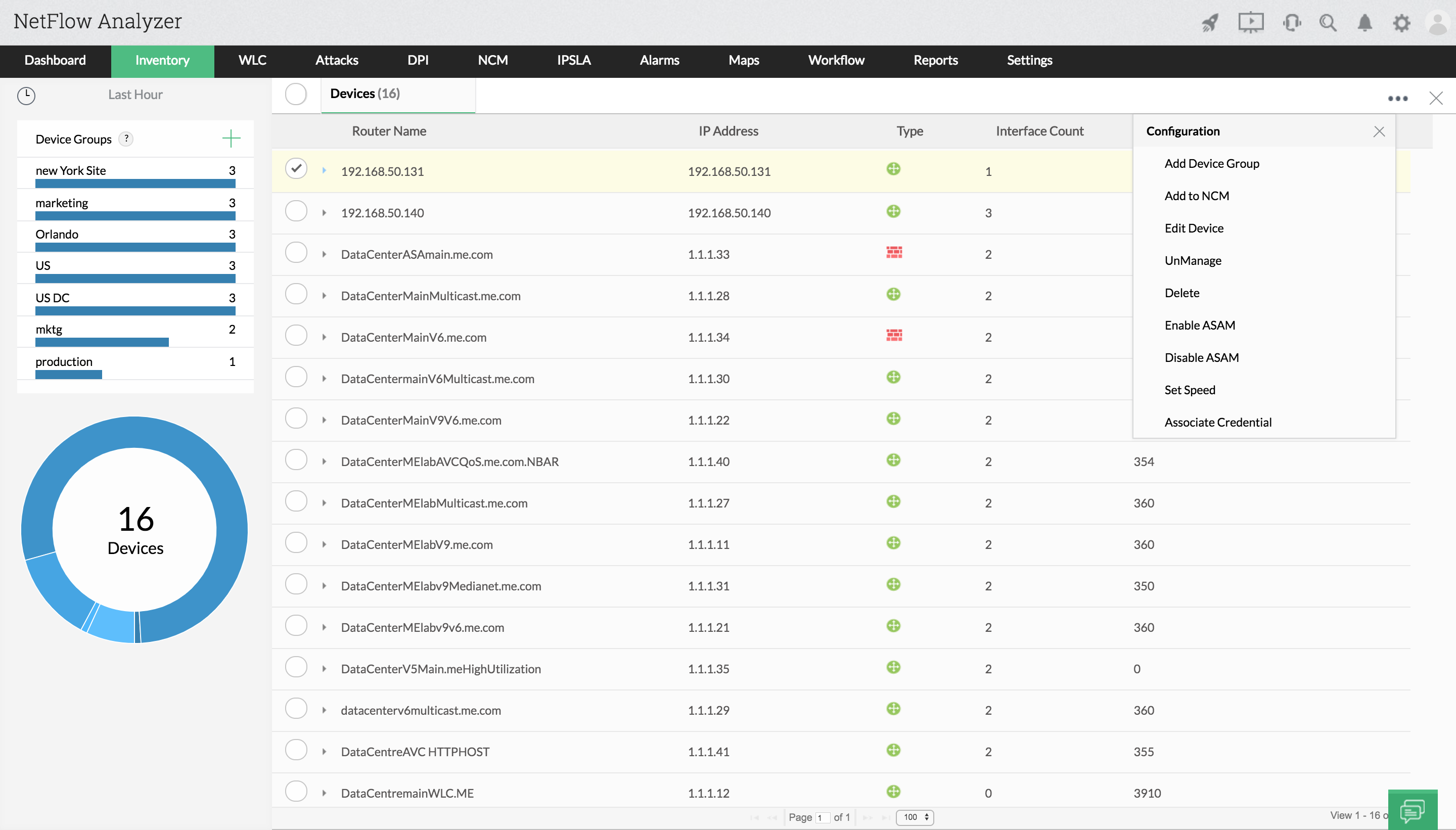
添加设备的步骤
- 进入资源清单 > 设备。
- 选择设备并点击图标
 。
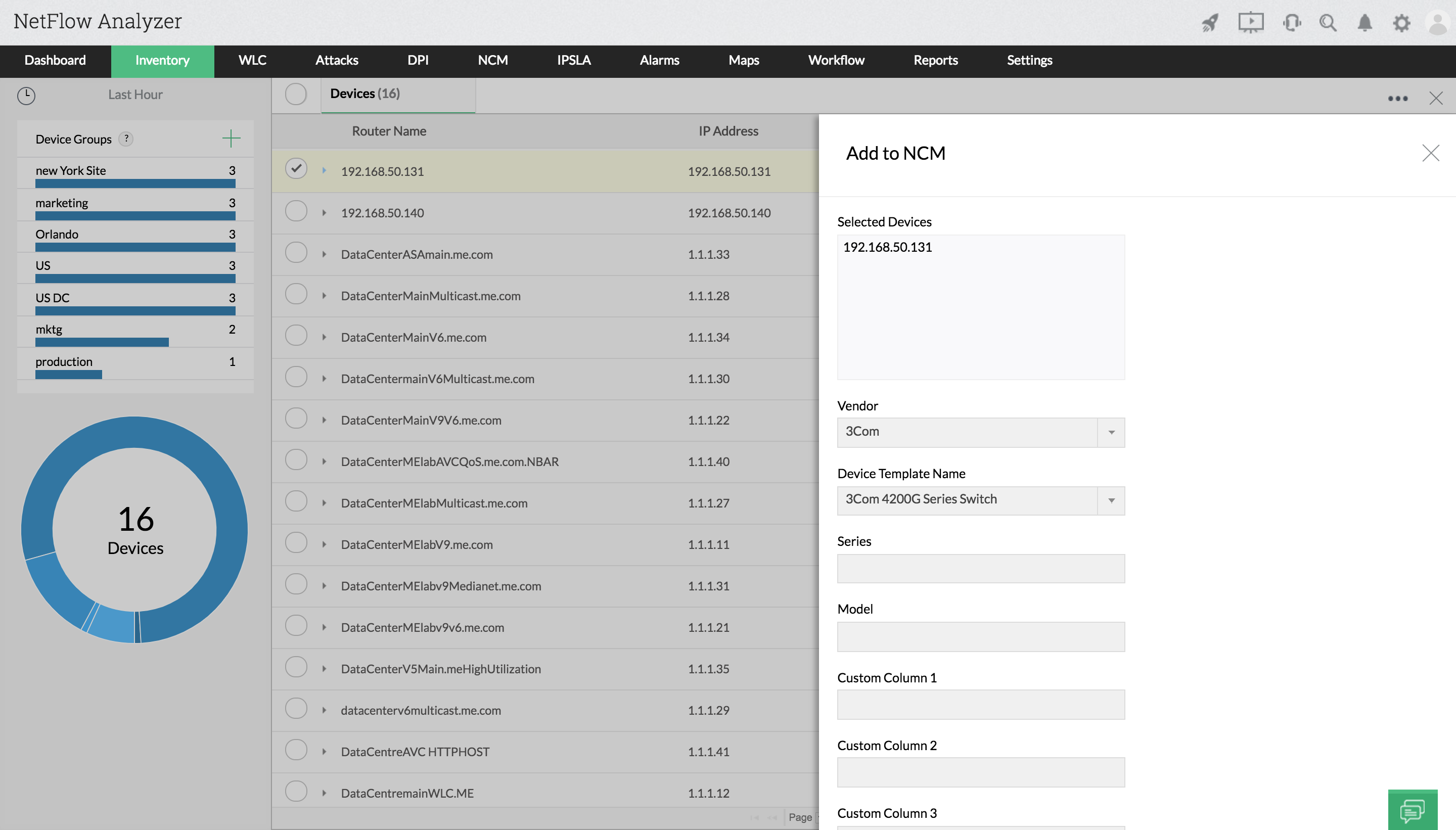
。 - 点击"添加到NCM"。
- 选择供应商名称。
- 选择设备模板名称。
- 如需要,选择设备系列和型号。
- Ping设备,然后点击"添加"。
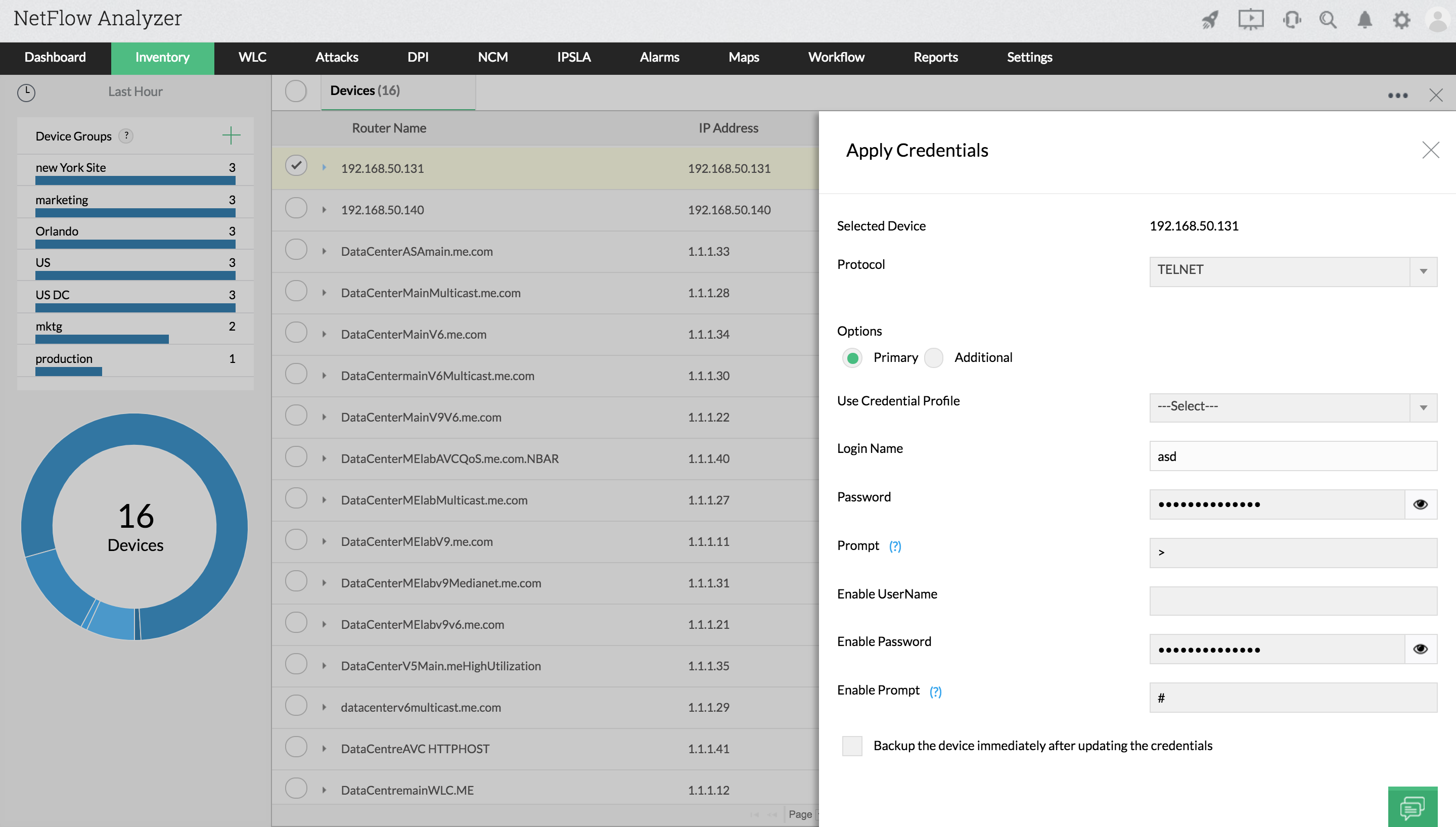
提供设备凭据的步骤
- 选择协议。
- 提供设备凭据,如登录名、密码、提示符、启用用户名、启用密码、启用提示符。
- 点击备份设备,以备份设备凭据(非强制)。
- 点击“保存”并测试。
在NCM中添加设备要完成两个步骤:
添加设备的步骤
。
提供设备凭据的步骤