如何使用 Endpoint Central 插件应用与 ServiceNow 集成?
介绍
ServiceNow 是一个基于云的平台,提供一系列 IT 服务管理(ITSM)和业务流程自动化解决方案。它为组织提供了一个集中系统,用于管理和自动化其 IT 运营的各个方面,帮助他们简化工作流程,提高效率,增强协作,并为客户和员工提供更好的服务体验。
通过将 Endpoint Central 与 ServiceNow 集成,组织可以自动创建事件,简化事件管理并触发事件响应流程。此集成集中并增强了端点安全数据,实现与 ITSM 流程和安全事件响应工作流的关联。它生成有关安全事件、端点健康、漏洞和响应时间的全面报告和深入分析,并提供改进安全措施的见解。
- Endpoint Central 本地部署版
- Endpoint Central 云版本
集成步骤
- 如果您是现有的 Endpoint Central 用户,请遵循以下步骤
- 如果您是 Endpoint Central 新用户,请遵循以下步骤
如果您是现有的 Endpoint Central 用户,请遵循以下步骤将 ServiceNow 与 Endpoint Central 应用集成:
- 从 ServiceNow 商店下载 Endpoint Central 插件应用。
- 导航到 应用程序 并安装下载的插件应用。
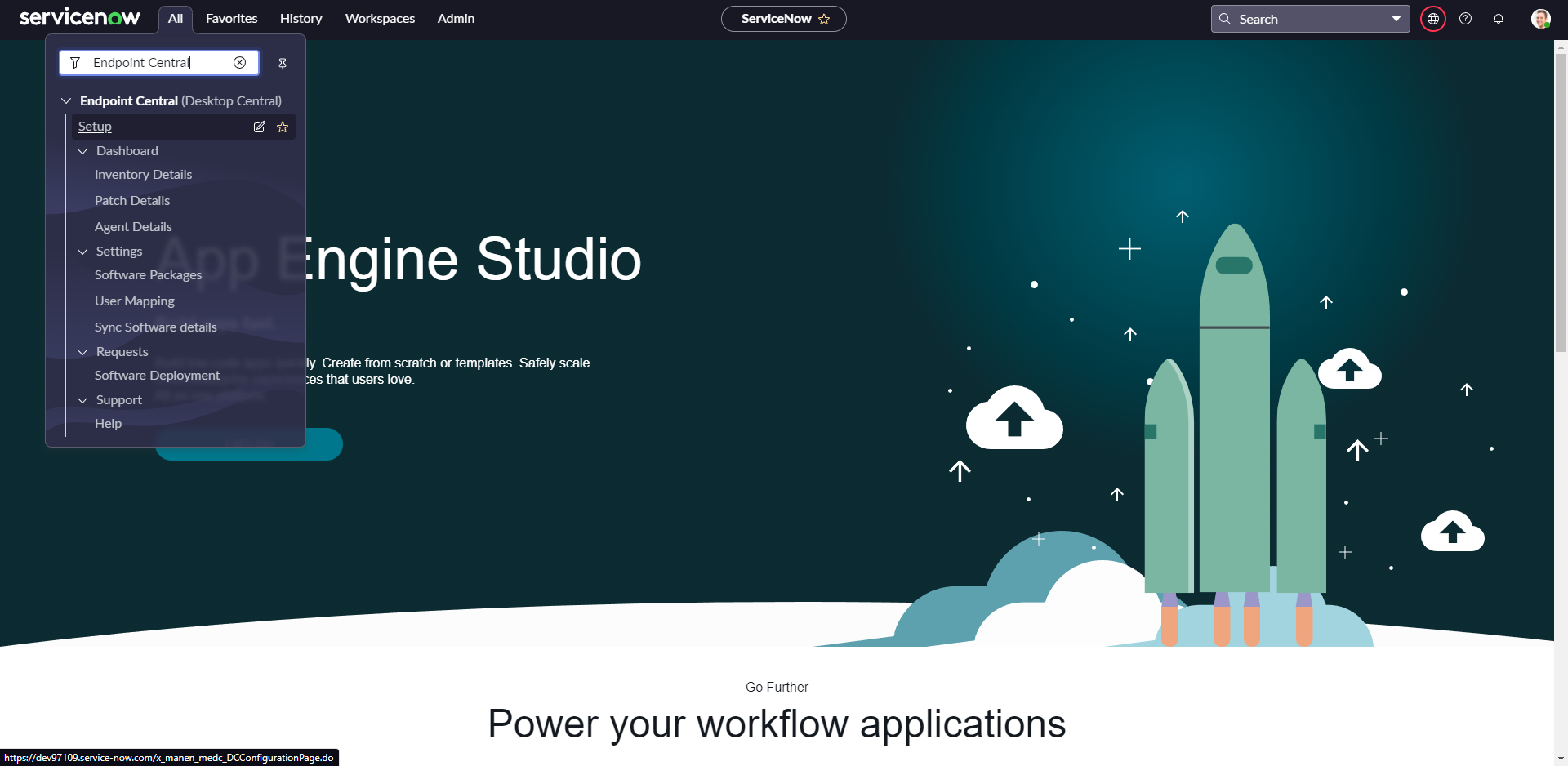
- 在页面左侧搜索 Endpoint Central,您将能够查看 Endpoint Central 应用的所有模块。
- 选择 设置 并配置设置向导。
输入 Endpoint Central 服务器 URL 和 ServiceNow MID 服务器 URL。
注意: 当 Endpoint Central 托管在私有网络上时,MID 服务器确保 ServiceNow 与 Endpoint Central 之间的通信。如果 Endpoint Central 可通过公共 IP 访问,则无需指定 MID 服务器 URL。
- 提供 Endpoint Central 管理员凭据以完成集成。
如果您是 Endpoint Central 新用户,请遵循以下步骤将 ServiceNow 与 Endpoint Central 应用集成:
- 下载并安装 Endpoint Central。确保您的 Endpoint Central 服务器运行的是 10.0.363 版本及更高版本。
- 在希望使用 Endpoint Central 管理的计算机上安装 Endpoint Central 代理。
- 从 ServiceNow 商店下载 Endpoint Central 插件应用。
- 导航到 应用程序 并安装下载的插件应用。
- 在页面左侧搜索 Endpoint Central,您将能够查看 Endpoint Central 应用的所有模块。
- 选择 设置 并配置设置向导。
输入 Endpoint Central 服务器 URL 和 ServiceNow MID 服务器 URL。
注意: 当 Endpoint Central 托管在私有网络上时,MID 服务器确保 ServiceNow 与 Endpoint Central 之间的通信。如果 Endpoint Central 可通过公共 IP 访问,则无需指定 MID 服务器 URL。
- 提供 Endpoint Central 管理员凭据以完成集成。
您现在已成功将 Endpoint Central 插件应用与 ServiceNow 集成。
如何访问 Endpoint Central 功能?
ServiceNow 用户可以利用其 Endpoint Central 权限直接从事件窗口执行端点管理任务。
注意:如果用户不是 ServiceNow 管理员,则必须具有 'x_manen_medc.DCIntegrationUser' 角色。
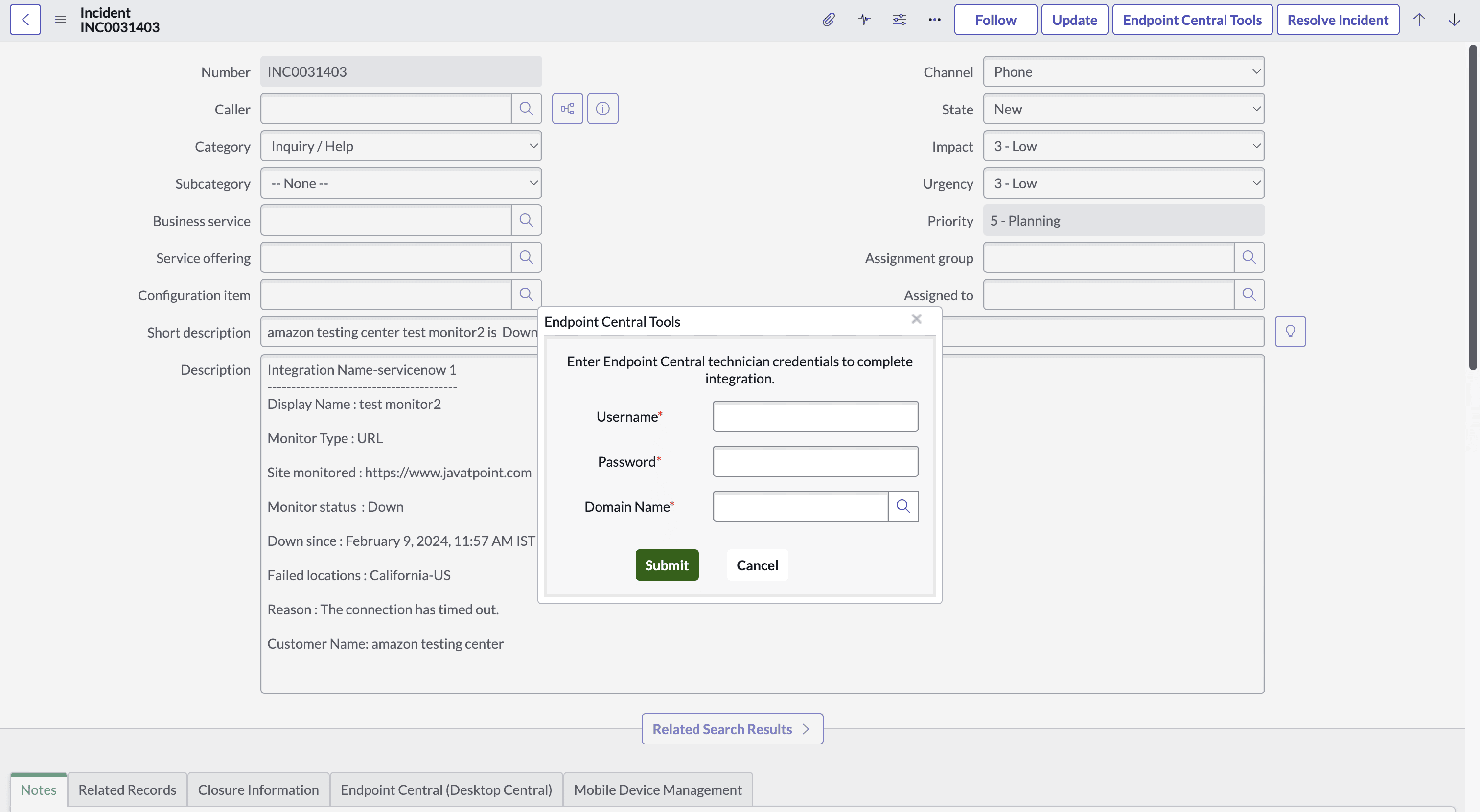
- 打开任何事件,点击顶部的 Endpoint Central 工具按钮或底部的 Endpoint Central 选项卡。
- 输入 Endpoint Central 凭据并点击提交。
- 用户现在可以从事件窗口访问 Endpoint Central 功能。
入门
如果您是 新用户 使用 Endpoint Central,请遵循以下步骤:
- 在希望使用 Endpoint Central 管理的计算机上安装 Endpoint Central 代理。
- 从 ServiceNow 商店下载 Endpoint Central 插件应用。
- 导航到应用程序并安装下载的插件应用。
- 在页面左侧搜索 Endpoint Central,您将能够查看 Endpoint Central 应用的所有模块。
如果您是 现有 Endpoint Central 用户,请遵循以下步骤:
- 从 ServiceNow 商店下载 Endpoint Central 插件应用。
- 导航到应用程序并安装下载的插件应用。
- 导航到应用程序并安装下载的插件应用。在页面左侧搜索 Endpoint Central,您将能够查看 Endpoint Central 应用的所有模块。
集成步骤
如果您是 ServiceNow 管理员用户,请遵循以下步骤将 ServiceNow 与 Endpoint Central 云版本集成:
- 使用管理员用户凭据登录您的 ServiceNow 实例。
- 导航到 Endpoint Central -> 设置,点击立即集成。
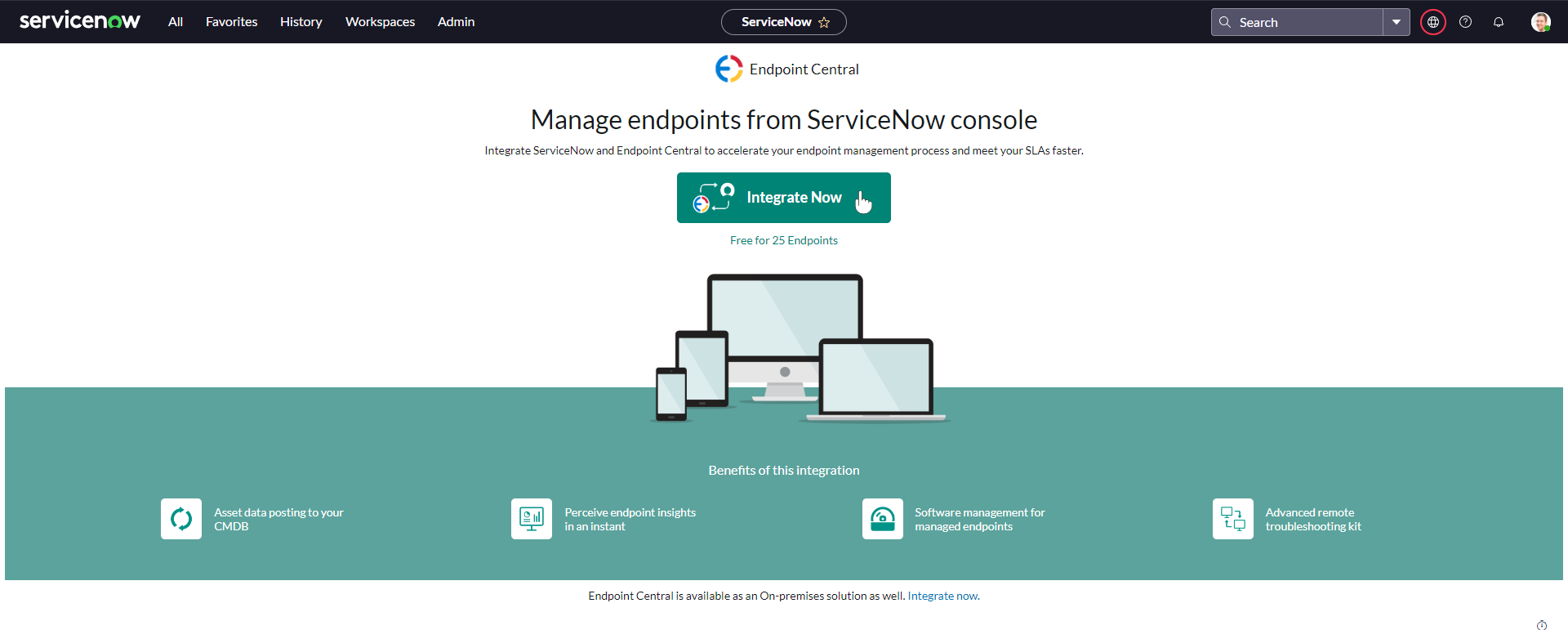
- 登录 / 注册 Endpoint Central 云。
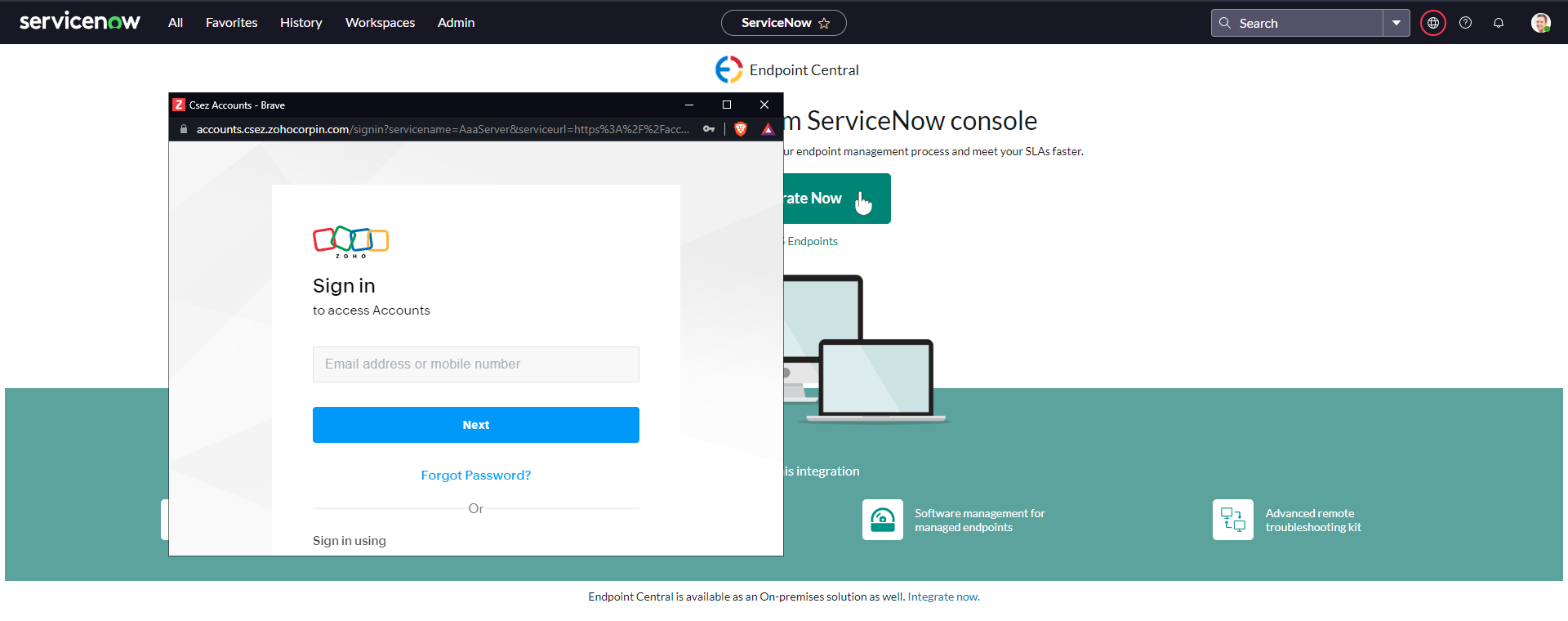
- 如果您是现有的 Endpoint Central 用户,接受同意对话框并继续。否则,创建组织并同意继续。
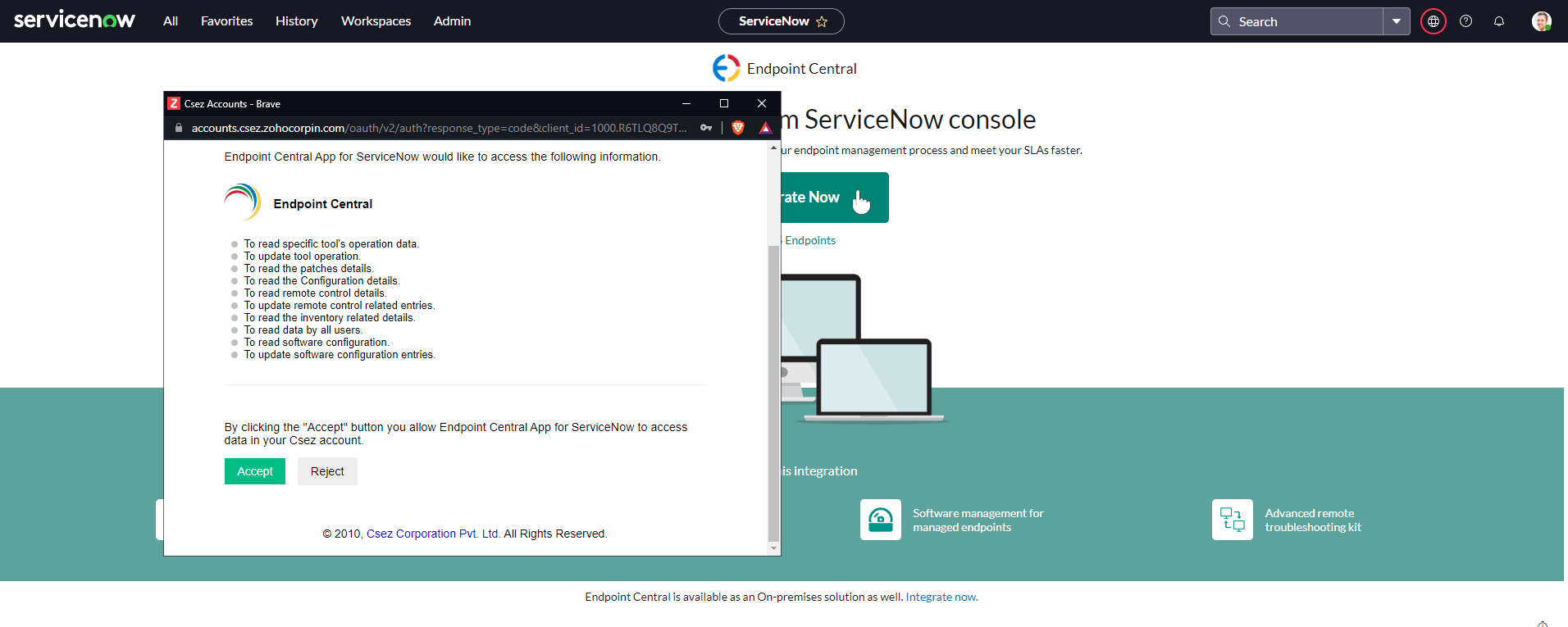
-
- Endpoint Central 现已成功与 ServiceNow 集成。
如果您是 ServiceNow 非管理员用户,请遵循以下步骤将 ServiceNow 与 Endpoint Central 云集成:
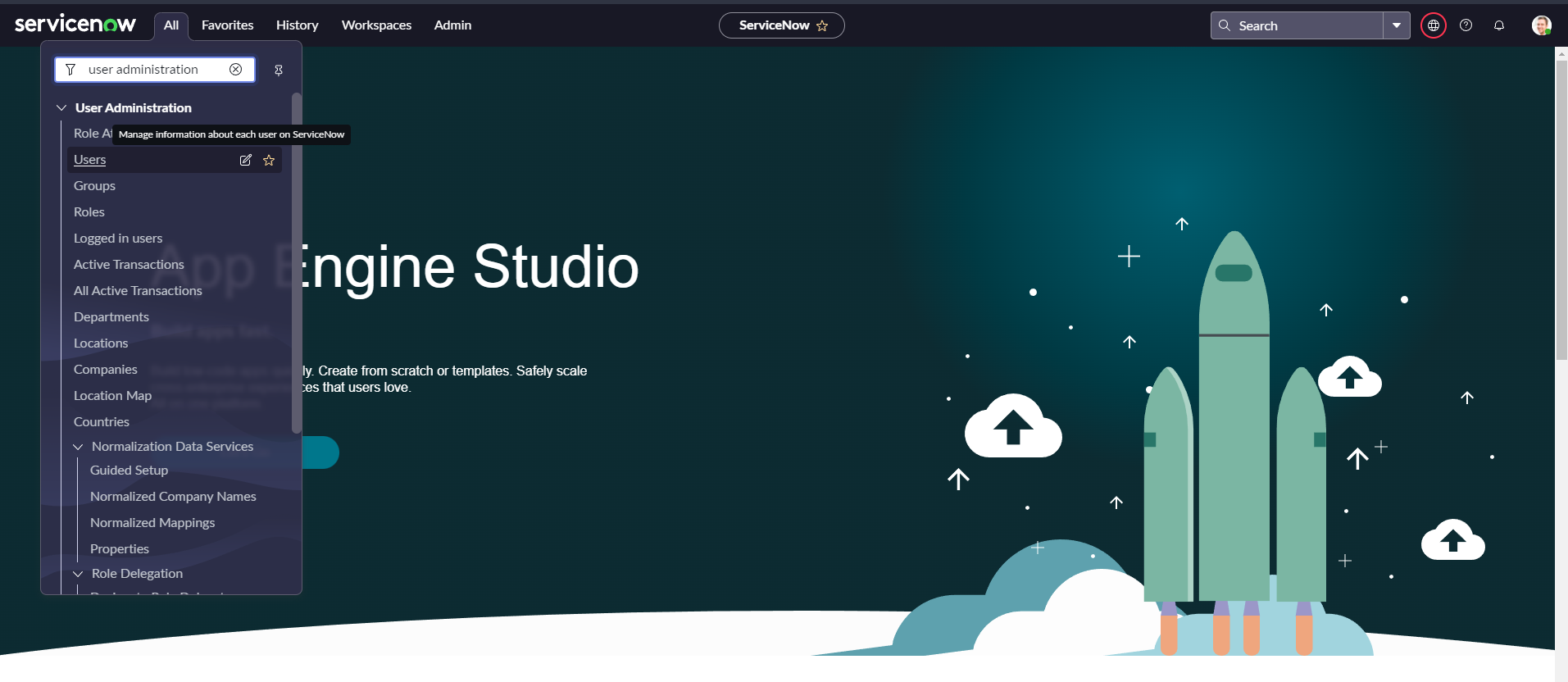
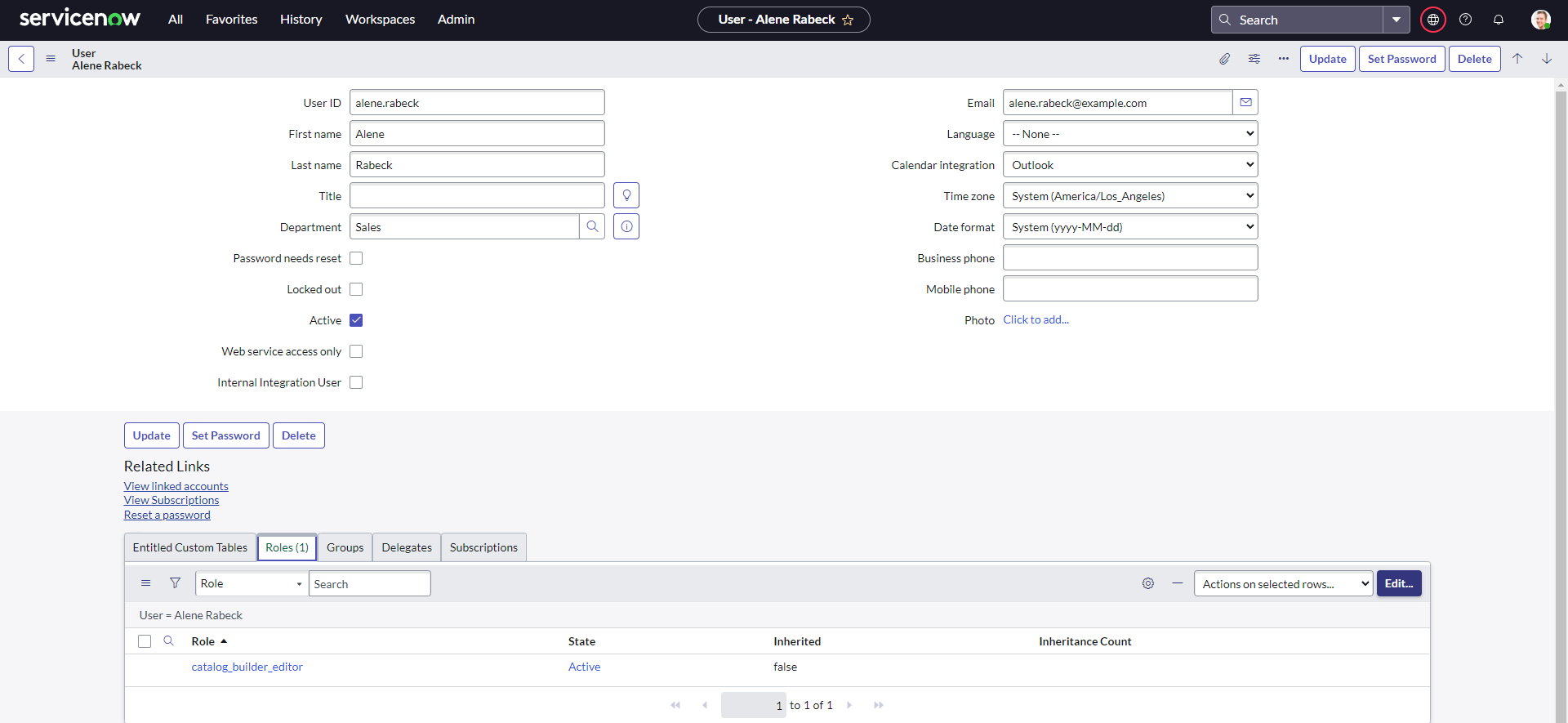
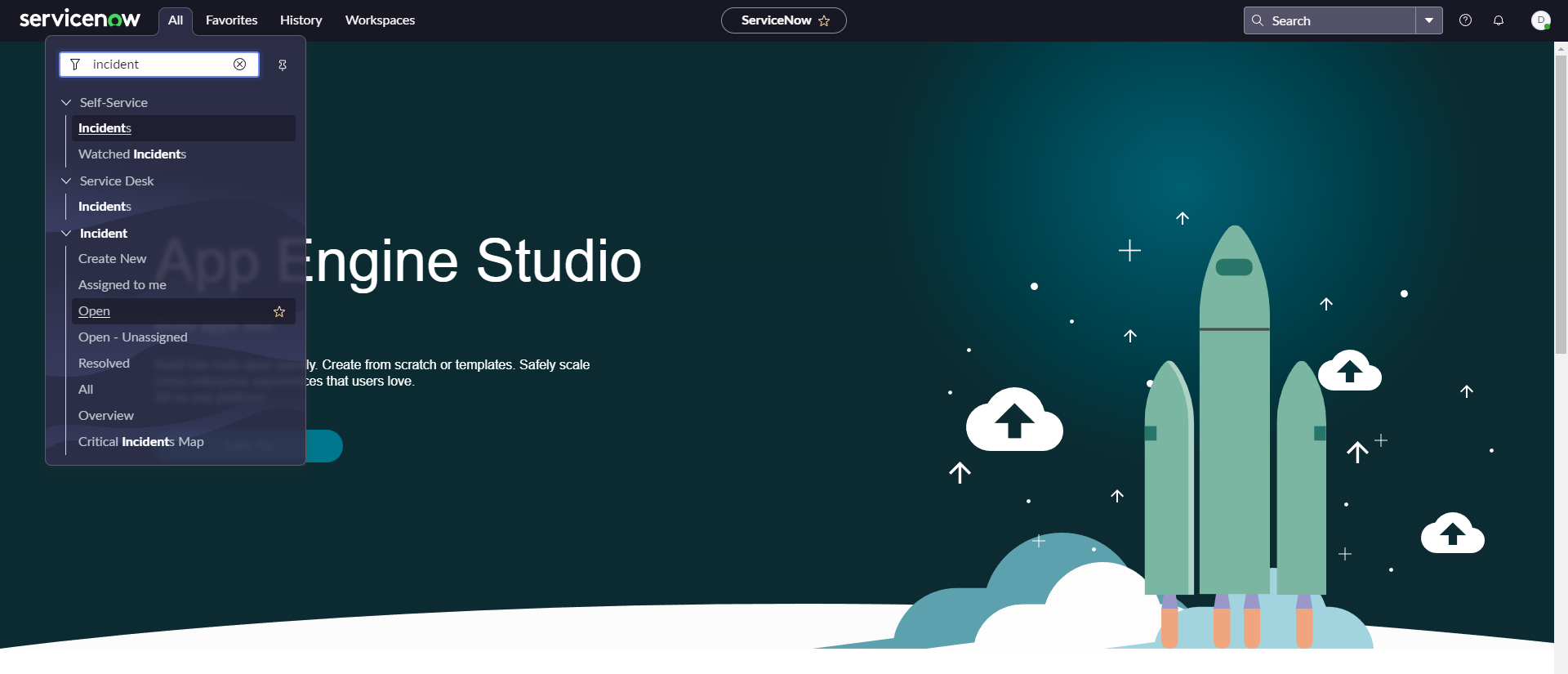
- 点击 全部 -> 用户管理 -> 用户,导航到用户页面。.
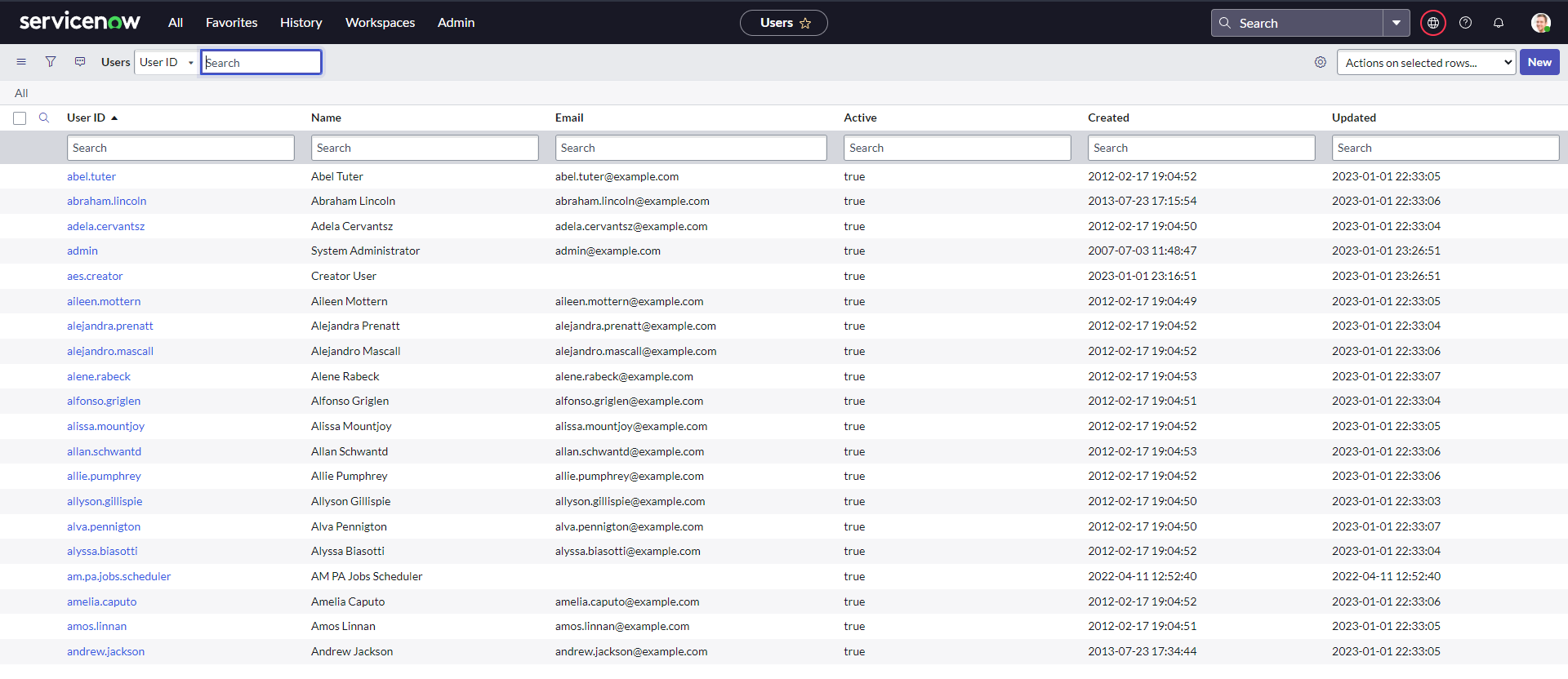
- 搜索用户并打开用户记录。
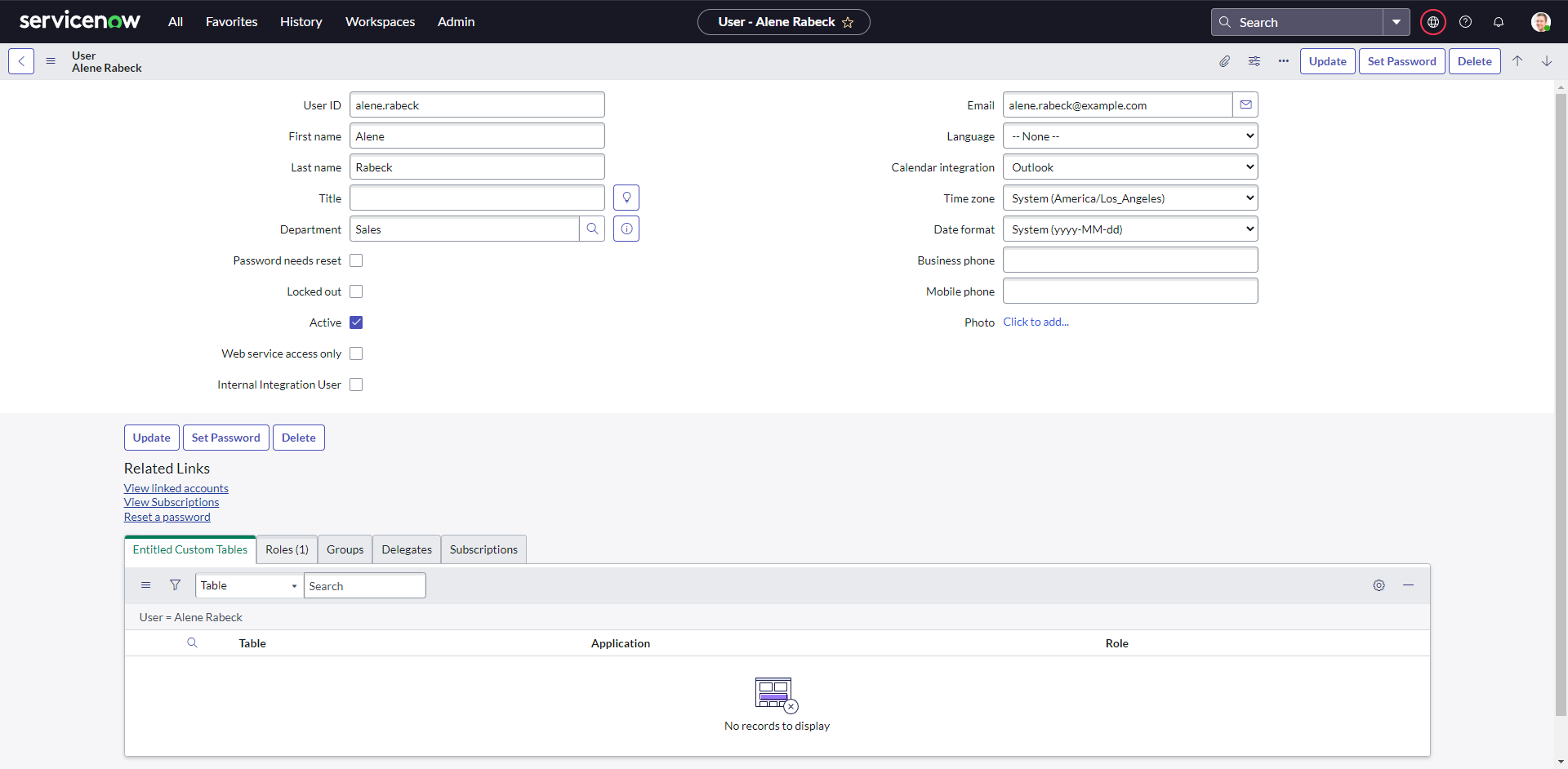
- 选择角色并点击编辑。
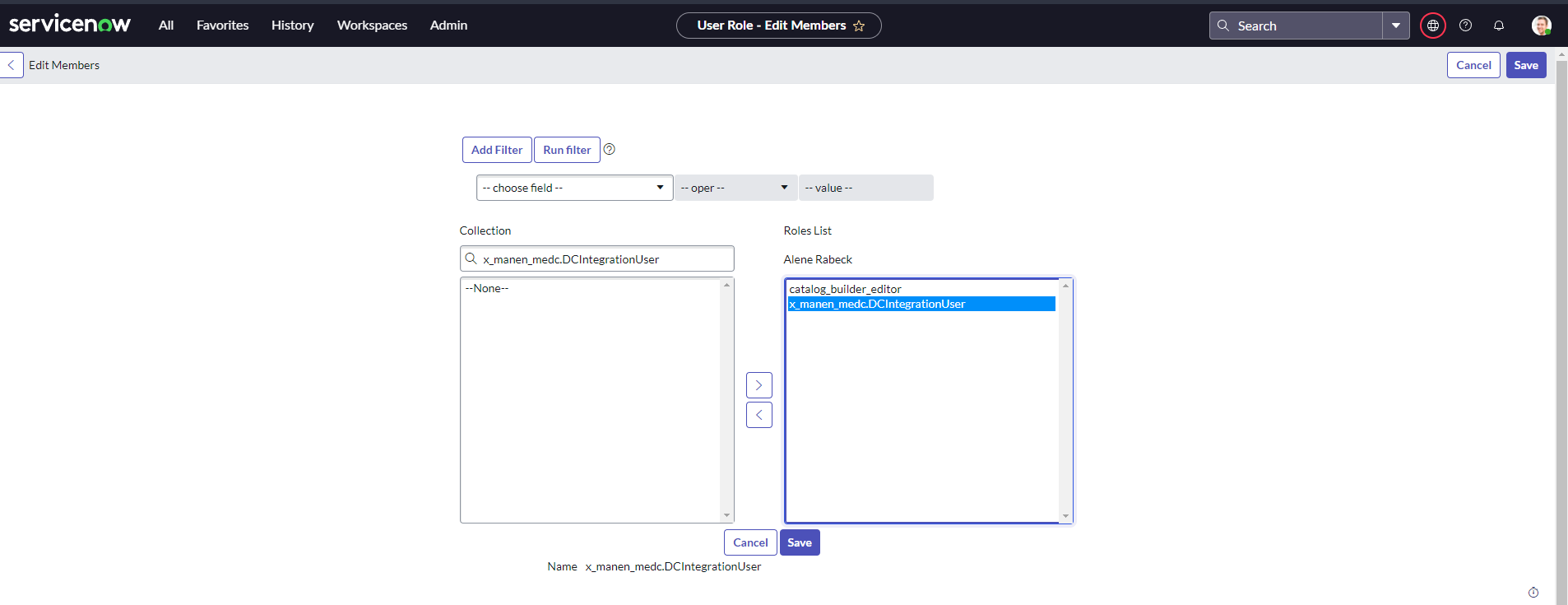
- 搜索所需角色 x_manen_medc.DCIntegrationUser 并将其分配给用户。
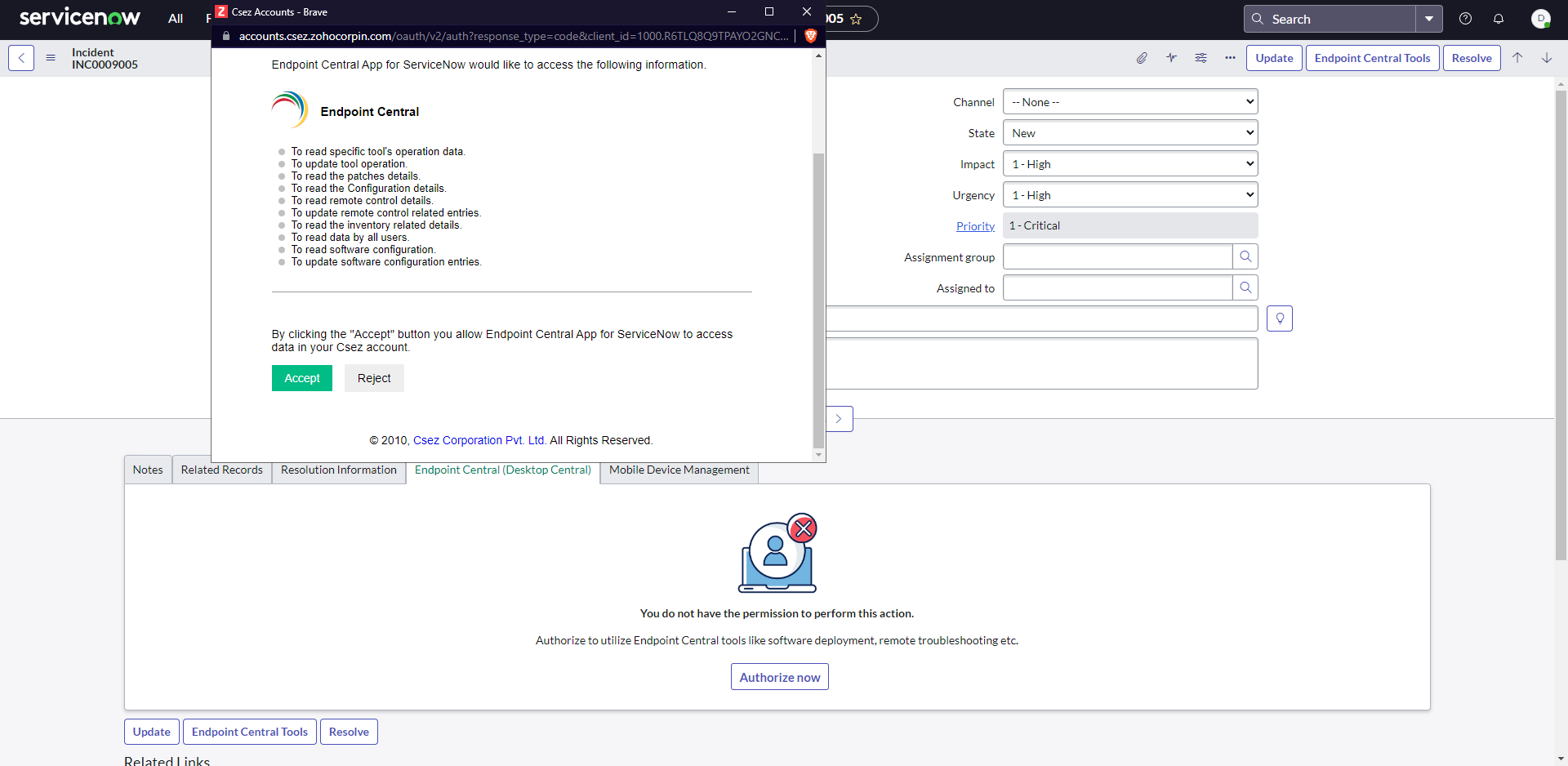
- 打开任何 事件,点击顶部的 Endpoint Central 工具按钮或底部的 Endpoint Central 选项卡。
- 登录 Endpoint Central 并同意继续。
-
- Endpoint Central 现已成功与 ServiceNow 集成。
注意: 访问事件需 itil 和 sn_incident_read 权限。
部署后步骤
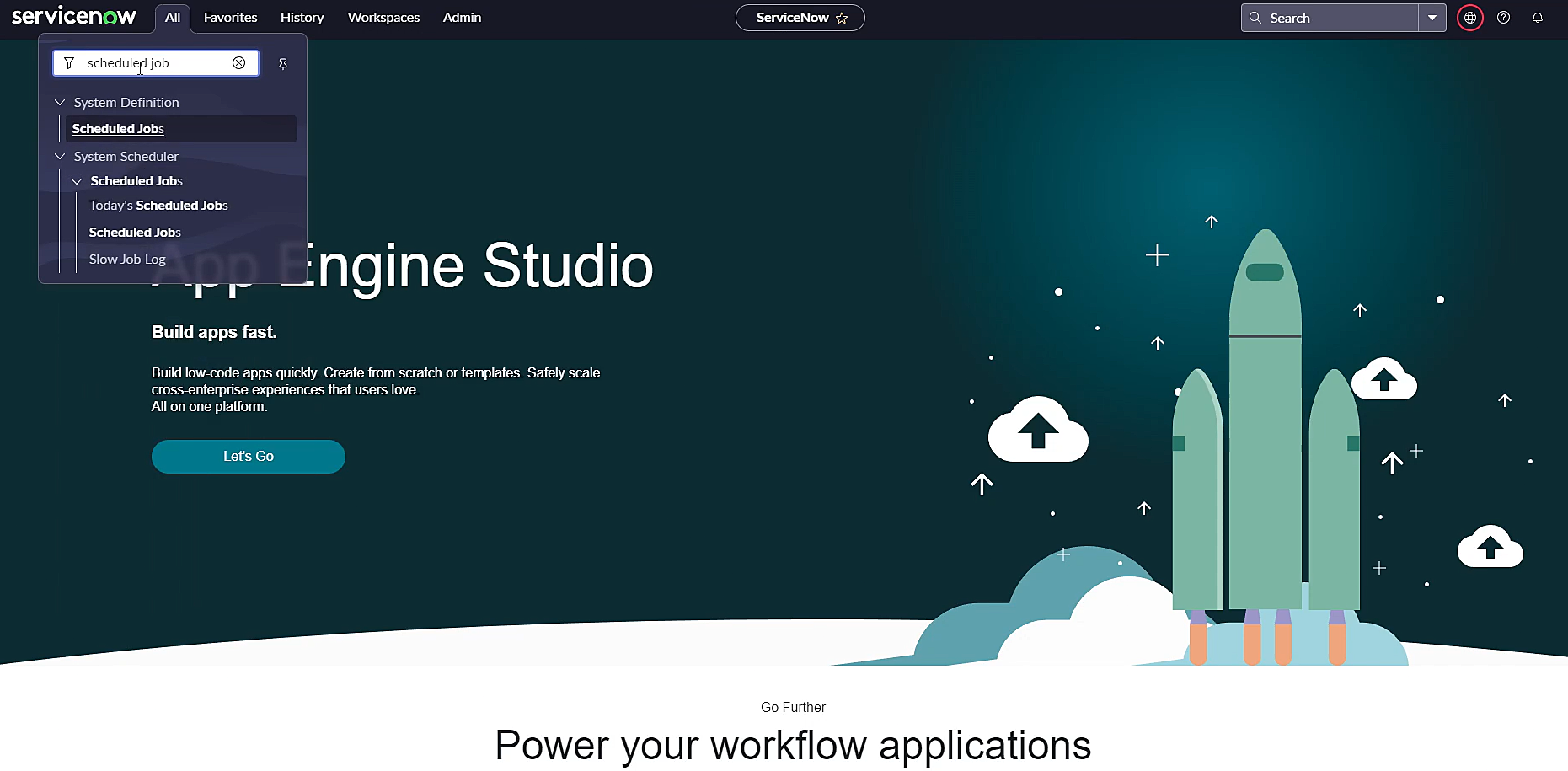
- 在 ServiceNow 控制台中,导航至 全部 -> 筛选器 -> 计划任务.
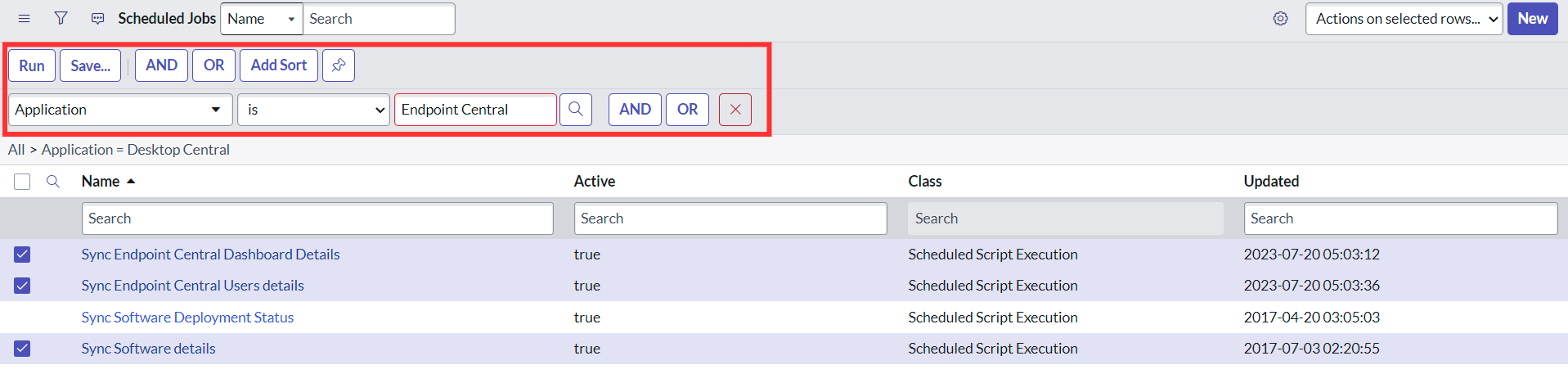
- 应用筛选器为“应用为 Endpoint Central”并点击 运行.
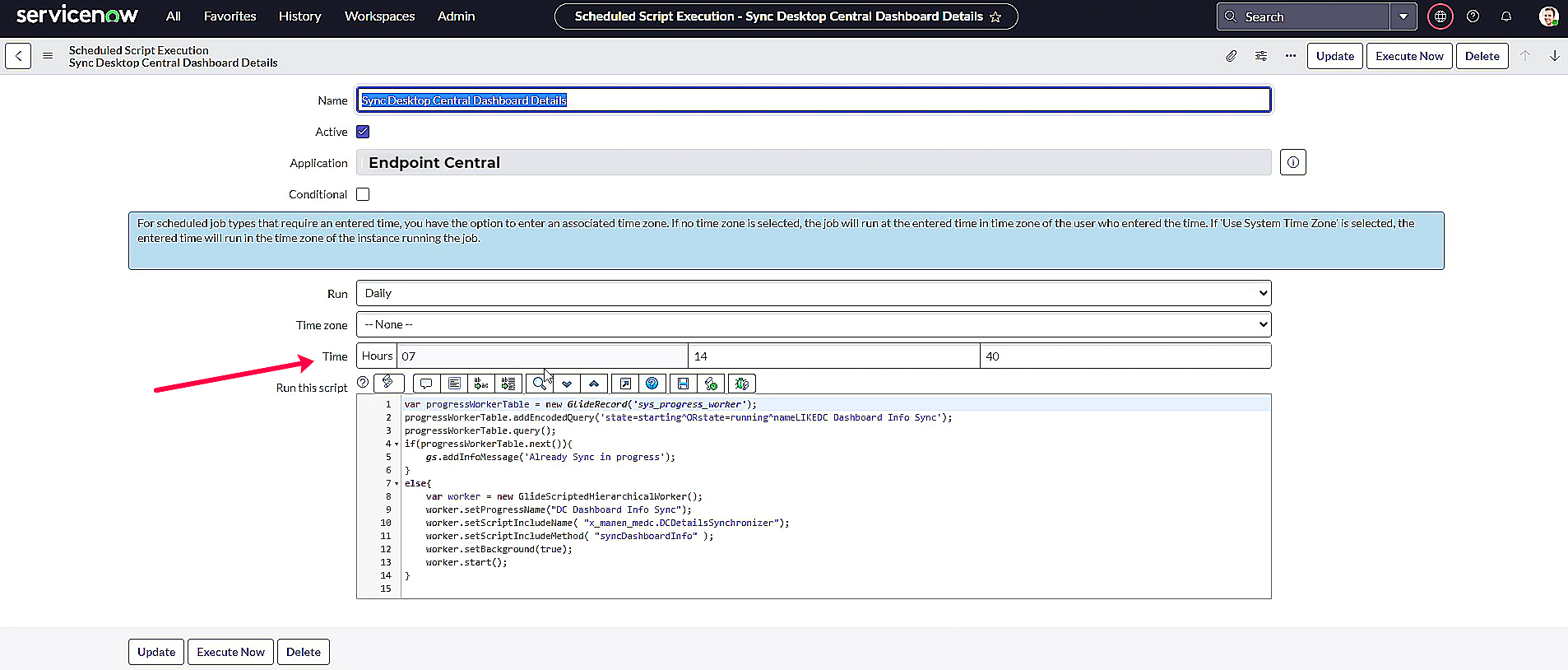
- 点击‘同步 Endpoint Central 仪表板详情’,在下一窗口配置脚本,使其在非工作时间或网络带宽较充足时执行。点击更新。
- 对以下计划任务重复步骤 3: 同步 Endpoint Central 用户详情 和 同步软件详情 。
用户映射
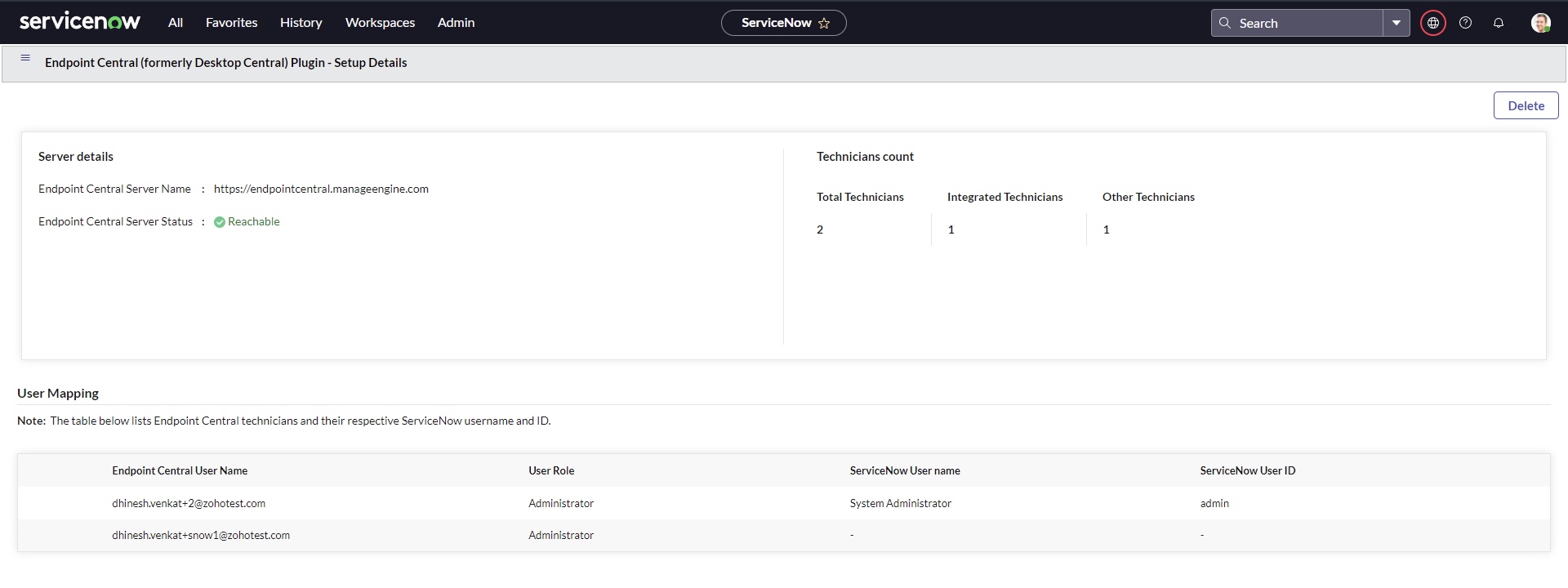
用户映射的主要目标是在关联的 Endpoint Central 云用户范围内,从 ServiceNow 控制台执行桌面管理活动。关联 ServiceNow 用户与 Endpoint Central 用户,使该特定用户能够直接从事件窗口执行端点管理操作。用户映射下显示的信息包括 Endpoint Central 技术人员及其对应的 ServiceNow 用户名和 ID。
技术人员数量
技术人员数量表示已集成的 Endpoint Central 技术人员总数及尚未集成的技术人员数量。
删除
如果用户遇到错误,可使用删除选项删除与 Endpoint Central 相关的所有数据。




