安全网关服务器(SGS) - 配置错误故障排除
安全网关服务器(SGS)充当桥梁,用于通过互联网安全管理设备。在配置SGS时,某些验证和设置对于确保无缝连接至关重要。本指南列出了已知错误场景及其原因和解决方案。
错误案例1:验证中央服务器证书时出错
描述: 安全网关服务器使IT管理员能够通过互联网安全管理设备。配置完成后,所有互联网通信均通过SGS路由。为了正确重定向通信, 必须配置NAT设置。 请导航至 Central Server 控制台中的 Admin > Server Settings > NAT Settings 添加您的详细信息。
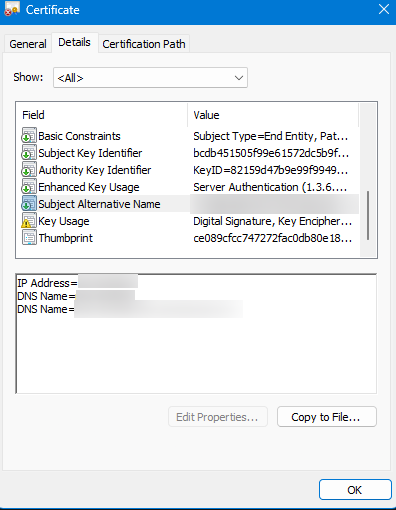
For uninterrupted communication, the private IP of the Central Server and the public IP of the Secure Gateway Server must be mapped to a common FQDN. For instance, if the FQDN is product.server.com, map this to both servers. Additionally, include the Central Server's IP address in the 证书的SAN(主题备用名称) 条目。
原因
输入的中央服务器主机名未包含在中央服务器证书的SAN值中。
解决方案
要解决此问题,请将SAN条目之一指定为中央服务器名称,或将服务器名称映射到现有的SAN条目。若要将名称映射到证书中的SAN条目,请联系管理员。完成更改后配置SGS。
1. 如果使用默认的ManageEngine证书:
- 停止中央服务器。
- Edit the
updateSGSnat.xmlfile in the<Central server installation directory>/bin/folder. Add the Central Server name to the%SAN%field. - Open Command Prompt in administrator mode and run:
ExecuteQuery.bat updateSGSnat.xml - 重新启动中央服务器并继续配置SGS。
2. 如果使用企业证书:
- 确保用于SGS的IP/FQDN包含在证书的SAN中。在配置SGS之前将此证书导入中央服务器。[或]
- 使用现有的SAN条目之一配置SGS。
3. 如果使用第三方证书:
- 确保中央服务器的私有IP/FQDN通过SAN条目映射到SGS机器以实现通信。
- 生成CSR时,将SGS的IP/FQDN包含在SAN字段中。[或]
- 跳过证书验证(不推荐)。
最佳实践: Map your Secure Gateway's public IP and Endpoint Central's private IP to a common FQDN in your DNS. For example, if your FQDN is product.server.com, map this to both servers. This ensures roaming agents access the server via SGS (internet) while LAN agents directly connect to the server. Reconfigure SGS if the Central Server's certificate is modified or replaced.
错误案例2:根证书的签发者和主题值不一致
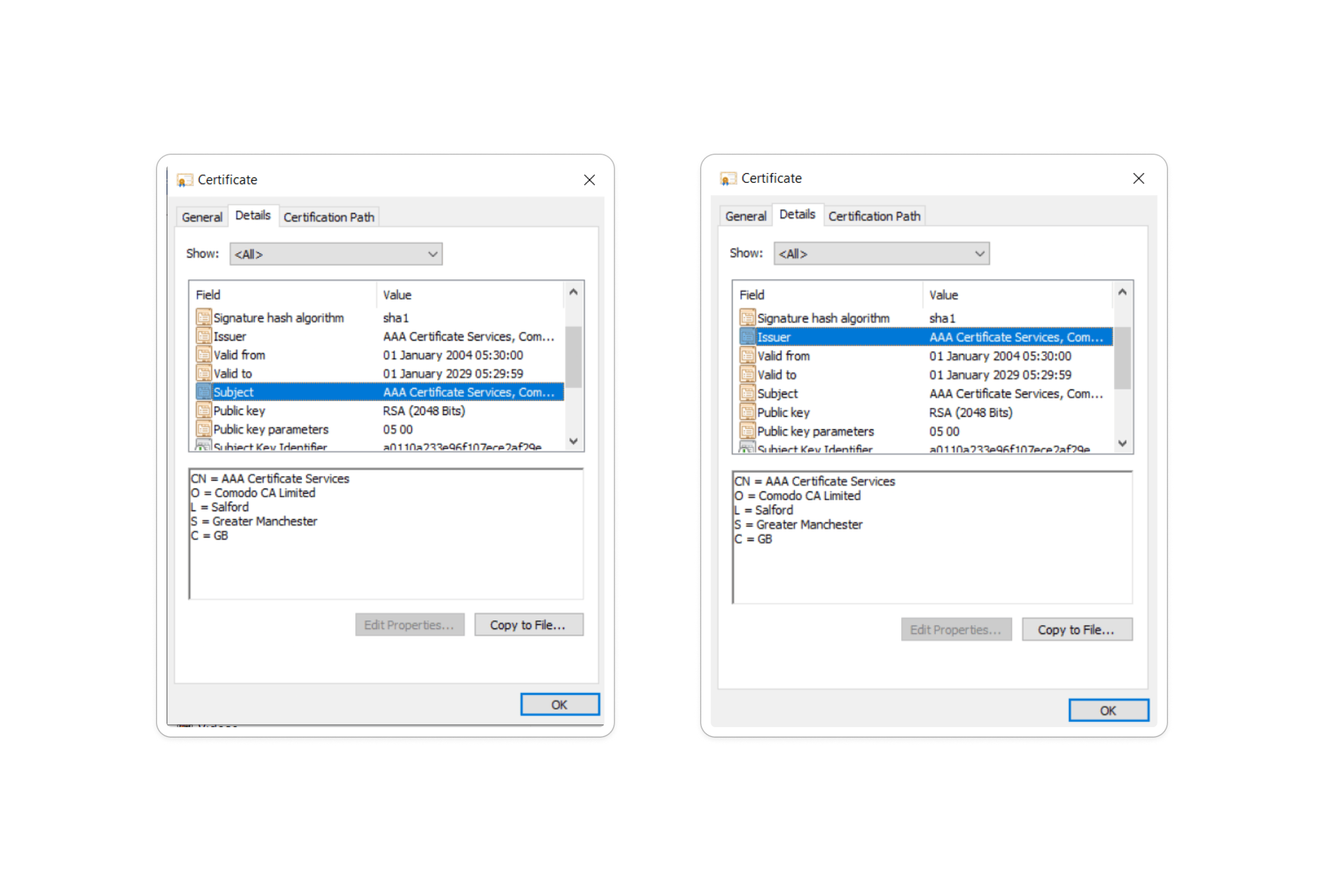
描述: 当根证书导入至 Central Server > Admin > Manage SSL Certificate 时出现此错误。具体而言,证书的 主题 与 签发者识别名称 必须相同。
如何验证:
- Open the
caCert.crtfile in the<Central Server installation directory>/nginx/confdirectory and verify that the subject and issuer fields match.
解决方案:
- 若它们 匹配:请联系 我们的支持团队 以获取进一步帮助。
- 若它们 若不匹配:请联系您的证书颁发机构,获取由有效根证书签署的叶子证书(其主题和签发者识别名称值相同)。
- 通过 Admin > Manage SSL Certificate导入正确的证书后,重启中央服务器。
- 重新配置安全网关服务器以完成修复。




