How to configure 'Set Send As permissions of Groups' for specific microsoft 365 users?
In this article, I'll explain how to assign or remove Send As permission for distribution, mail-enabled security, and Microsoft 365 groups, without using powershell scripts.
What is Send As permission?
Users with Send As permission for a particular group can send emails from that group mail ID as well.
For example, say a user is a member of the Marketing distribution group and is assigned Send As permissions for that group. The user can send emails from the Marketing team's mail alias.
Steps:
- Log in to M365 Manager Plus with admin credentials.
- Go to the Management tab.
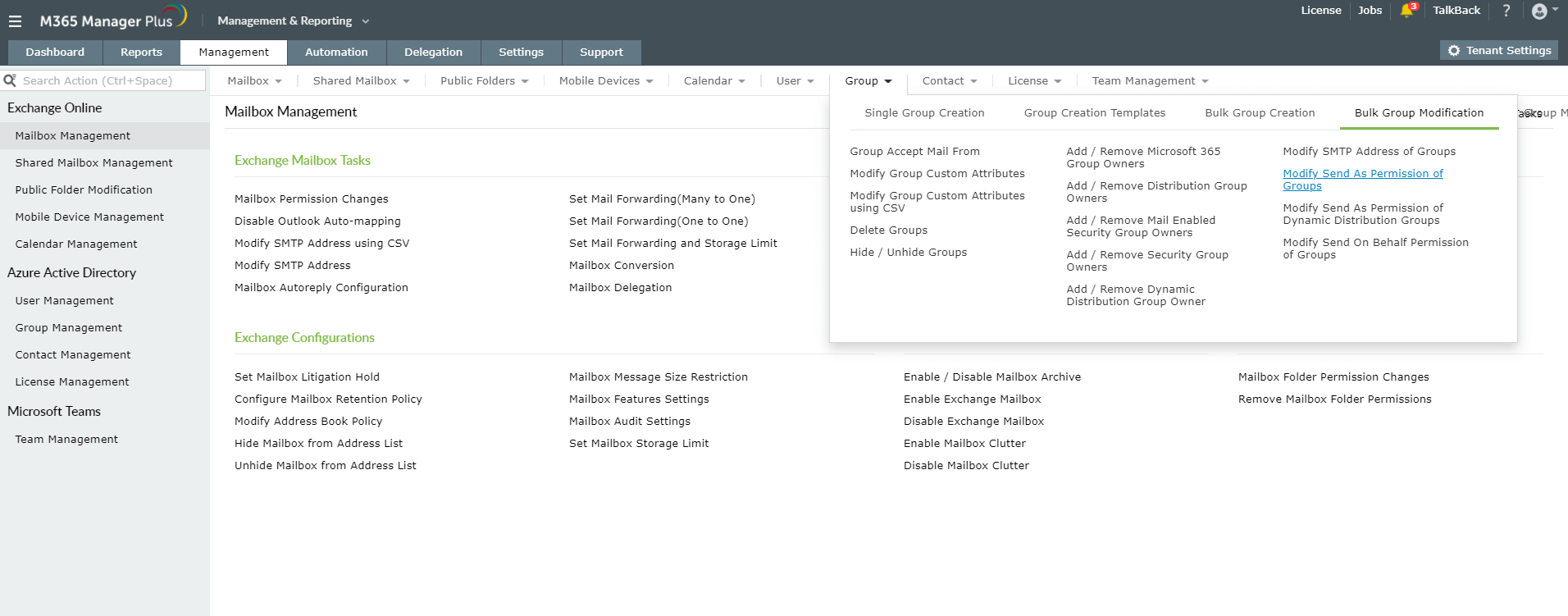
Navigate to Group drop-down → Bulk Group Modification → Set Send As Permission of Groups.
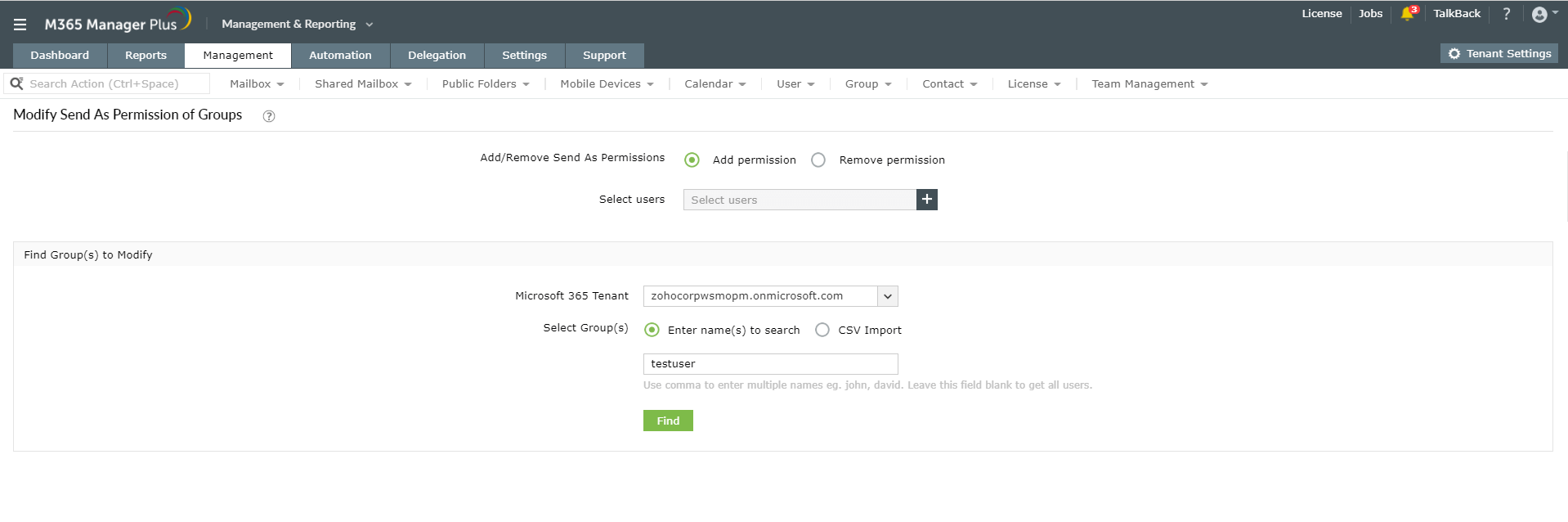
- In the window that opens up, either select Add Permission or Remove Permission, and select users based on your requirement.
- Select the Microsoft 365 Tenent and Virtual Tenent to which you want to apply the selected settings.
- Click Enter name(s) to search to select the required groups manually. If you have the groups listed in a CSV file, then click CSV Import.
Click Apply to execute.
That's it! You have now successfully enabled the Set Send As permissions of Groups for specific users using M365 Manager Plus.
Like this tip? Get the most of M365 Manager Plus, by clicking here.