How to update properties of a Team using Microsoft Graph API
The Update team method in Microsoft Graph API helps update the properties of the specified team. You can use the method below to retrieve information using the Microsoft Graph Explorer.
- PATCH https://graph.microsoft.com/beta/teams/{id}
Supply a JSON representation of the team object and its updated settings in the request body.
Example:
- PATCH https://graph.microsoft.com/beta/teams/{id}
- Content-type: application/json
- Content-length: 211
- {
- "memberSettings": {
- "allowCreateUpdateChannels": true
- },
- "messagingSettings": {
- "allowUserEditMessages": true,
- "allowUserDeleteMessages": false
- },
- "funSettings": {
- "allowGiphy": false,
- "giphyContentRating": "strict"
- },
- "discoverySettings": {
- "showInTeamsSearchAndSuggestions": true
- }
- }
If successful, the method will return a 204 No Content code in the response body.
Using Microsoft Graph to update team properties requires you to have the Group.ReadWrite.All permission. It can also be complex, time-consuming and error-prone. M365 Manager Plus helps simplify Microsoft Teams management with its bulk management feature.
How can M365 Manager Plus help?
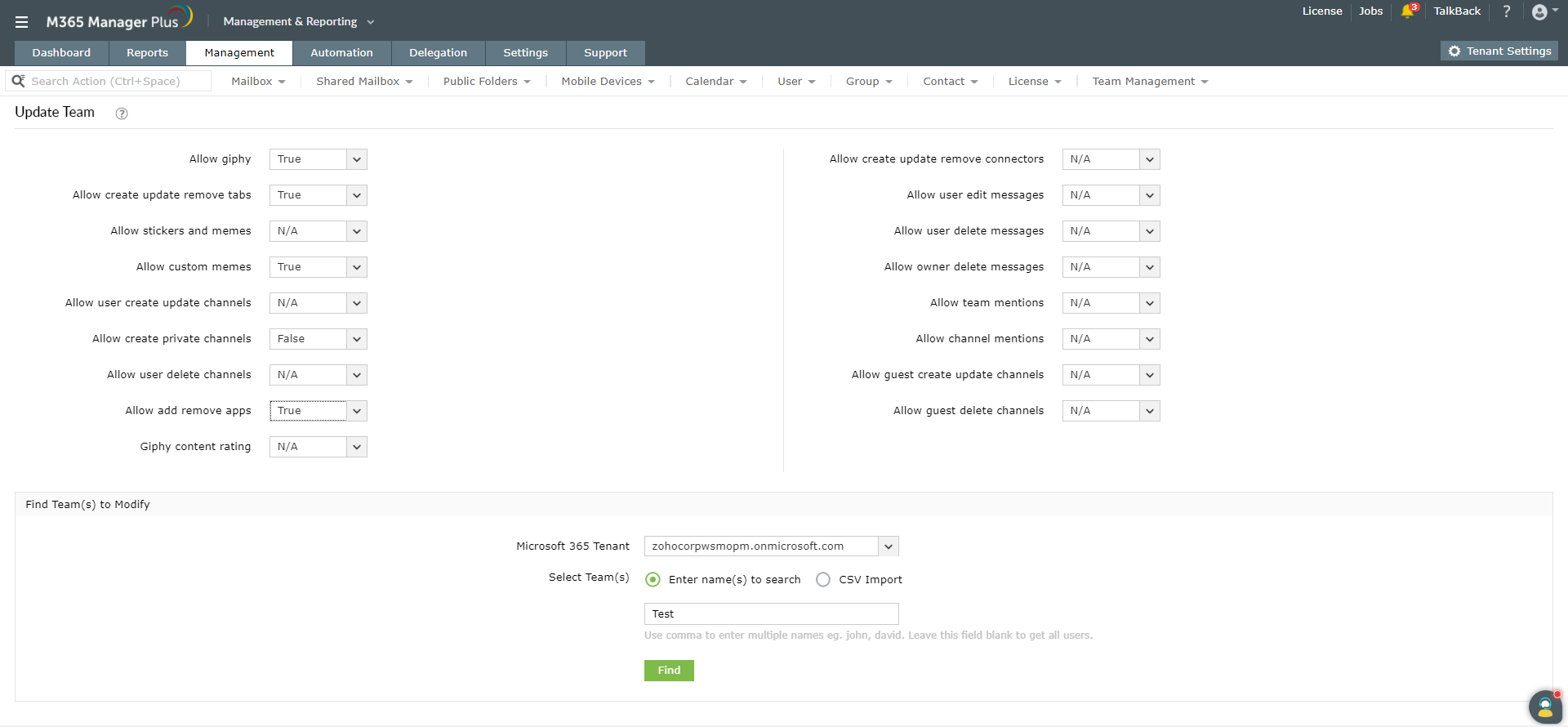
The user-friendly interface helps you easily update team properties in bulk by simply importing a CSV file. You can also create automated workflows in the tool to manage Teams. This will help save time and reduce your workload.
Updating Microsoft Teams in bulk using M365 Manager Plus:
- Navigate to the Management tab.
- Go to Microsoft Teams in the left pane.
- Select Team Tasks → Update Team.
- Select the required Microsoft 365 Tenant from the drop-down box.
- Import the required CSV file.
- Update the team properties.
- Click Apply.
To learn more about managing Microsoft Teams using M365 Manager Plus, click here.