Create and delete a channel using Microsoft graph
Request: Create channel
Description: Use this request to create a new channel in MS Teams.
Example:
- POST https://graph.microsoft.com/v1.0/teams/{id}/channels
- Content-type: application/json
- {
- "displayName": "Sales Discussion",
- "description": This channel is where we discuss about our sales plans"
- }
Request: Delete channel
Description: Use this request to delete a channel in MS Teams.
Example:
- DELETE https://graph.microsoft.com/v1.0/teams/{id}/channels/{id}
MS Graph Explorer vs M365 Manager Plus
- Bulk object management: The graph APIs does not allow you to create or delete channels in bulk. In M365 Manager Plus all you have to do is upload a CSV file with all he required details, the tool will create or delete teams in bulk.
- Need of expertise: For using MS Graph Explorer, in-depth coding knowledge is required to customize the requests for specific needs. For M365 Manager Plus no such special knowledge is required
- Multiple requests: Each operation in MS Graph Explorer requires a different command to be executed depending on the operation and Microsoft 365 service to be managed. M365 Manager Plus allows you to manage users, mailboxes, teams, contacts and other Microsoft 365 objects in bulk without much effort.
What M365 Manager Plus offers
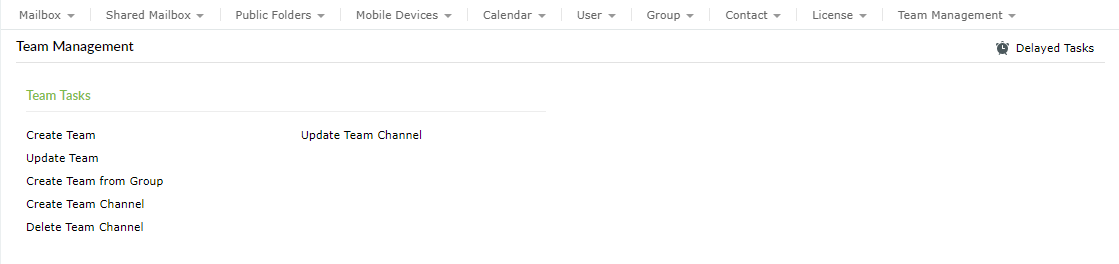
Unlike the native Microsoft 365 management tools, M365 Manager Plus can handle mailboxes, users, teams and other Microsoft 365 object management in bulk, which saves a lot of time spent in scripting. Refer the screenshot below to know about the MS Teams management capabilities provided by M365 Manager Plus.