Passwords used by employees can either make or break data security in an organization. It's not surprising, however, to know that employees don't often follow good password hygiene. From setting weak and generic passwords to lax password policy rules in native tools like Windows Active Directory Group Policies, several factors pose a serious threat to password security and put organizations' data at risk of exposure.
Complexity loopholes in Active Directory password policies
What are the Active Directory password
policy requirements?
- Minimum
password lengthSets the minimum number of character that must be used in the password. - Minimum
password ageDecides how long a user has to wait before changing their password. This ensures that the user doesn't change their password too often. - Maximum
password ageDecides when a password expires. This is important to ensure that passwords are changed regularly. - Password complexity
requirementsDecides the character composition of the password. It also defines what shouldn't be part of the passwords, including dictionary words or patterns. - Password history
enforcementDecides how long a user has to wait to reuse a password. - Reversible encryption
for storing passwordsDecides whether passwords are stored with or without encryption.
Why aren't Active Directory password
policies enough?
- A one-size-fits-all password policy does not exist. They have to be customized to suit different hierarchies, geographical regions, and departments in a company. But Active Directory password policies do not have this capability since they are not applicable to OUs.
- Dictionary words, patterns, and palindromes cannot be restricted.
- Consecutive repetition of the same character cannot be prevented.
- The password policy cannot be enforced during password reset by admins in the Active Directory Users and Computers (ADUC) console.
- The policy settings cannot mandate the number of characters from a certain character type.
- Because of their limited password and account lockout settings, they cannot meet password compliance regulations such as the NIST, GDPR, PCI DSS, and HIPAA password standards.
- They cannot prevent sophisticated, modern password attacks like dictionary and brute-force attacks.
- On the whole, it is challenging for admins to keep tracking of the assigned password policies in a particular domain.
Restrict common words and predictable patterns from user passwords
Download nowEnsure password security with ADSelfService Plus
ManageEngine ADSelfService Plus' Password Policy Enforcer overcomes the drawbacks of Active Directory's built-in password policies and allows you to enforce a custom, advanced password policy that seamlessly integrates with the above-mentioned Active Directory password policies. It fortifies your Active Directory passwords to ensure that your organizational resources are protected from potential cyberattacks.
How to configure password policies in
ADSelfService Plus to fortify user passwords
ADSelfService Plus' password policies can be set to enforce the following requirements:
- Restrict characters
These password policy settings include mandating the number of special, numeric, and Unicode characters. You can also set the type of character with which the password must begin.
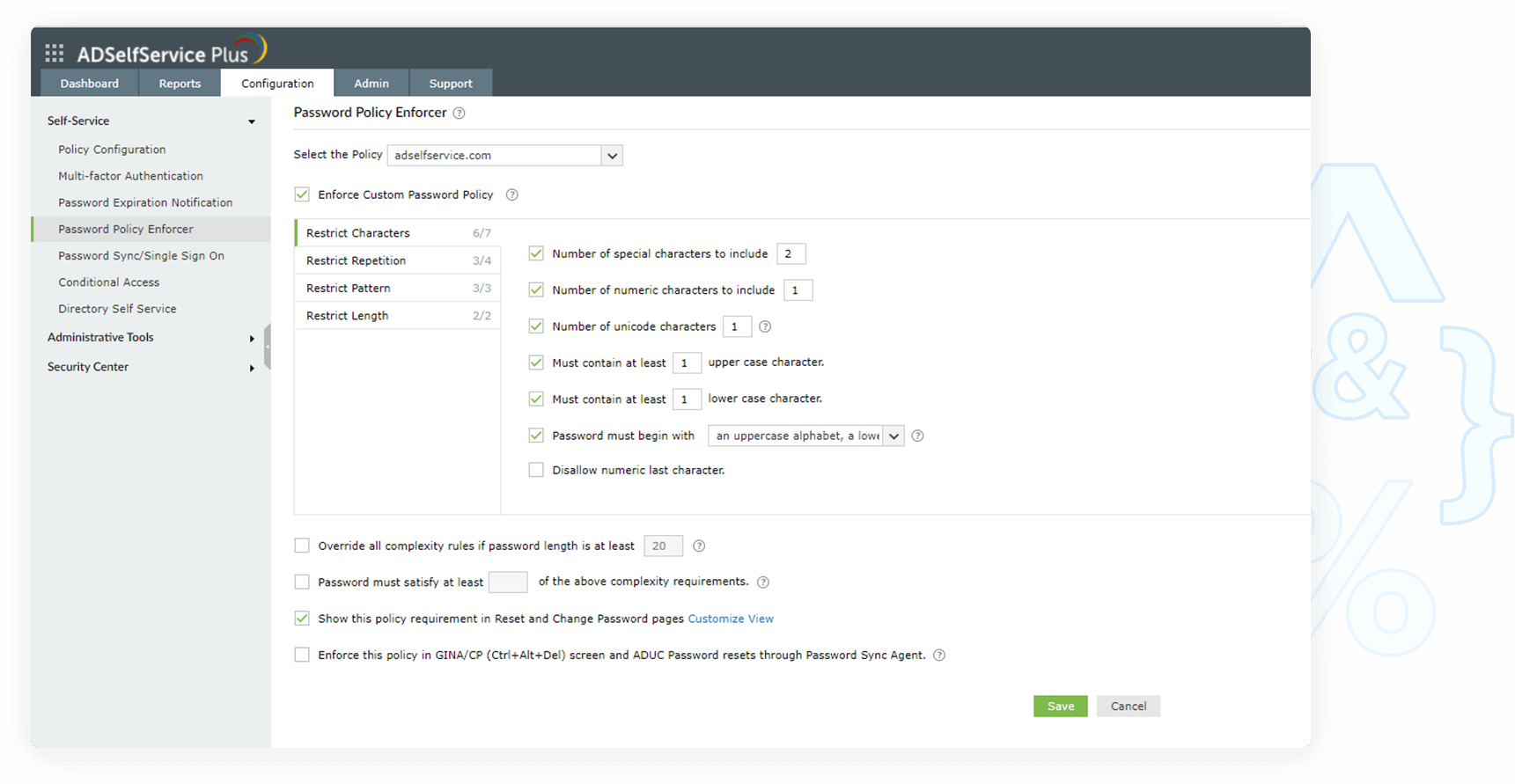
- Restrict length
These rules let you set both a minimum and maximum number of characters for the password.
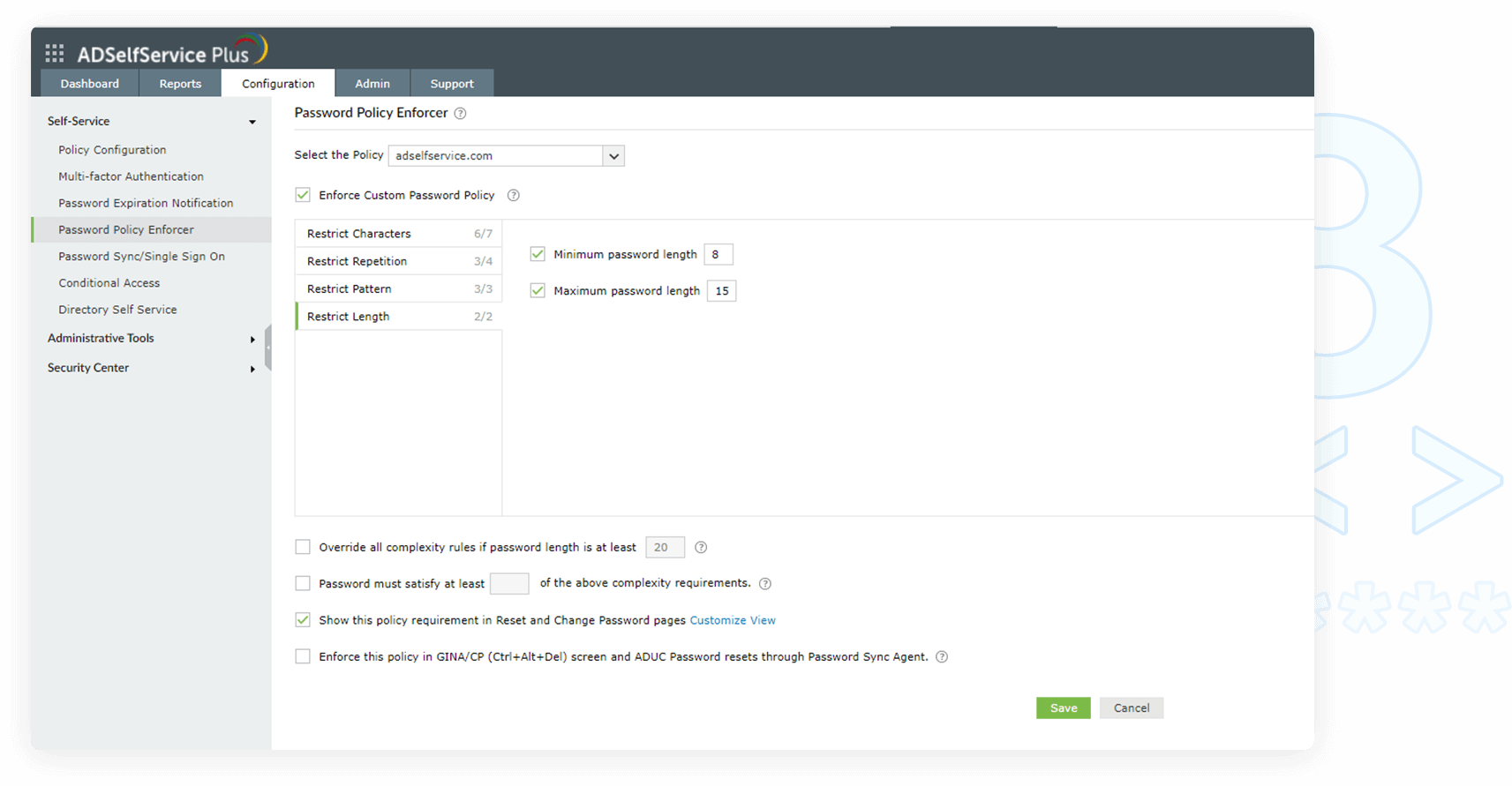
- Restrict pattern
The settings under this tab restrict custom dictionary words, patterns, and palindromes that might be commonly used.
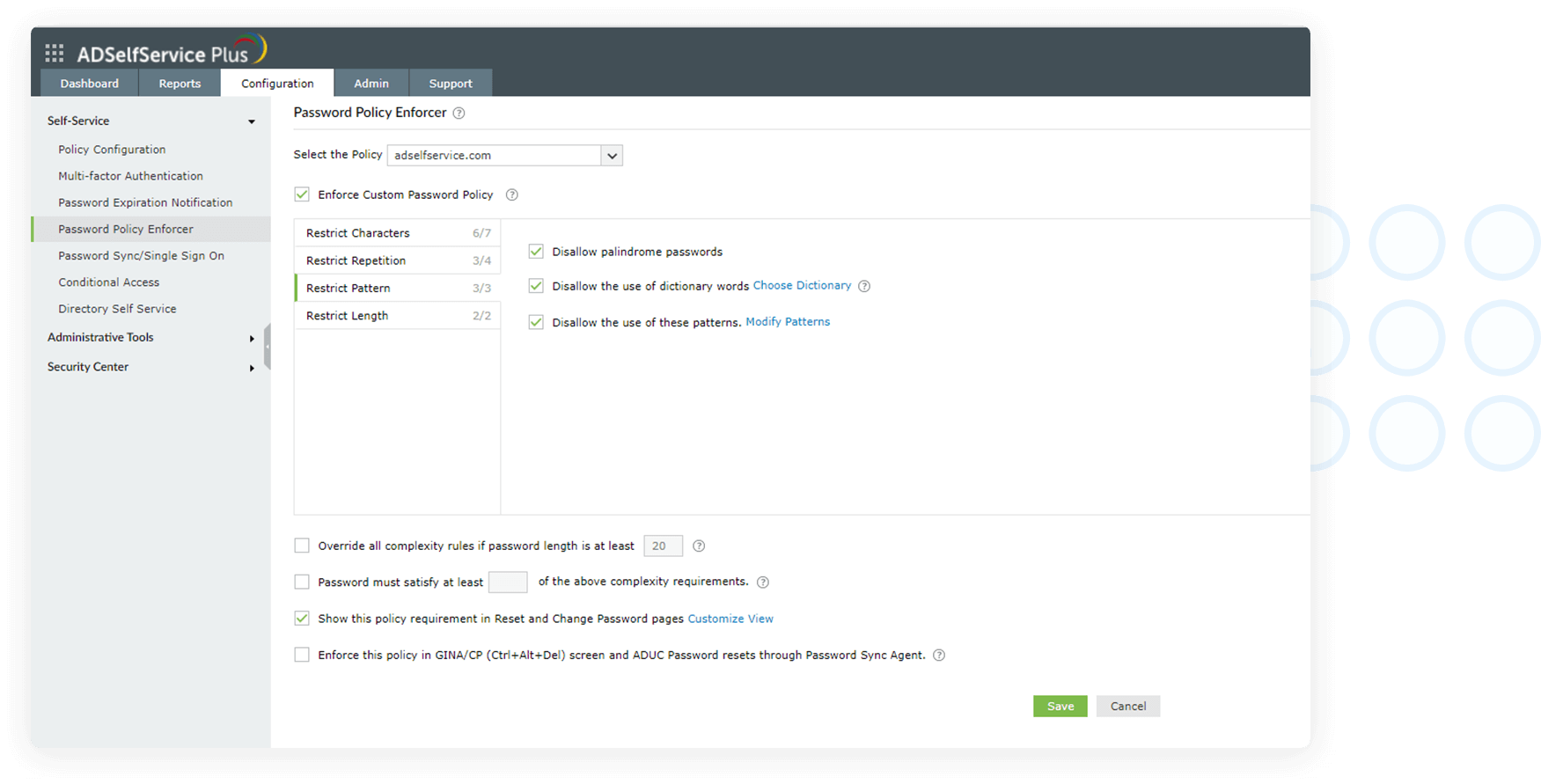
- Restrict repetition
These settings restrict the use of consecutive characters from usernames or previous passwords. Consecutive repetition of the same character can also be restricted.
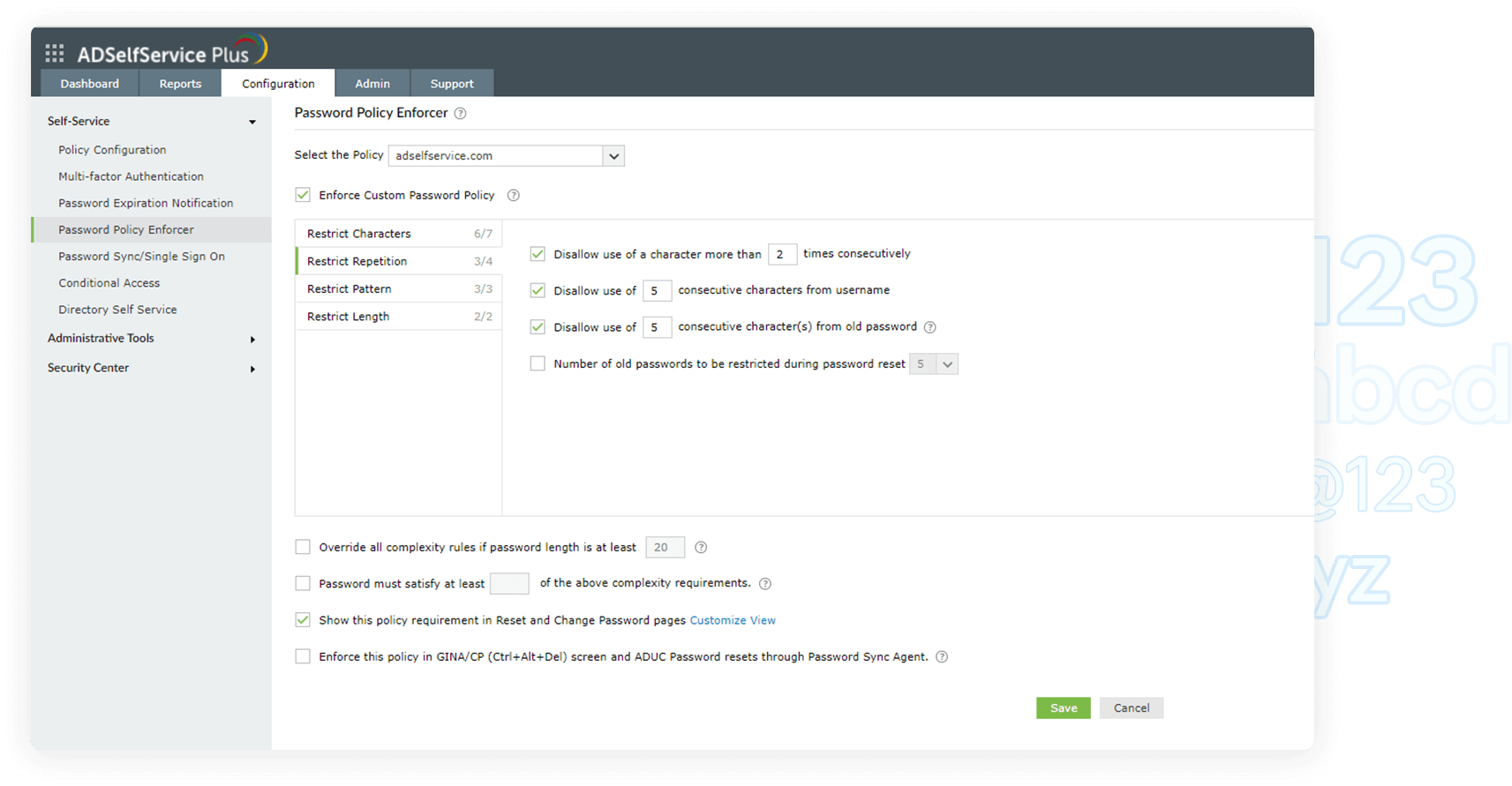
- Restrict compromised passwords
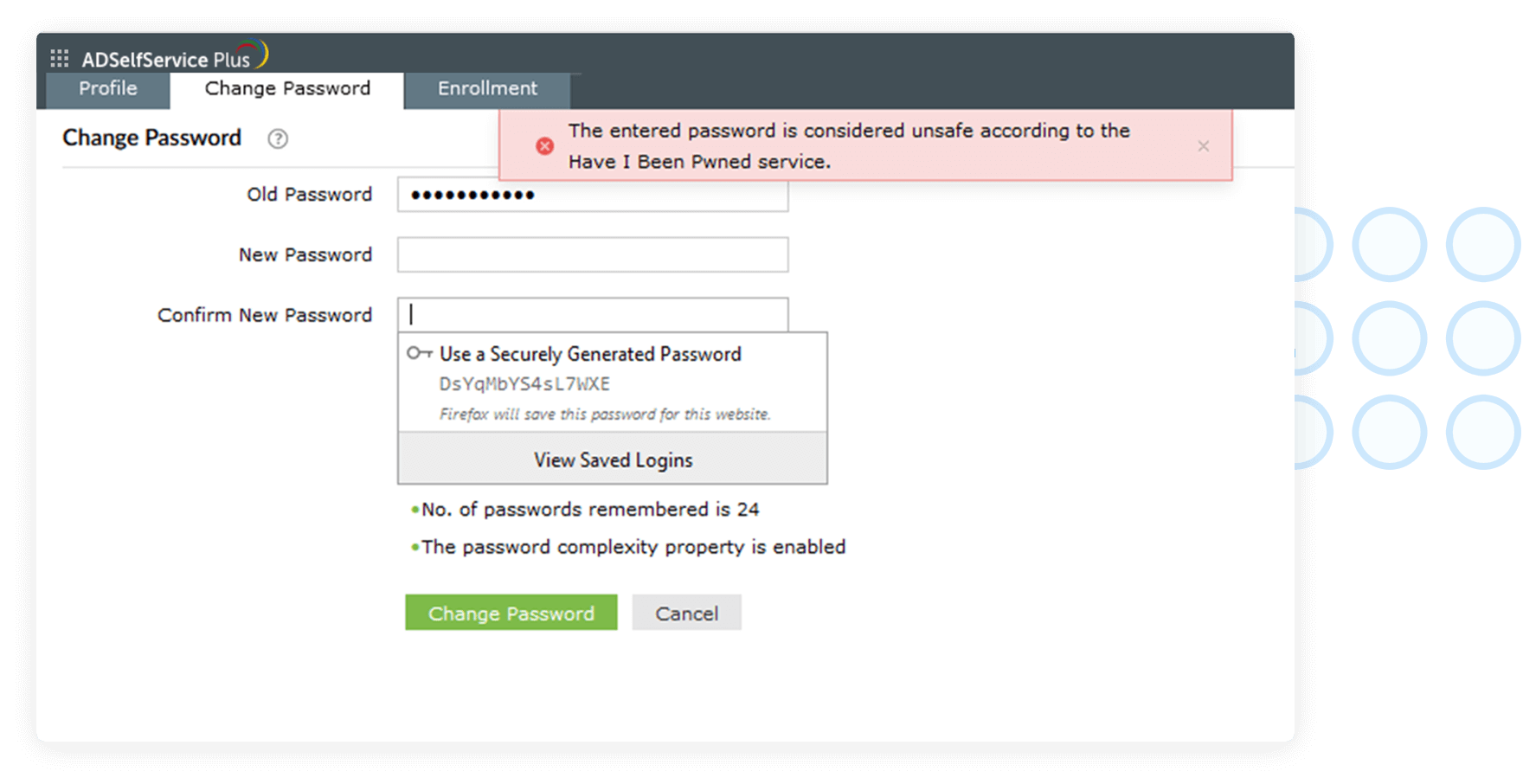
ADSelfService Plus lets you integrate with the Have I been Pwned? service, which can ban the use of passwords involved in previous hacks and thus prevents credential stuffing attacks.
Benefits of
using ADSelfService Plus'
Password Policy Enforcer
Password reports
Get out-of-the-box reports that give IT admins a holistic view of users' password expiration and account lockout status, enrollment data, and self-service actions in all the connected domains.
Help users pick strong passwords
Display password policy requirements on the reset and change password pages so that users are prompted to set strong passwords. Allow users to see the strength of the password live on the password change or reset screen by enabling the Password Strength Analyzer.
Encourage passphrases
Enable users to create long and secure passphrases by overriding the password policy rules if the password is beyond a specific length.
Enforce policies universally
Enforce your policy for password changes from the Ctrl+Alt+Del screen and during ADUC password resets.
Implement granular password policies
Set password policies for OUs and groups separate from the one set for the domain to match the level of sensitive resources specific users need access to.
Frequently asked questions
What is a password policy?
A password policy is a set of rules created and enforced to strengthen user passwords. A password that satisfies all the rules of an enforced password policy is considered to secure underlying data better against potential password attacks. A password policy includes rules that specify minimum password length, maximum password age, password history requirements, and password complexity details.
What is a password attack, and what are the different types of password attacks?
A password attack refers to a threat actor trying to authenticate themselves maliciously into your password-protected account using a compromised password. The different types of password attacks are dictionary attack, brute-force attack, credential stuffing, phishing, man-in-the-middle attack, password spraying, traffic interception, and keylogger attack.
What is a dictionary attack?
A dictionary attack involves a threat actor trying to hack into a user account by repeatedly trying various combinations of dictionary words. Often, the words used are not necessarily dictionary words, but predictable password choices like names, birth places, or pet's names, which users normally tend to use in their passwords. For this reason, users are advised to avoid such words while setting passwords.
What is meant by Active Directory password complexity?
Active Directory password complexity requirements are settings that mandate users to include certain special characters, like uppercase, lowercase, or non-alphanumeric characters, and to avoid using their usernames in their passwords. Users have chosen strong passwords when the complexity requirements of the enforced domain password policy are met.
Are passwords sufficient to protect data and secure identities?
Securing a user account or data endpoint with only a password makes it most vulnerable to the password attacks of today. Deploying multi-factor authentication mechanisms, however, is good practice to render compromised credentials useless to hackers. It is also interesting to note that advanced authentication mechanisms like biometrics have made even passwordless secure user authentication possible.
What is the difference between the Active Directory domain password policy and a fine-grained password policy (FGPP)?
The default Active Directory domain password policy defines configurable rules for user account password creation. This password policy is only applicable to the entire domain to which it is linked, and cannot be customized for a specific set of users, groups, or OUs. Active Directory's FGPP, on the other hand, overcomes this drawback and allows password policies to be tailored to different users and groups within the domain.
ADSelfService Plus Trusted by









complete self service password management
- » Enterprise Single Sign-On
- » SAML Single Sign-On for Cloud Applications
- » Enterprise Cloud Password Management
- » Active Directory Management & Reporting
- » Exchange Server Auditing & Reporting
- » Active Directory Backup & Recovery Tool
- » Active Directory FREE Tools
