Google Authenticator
启用Google Authenticator后,用户在登录过程中需要输入由Google Authenticator应用生成的代码。
在ADAudit Plus中启用Google Authenticator的步骤
前提条件:从Google的网站下载并安装Google Authenticator到您的移动设备 Google的网站.
- 打开 ADAudit Plus网页控制台.
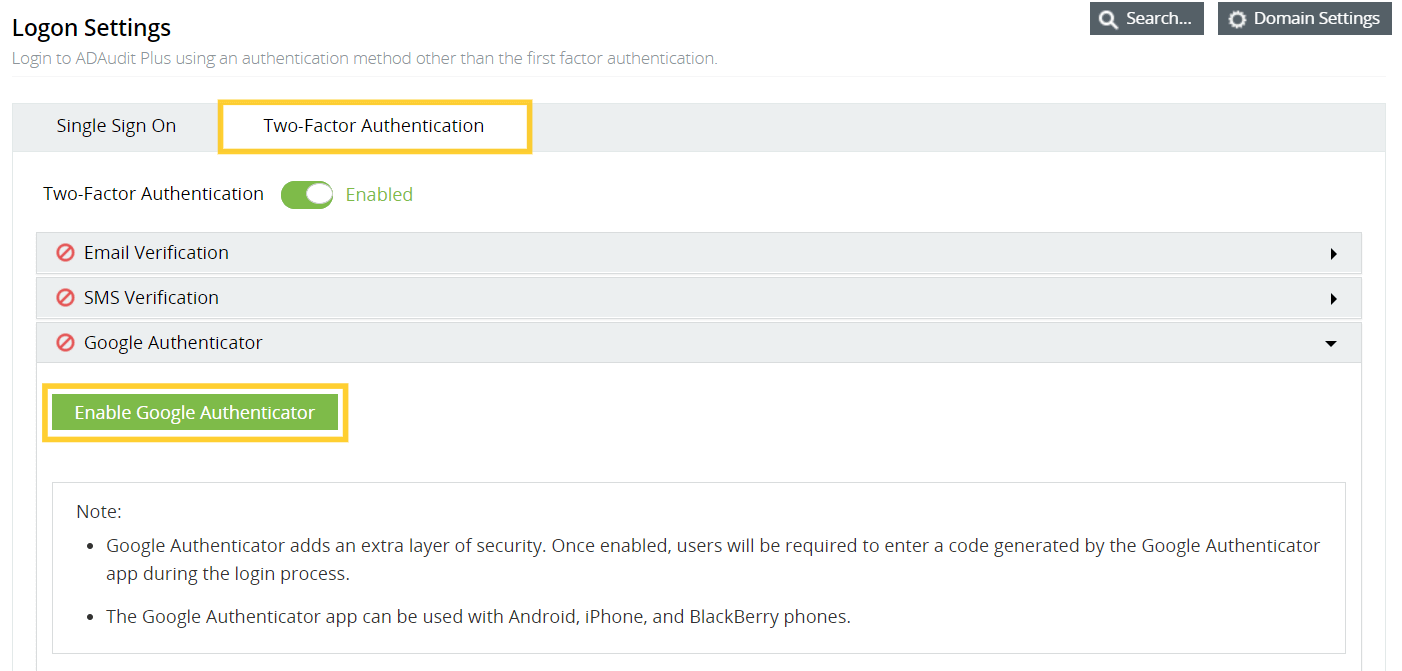
- 导航至 管理员 → 管理 → 登录设置,选择双因素认证。
- 在 Google Authenticator下,单击 启用Google Authenticator.
- 首次登录 ADAudit Plus网页控制台 ADAudit Plus时,将显示一个 QR码 。打开 Google Authenticator应用 并用移动设备扫描该QR码,为ADAudit Plus创建账户。
- 将ADAudit Plus添加到Google Authenticator应用后,会自动生成一个 秘密代码 。
- 输入由Google Authenticator应用生成的代码,然后点击 秘密代码 验证 以访问ADAudit Plus。 注意
:Google Authenticator应用支持Android、iPhone和BlackBerry手机。没有找到您要找的内容?