Adding Huawei OceanStor systems in ADAudit Plus
To add a Huawei OceanStor storage system to the ADAudit Plus console, follow these steps:
- Log in to the ADAudit Plus web console. Navigate to the File Audit tab > Configured Server(s) > Huawei OceanStor. Click Add Server in the top-right corner. This will open the Add File Servers pop-up.
- Select the storage system you wish to audit with ADAudit Plus. Here, for an OceanStor V5 series system, always select the storage system as vStore0 for all the vStores.
Click Next.
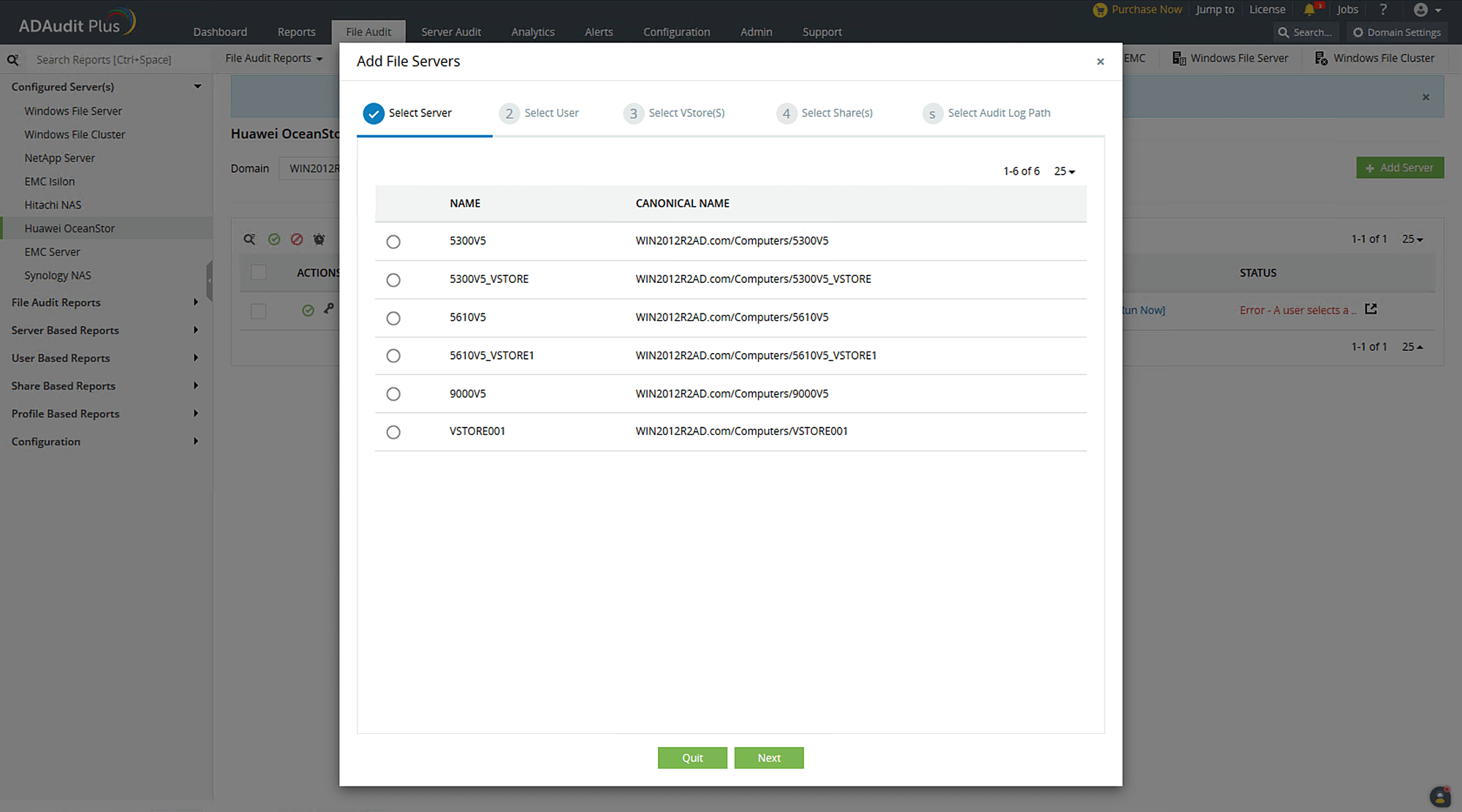
Troubleshooting tip
If the storage system you wish to audit is not listed in the Add File Server pop-up, ensure that it is connected to the target domain. If it is, refresh the computer objects for that domain by following the steps below:
- In the ADAudit Plus console, go to Domain Settings at the top-right corner.
- From the domain drop-down, select Update Domain Objects to open the corresponding pop-up.
- Choose Computers on the list and click Save.
Now, provide the following details:
- The Version of the target OceanStor system, i.e., V5 series or 9000V5.
- If you are using a dedicated ADAudit Plus Huawei user account, provide the Username and Password. If you are using a domain user account, ADAudit Plus will automatically use those credentials and you can move to the next step.
- The Scope of the provided user.
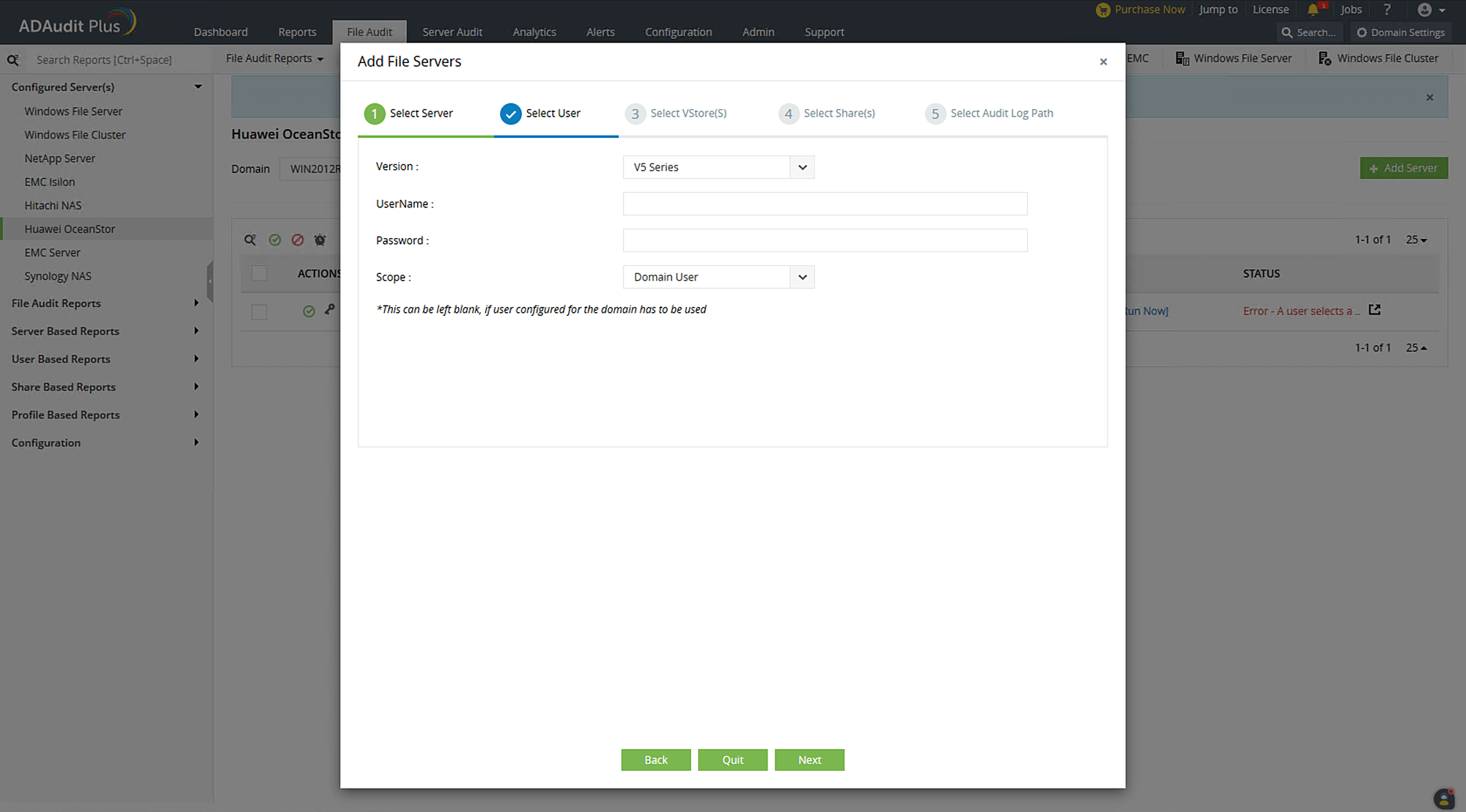
Troubleshooting tip
If you encounter an error while adding the ADAudit Plus Huawei user's credentials, check if the user has been provided with the privileges detailed in this section
Select the target VStore and click Next. For OceanStor 9000 V5, this step is not required.
Troubleshooting tip
If no VStores are listed or if only the system or default VStores are listed, check if the ADAudit Plus Huawei user has been provided the required minimum privileges. If the issue persists after the privileges have been assigned correctly, contact the support team at support@adauditplus.com for further assistance.
Select the shares you want to audit in the chosen VStore and click Next.
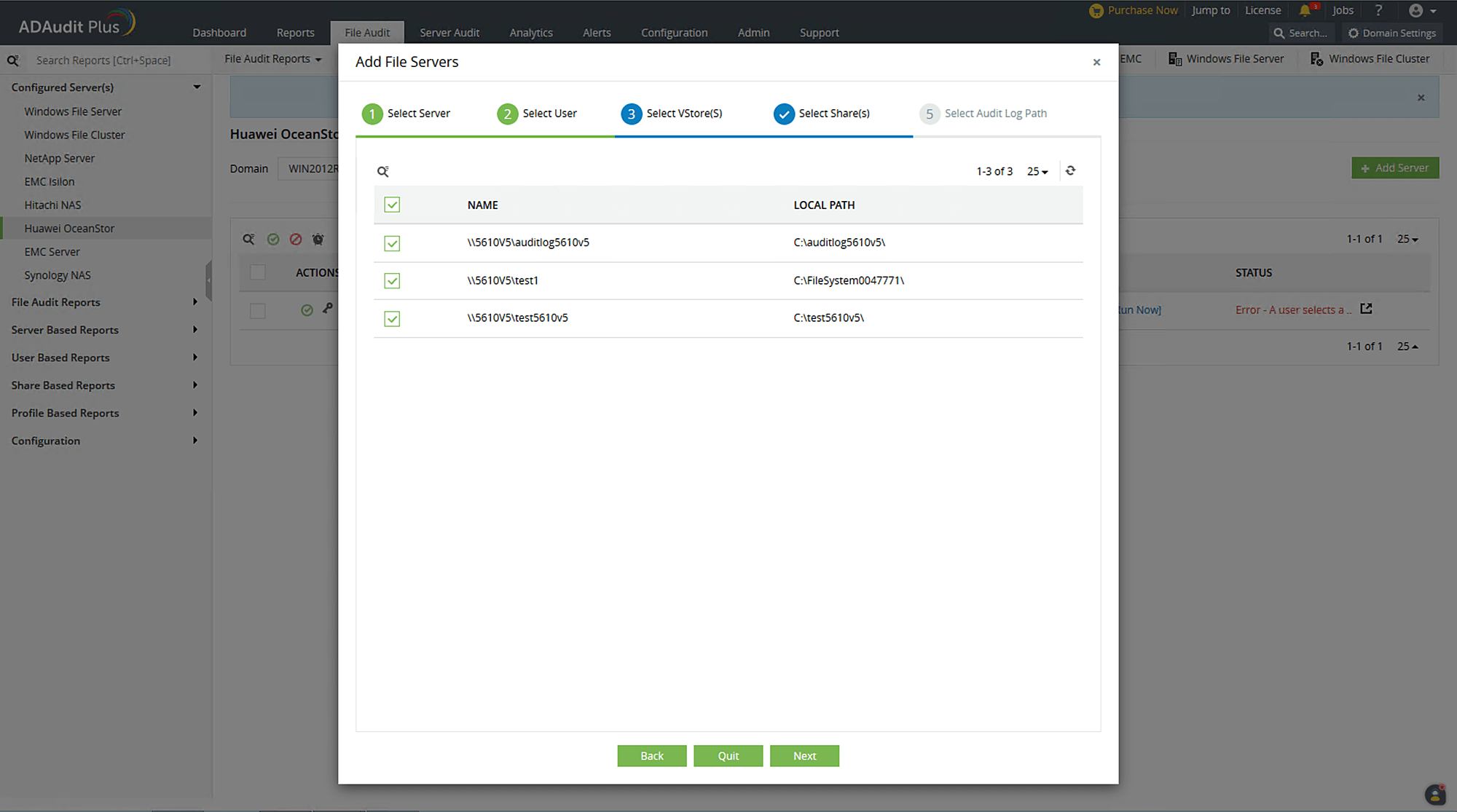
In the next step, provide the UNC path of the audit log's location. For OceanStor V5 series, the UNC path is discovered automatically. For OceanStor 9000 V5, input the UNC path manually. Click OK.
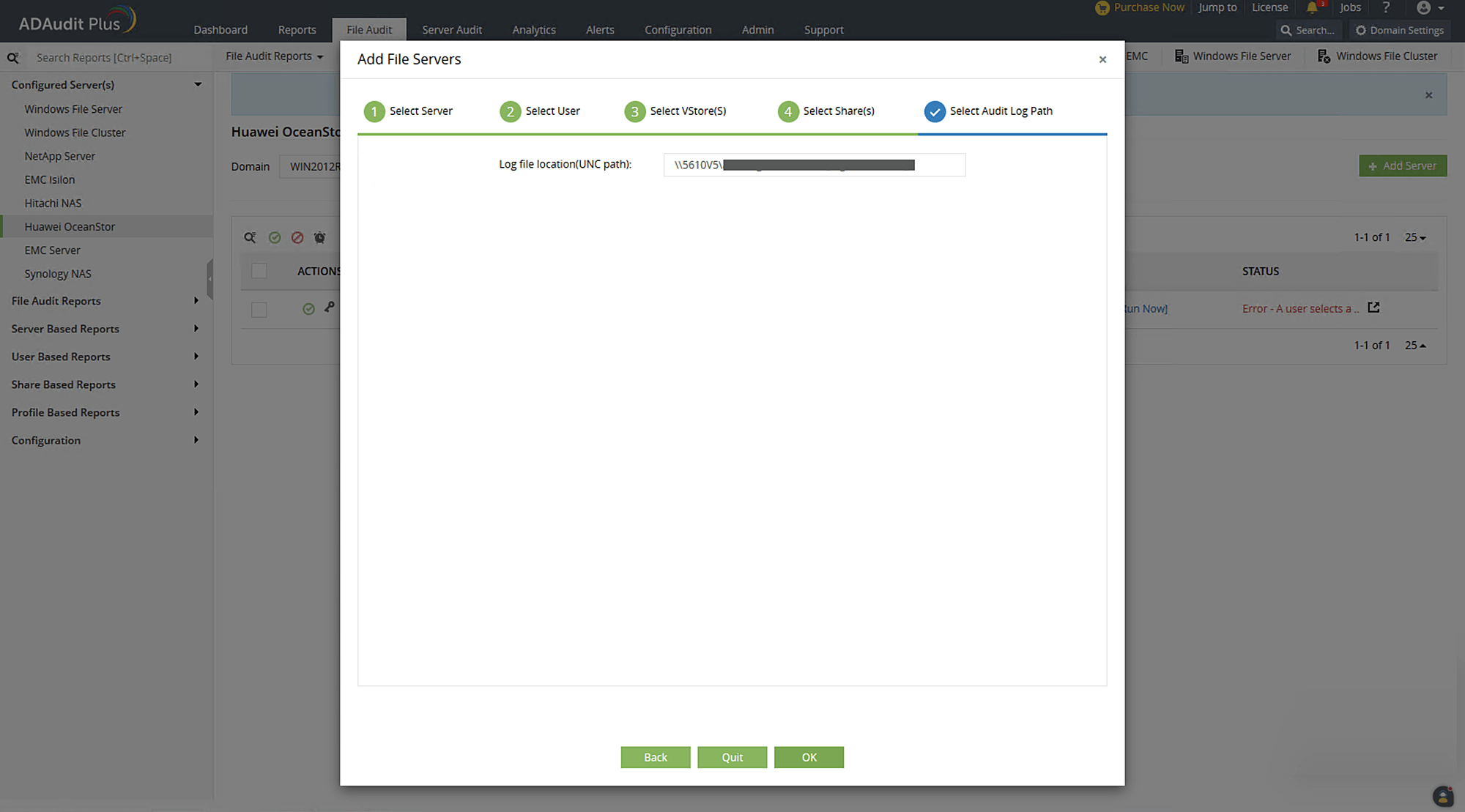
Your target OceanStor storage system will be added to the web console and ADAudit Plus will begin reporting on accesses to the target shares.
