Troubleshooting
To learn about the common issues faced in EMC Isilon auditing using ADAudit Plus, review these steps.
1. Error messages and solutions:
The selected Domain must be an Authentication Provider for the Cluster.
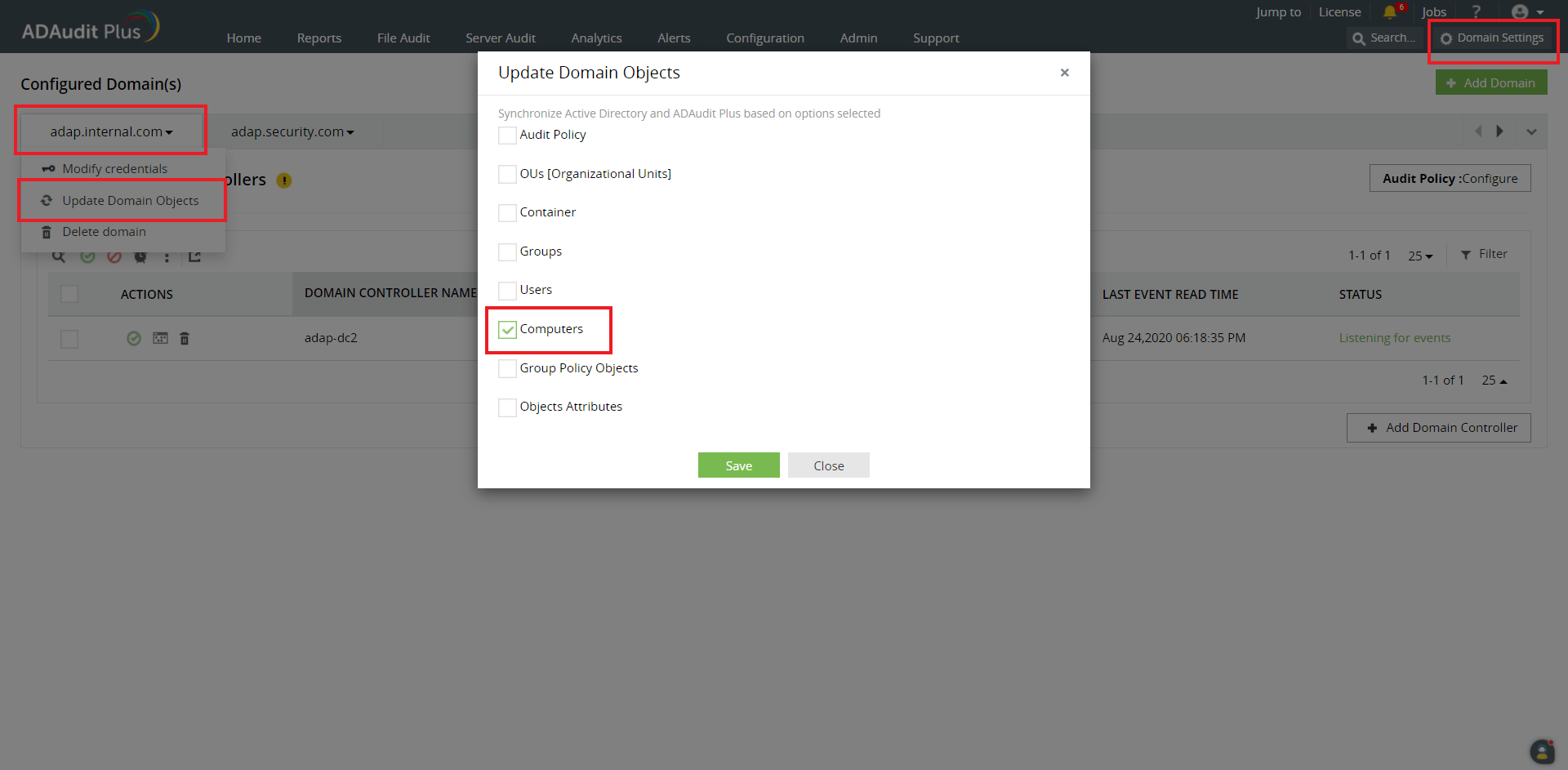
Verify that the cluster is a part of the selected domain, and try adding the cluster again. If the issue persists, update the computer objects by following the steps below:
- On the ADAudit Plus console, go to Domain Settings at the top right corner.
- From the domain drop-down menu, select Update Domain Objects to open the corresponding pop-up screen.
Choose Computers on the list and click Save.
Isilon Zone(s) not found.
Ensure that the ADAudit Plus Isilon user has permission to read the Isilon configuration. Verify that the minimum required permissions are provided to the user.
- Error in getting shares/Access is denied.
- Ensure that the user configured under Domain Settings has permission to read the shares in the configured zone.
- Add the Domain Settings user to the LOCAL: System provider's Administrators group to provide read access to files.
- The Timestamp is not updated/No data is received.
- Check if the forwarded syslog data is received by the ADAudit Plus server by installing ManageEngine Free Syslog Forwarder.
- Navigate to Admin → General Settings → Connection, and set Current Syslog Status to Off. Alternatively, you can stop the ADAudit Plus Service.
- In the free syslog forwarder tool, click Start to receive syslog data.
- If no data is shown, check the syslog configuration once again. If the issue persists, contact the support team at support@adauditplus.com.
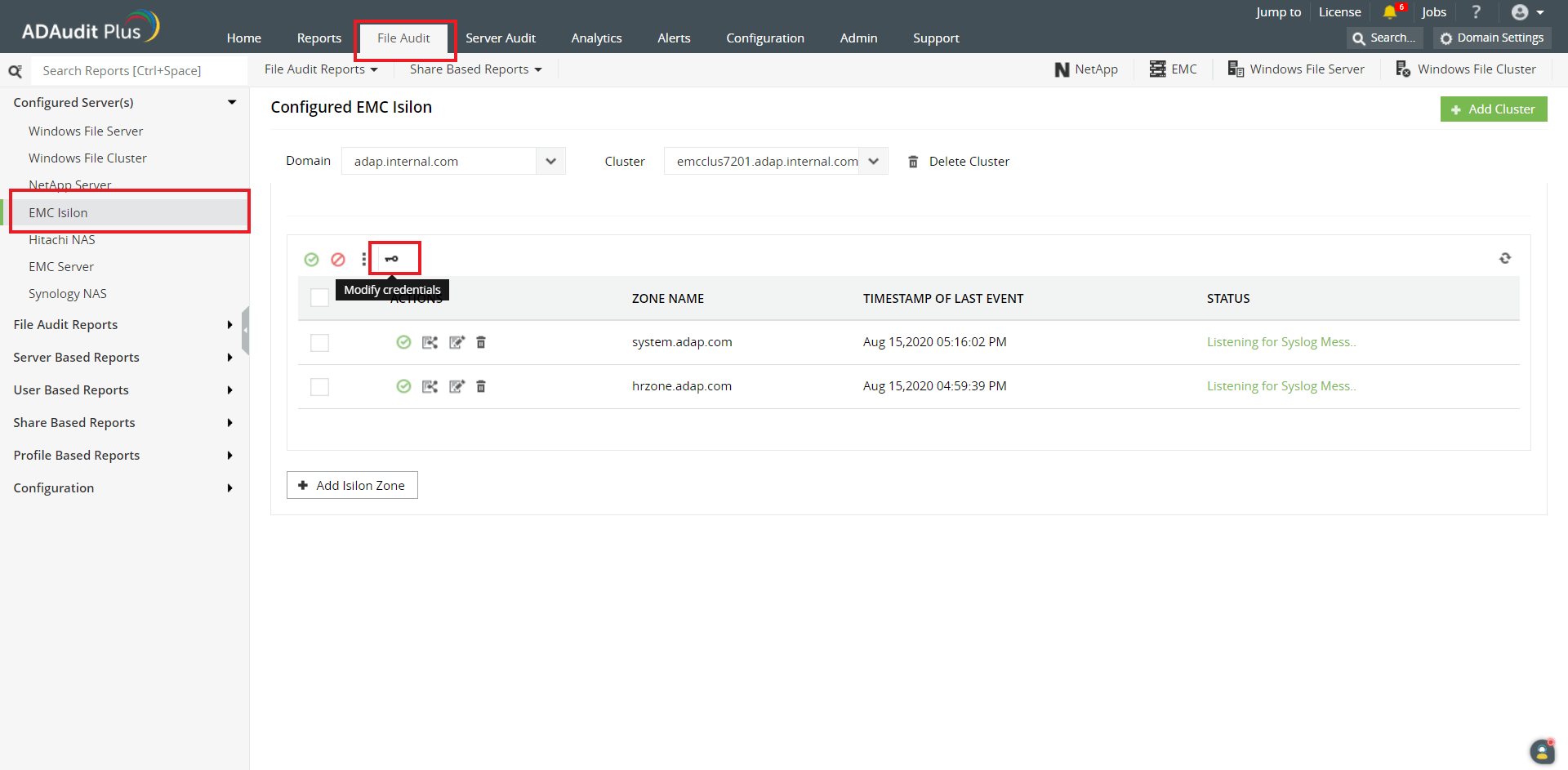
Configured credentials are expired. Click on the key icon to update.
This error occurs when the user account provided during cluster configuration has been updated or deleted. To resolve this,
- On the ADAudit Plus web console, navigate to File Audit → Configured Servers → EMC Isilon.
- Click the key icon to provide fresh credentials for the Isilon user.
Click OK to save the changes.
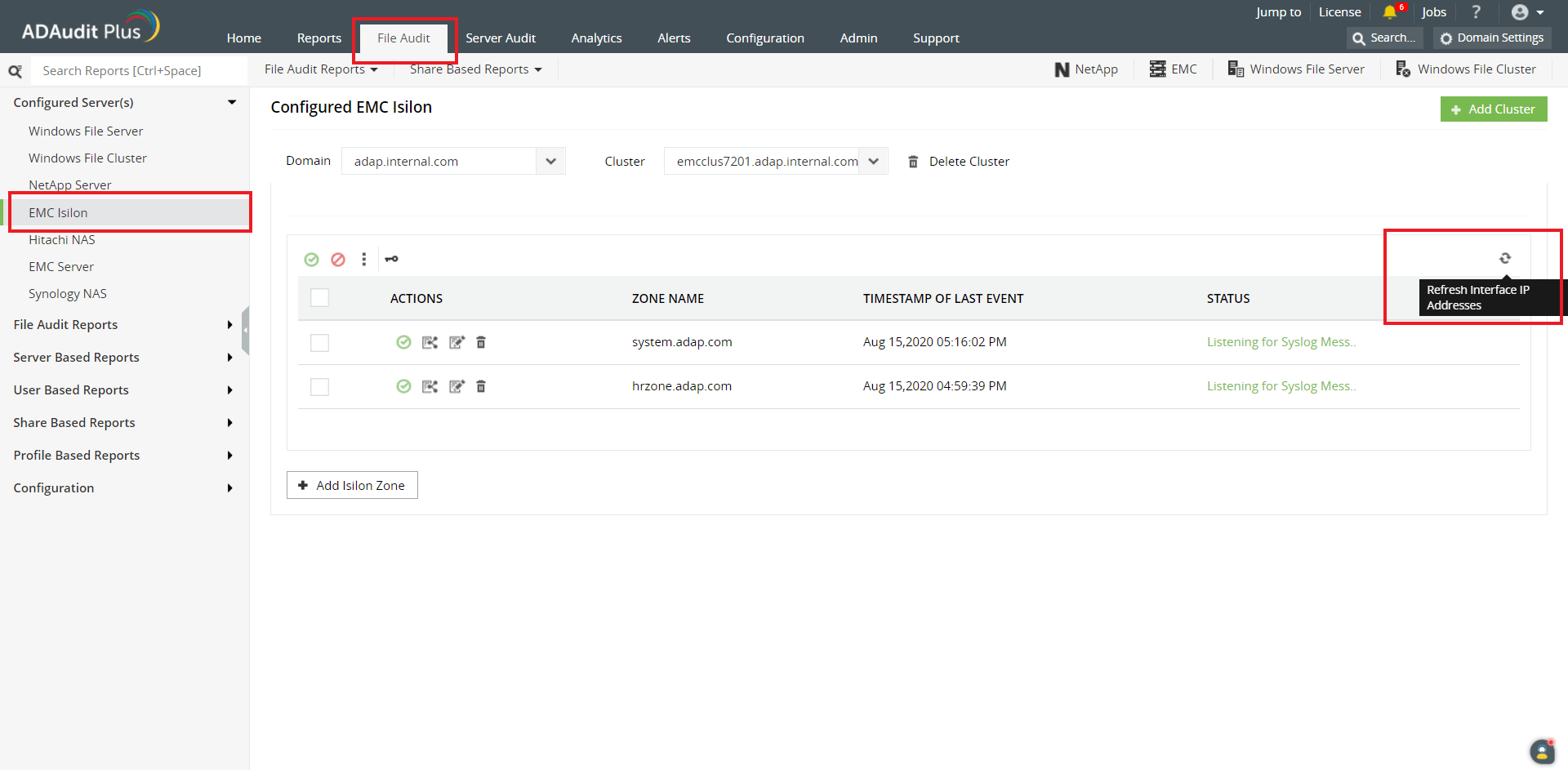
Refresh Interface IP Address
This message is shown when there are no configured IP addresses to receive data from.
- On the ADAudit Plus web console, navigate to File Audit → Configured Servers → EMC Isilon.
- Click the Refresh icon at the top right corner of the table listing the configured zones.
If the issue persists, contact the support team at support@adauditplus.com.
Syslog Listening Stopped
Ensure that the port configured under the Syslog Listening Port (Admin → General Settings → Connection) is free to use.
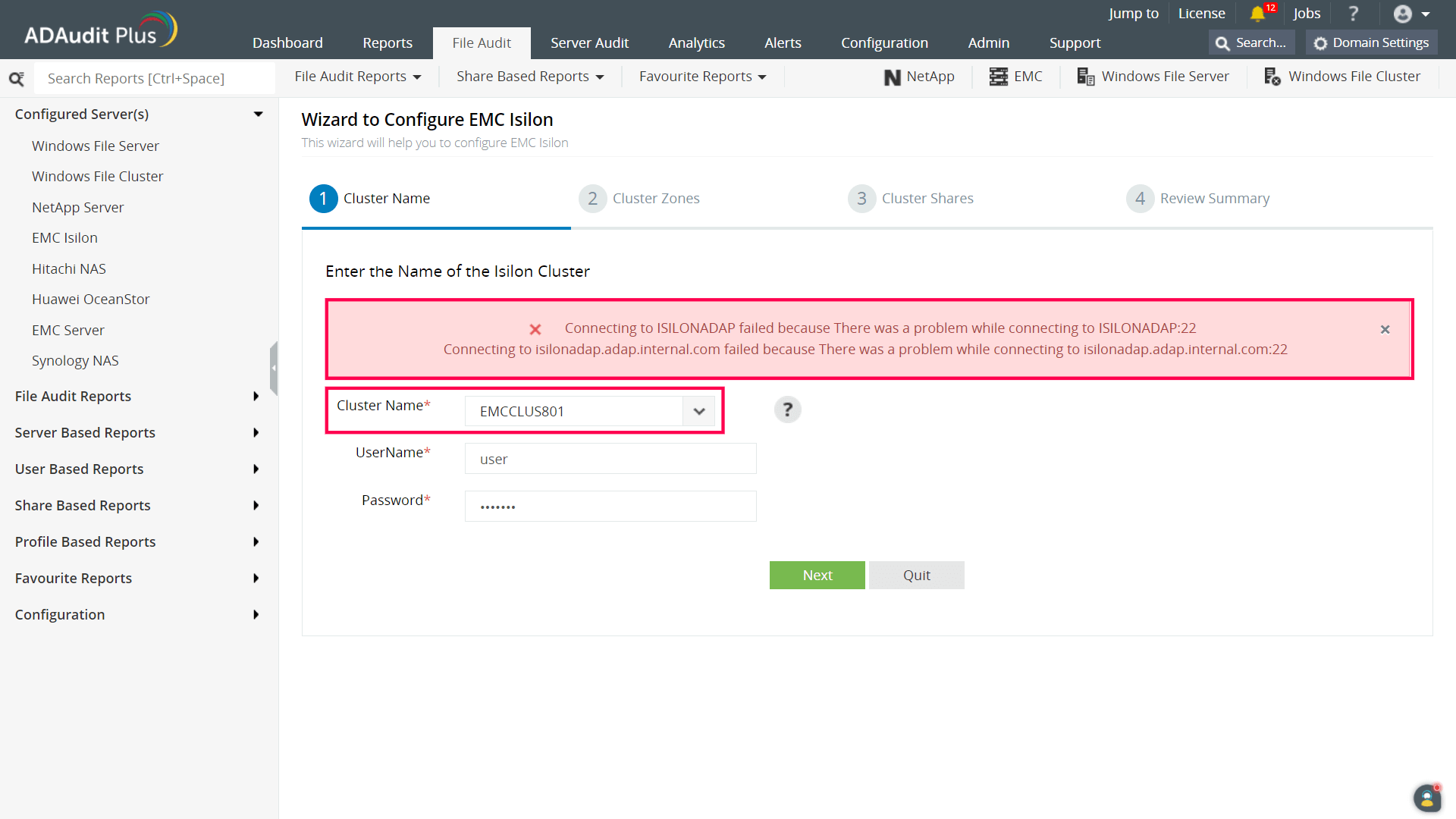
Connecting to <CLUSTERNAME> failed because There was a problem while connecting to <CLUSTERNAME>:22 Connecting to <clustername.domain.com> failed because There was a problem while connecting to <clustername.domain.com>:22
This error occurs during configuration when the cluster name does not resolve to the node IP address. To resolve this, verify if a ping to the Isilon cluster by its cluster name resolves to the node IP address.
2. If the target cluster is not listed in the Cluster Name drop down during configuration:
- Ensure that the correct domain is selected.
- Check if the cluster's domain is the authentication provider.
Update the computer objects for the domain (Domain Settings → select Update Domain Objects from the domain drop down → choose Computers on the resulting pop-up and click OK) and retry the configuration.