
- 如何查找我的构建号?
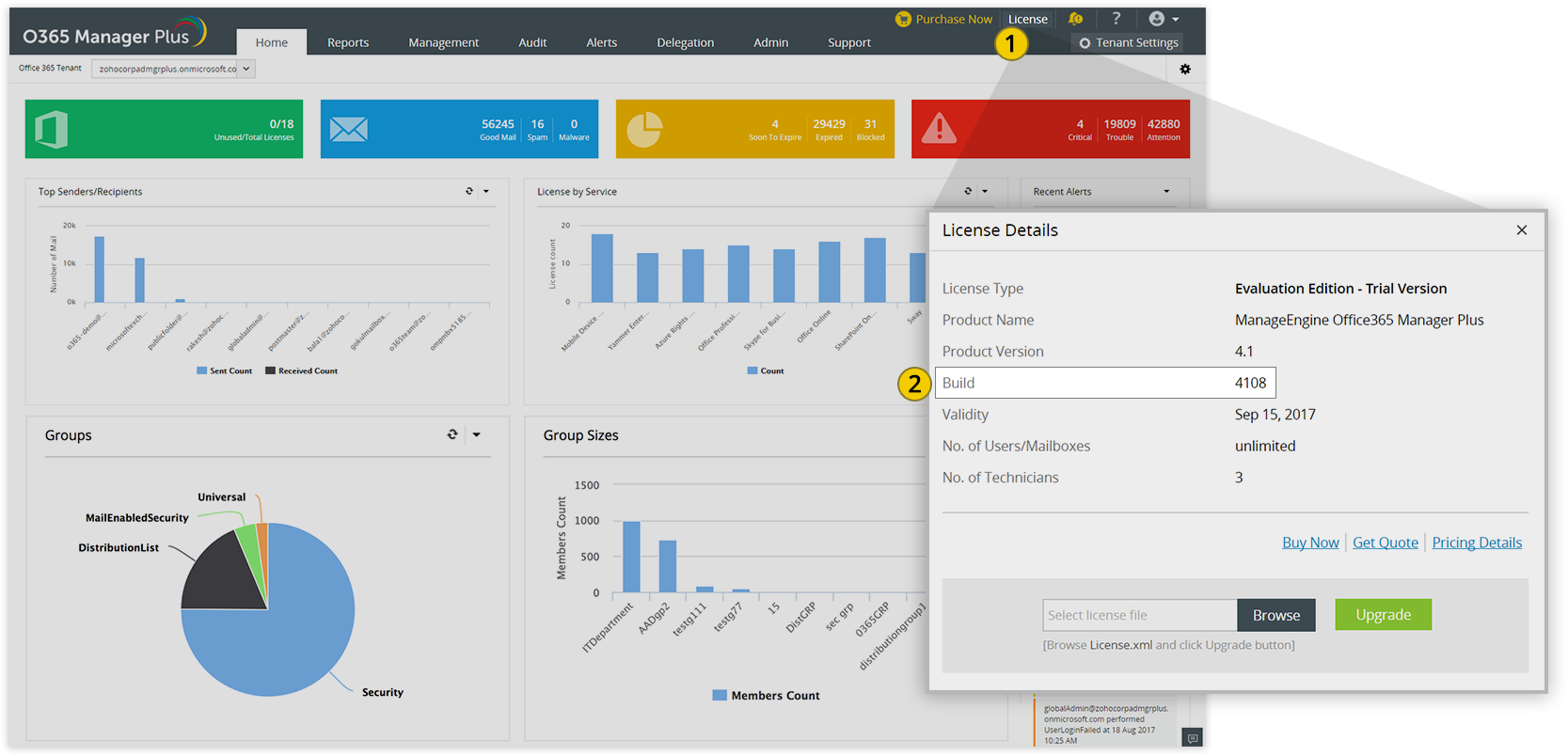
- 1 Log in to the O365 Manager Plus web client, and click the "License" link in the top pane.
- 2 You will find the "Build" number mentioned below the "Product Version"
M365 Security Plus 服务包
- Update Path Finder
- Service Pack path to the latest version
- 如何找到构建号?
| If your Build Number is | Upgrade to Build Number |
| 4400 | Download and upgrade to latest 4401 |

Important:
- We strongly recommend you to take backups before migrating. This helps you prevent accidental loss of data.
- If you have enabled high availability, please read this before applying the service pack.
Instructions to apply Service Pack
1Shut down M365 Security Plus
- If the product runs as an application, click on Start → All Programs → M365 Security Plus → Stop M365 Security Plus.
- If the product runs as a windows service, click on Start → Run → type "services.msc" → Stop "ManageEngine M365 Security Plus".
- 2Execute the stopDB.bat file under <M365 Security Plus>\bin directory.
- 3Backup M365 Security Plus by zipping the contents of M365 Security plus installation directory.
- 4In case of MS SQL Database Server, take a backup of the database also.
- 5Open a Command Prompt as an administrator and execute the UpdateManager.bat file under <M365 Security Plus>\bin directory.
- 6Click Browse and select the .ppm file that you have downloaded.
- 7Click on Install. Depending on the amount of data to be migrated, the installation procedure may take a few minutes. Please do not terminate prematurely.
- 8Click Close and then Exit to quit Update Manager tool.
9Start M365 Security Plus.
- If the product runs as an application, click on Start → All Programs → M365 Security Plus → Start M365 Security Plus.
- If the product runs as a windows service, click on Start → Run → type "services.msc" → right-click "ManageEngine M365 Security Plus" → Start
Note:
- If you need to apply more than one service pack, follow the same instructions for each installation.
- If you have enabled high availability, then follow the steps given below:
- Shut down both the primary and standby servers.
- Follow steps (2) through( 8) given above, and apply the service pack in both the servers.
- Start both the primary and standby servers.
How do I find my current build number?
- Log in to the M365 Security Plus web client.
- Click on the License link at the top right corner.
- Find the Build number.
Need Help?
You can contact M365 Security Plus Support at any time for assistance in upgrading M365 Security Plus to the latest version.