PowerShell logging and auditing
ADAudit Plus simplifies the process of tracking PowerShell activity by transforming the raw and noisy PowerShell log data into real-time reports and alerts. This enables you to stay on top of PowerShell activity with ease.
Highlights of PowerShell auditing with ADAudit Plus
Code monitoring
Audit PowerShell commands and the contents of scripts that are executed in your Windows Server environment.
Process tracking
Know who executed a PowerShell process, when, and from where in your environment.
Audit-ready compliance reports
Automate the generation and delivery of PowerShell auditing reports to meet compliance needs.
Instant security alerts
Get notified in real time via email and SMS about critical activities, such as the execution of a particular script.
PowerShell logging and auditing with native tools
Windows PowerShell is widely used to manage critical Windows Server resources, such as users, groups, GPOs, and files. So, tracking PowerShell activity is imperative. PowerShell activity occurring in your environment can be tracked by following the three steps outlined below.
Step 1: Enable logging of PowerShell activity
PowerShell supports three types of logging: module logging, script block logging, and transcription.
- Module logging lets you specify the modules that you want to log.
- Script block logging records the full contents of code; it also provides information on the user who ran the PowerShell commands.
- Transcription records the commands that are run along with their results; however, it does not record the contents of executed scripts or the output written to other destinations such as a file system.
- To enable module logging via Group Policy, navigate to Computer Configuration → Policies → Administrative Templates → Windows Components → Windows PowerShell → Turn on Module Logging. To log all modules, navigate to Turn on Module Logging → Options → Show and enter * in the Module Names window.
- To enable script block logging via Group Policy, navigate to Computer Configuration → Policies → Administrative Templates → Windows Components → Windows PowerShell → Turn on PowerShell Script Block Logging.
- To enable transcription via Group Policy, navigate to Computer Configuration → Policies → Administrative Templates → Windows Components → Windows PowerShell → Turn on PowerShell Transcription. To record a timestamp for each command executed, navigate to Turn on PowerShell Transcription and check the Include invocation headers box.
Tip: It is recommended that, at a minimum, script block logging should be enabled to track code executed in PowerShell.
Step 2: Configure suitable PowerShell log size
To configure PowerShell log size via Group Policy, navigate to Computer Configuration → Preferences → Windows Settings. Right-click Registry, then select New → Registry Item. In the New Registry Properties window:
- In Action field, select Update from the drop-down.
- In the Hive field, select HKEY_LOCAL_MACHINE from the drop-down.
- In the Key Path field, enter SOFTWARE\Microsoft\Windows\CurrentVersion\WINEVT\Channels\Microsoft-Windows-PowerShell\Operational.
- In the Value name field, uncheck the box beside Default and type in MaxSize.
- In the Value type field, select REG_DWORD from the drop-down.
- In the Value data field, type in a suitable value.
- In the Base field, select Decimal.
- Click Apply.
Tip: The size of the PowerShell event log should be set to at least 150MB to ensure that data is preserved for a reasonable period of time.
Step 3: Continuously track PowerShell events
PowerShell logs can be found in the Event Viewer under
Application and Service Logs → Microsoft → Windows → PowerShell → Operational.- Module logging events are written to event ID 4103.
- Script block logging events are written to event ID 4104.
- Transcription logs are not written to any event ID; instead, they are stored as flat text files whose default location is C:\Users\%USERNAME%\Documents.
Tip: Considering the huge volume of PowerShell events that get generated, keeping track of PowerShell activity using native tools can be a labor-intensive process. A third-party solution like ADAudit Plus can help you overcome this problem.
Stay on top of PowerShell activity with just a few clicks
1
Get notified in real time via email and SMS about critical activities, such as the execution of a particular script.
2
Automate response actions, such as shutting down a device
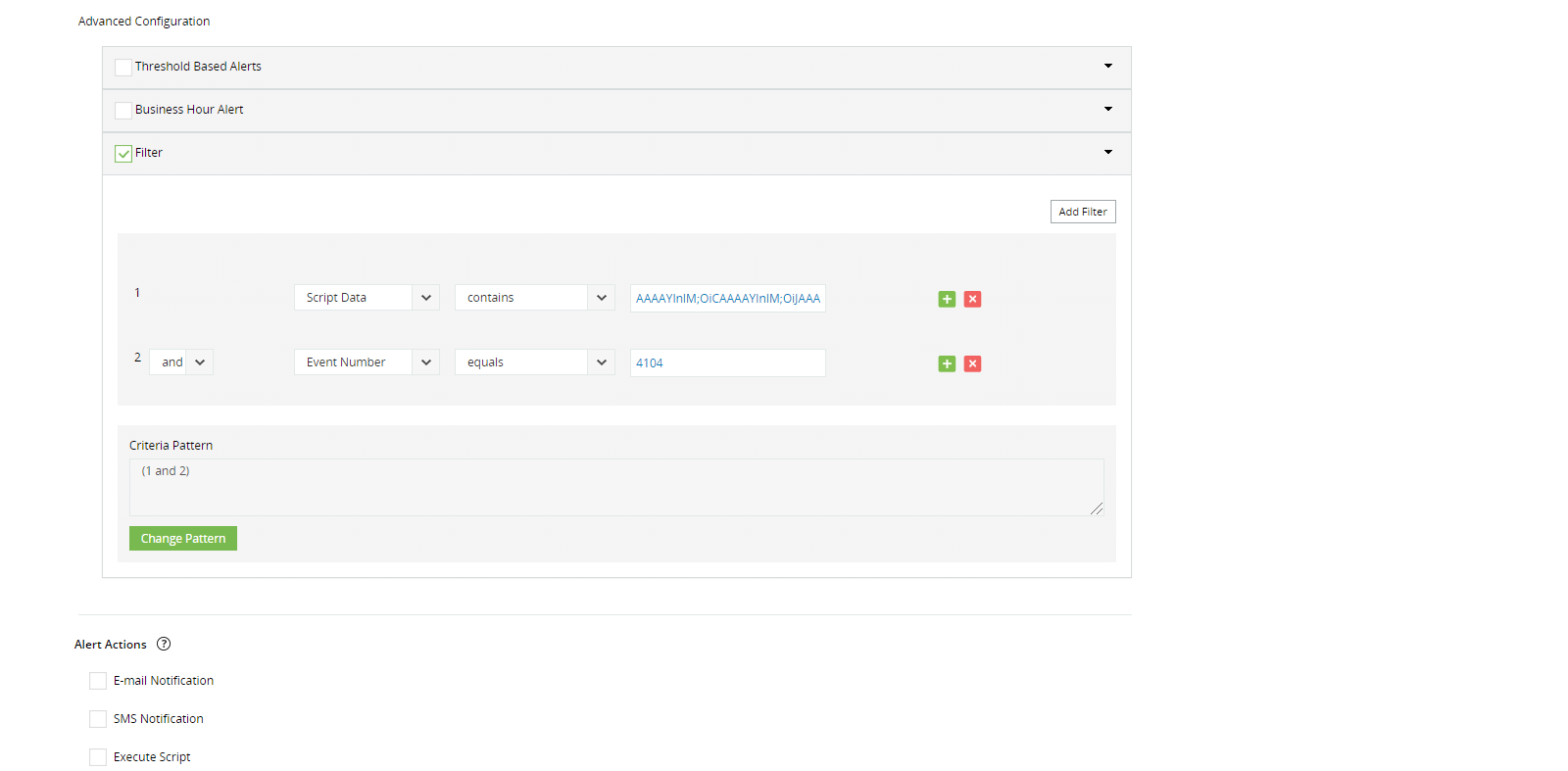
Configure instant security alerts
Get notified in real time via email and SMS about critical activities, such as the execution of a particular script.
Automate response actions, such as shutting down a device1
Maintain a comprehensive audit trail of who did what, when, and from where.
2
Automate the generation and delivery of reports to meet compliance needs.
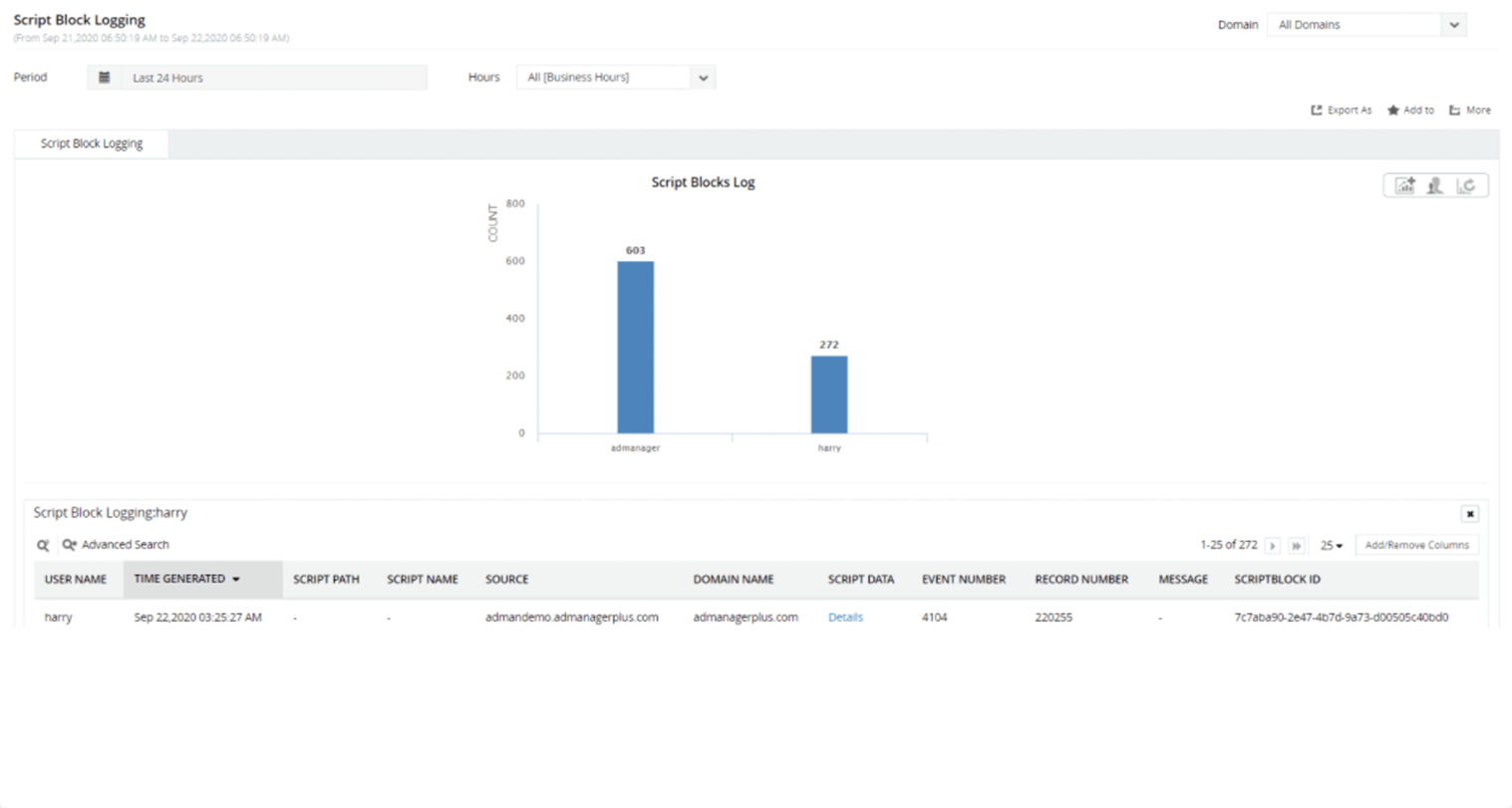
Audit-ready compliance reports
Automate the generation and delivery of reports to meet compliance needs.
Automate the generation and delivery of reports to meet compliance needs.
Get full visibility into PowerShell activity
using ADAudit Plus.
Keep your Active Directory, file servers, Windows servers, and workstations secure and compliant with ADAudit Plus
Audit AD changes
Receive real-time notifications on changes occurring across both on-premises and Azure Active Directory.
Track user logons
Gain complete visibility into user logon activity, spanning from logon failures to logon history.
Troubleshoot account lockouts
Detect lockouts instantly and know their root cause by tracking down the source of authentication failures.
Monitor privileged users
Get a consolidated audit trail of administrator and other privileged user activities.
Track file access
Audit access to Windows, NetApp, EMC, and Synology files and folders.
Audit Windows member servers
Monitor local logon/logoff activities; changes to local users, groups, user rights; and more.
Detect insider threats
Leverage user behavior analytics (UBA) to detect anomalies based on activity patterns.
Demonstrate compliance
Automate generation of detailed reports and demonstrate compliance with SOX, GDPR, and other mandates.
